

Live chat for your website, in one inbox with your messengers.
A chat button on any site. Every conversation lands in one inbox with WhatsApp and Telegram, on the customer’s CRM record.
Free plan, no card needed.
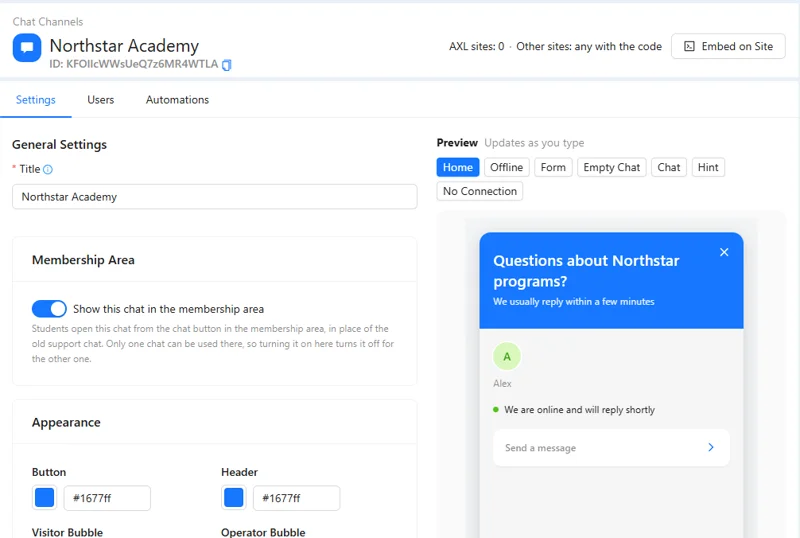
One inbox for the website and every messenger.
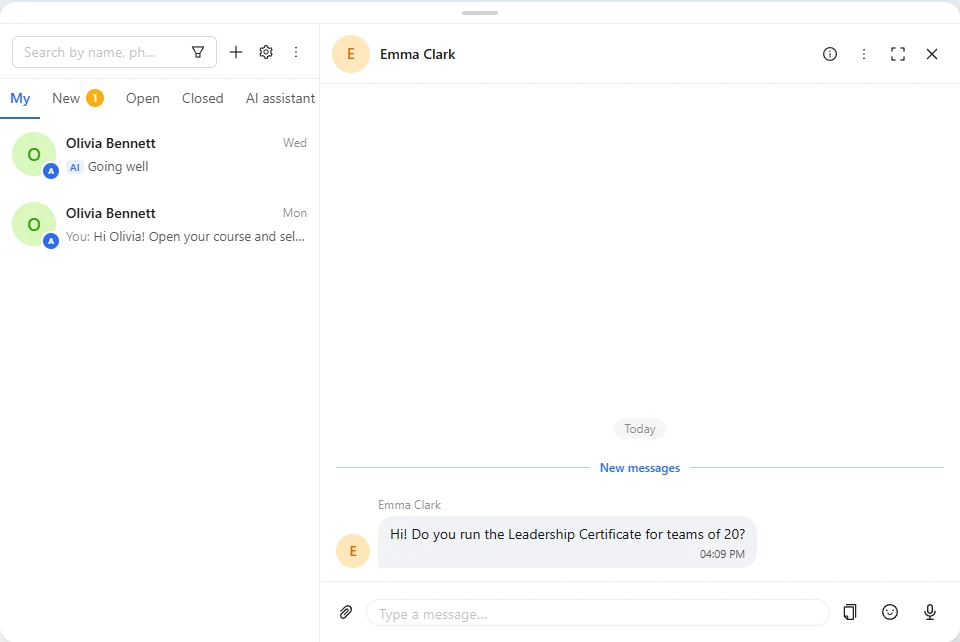
Visitors write from the chat button. Your team, a chatbot or the AI agent answers, and the conversation stays on the contact.
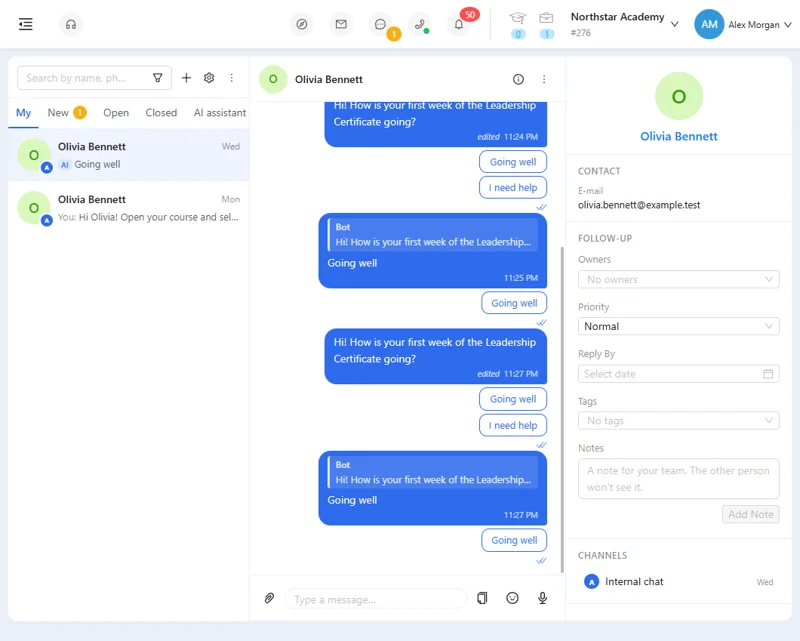
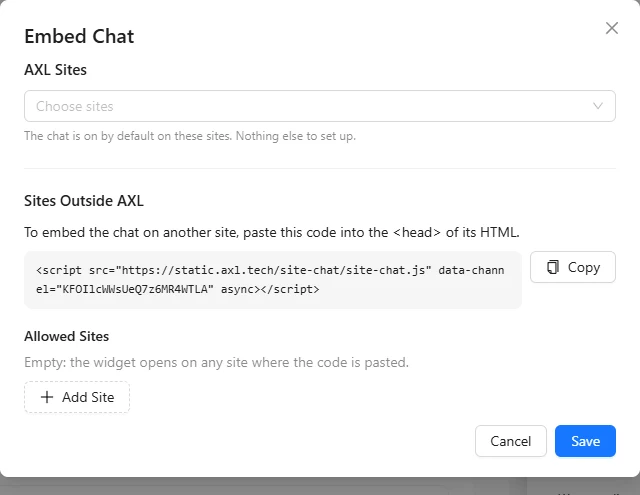
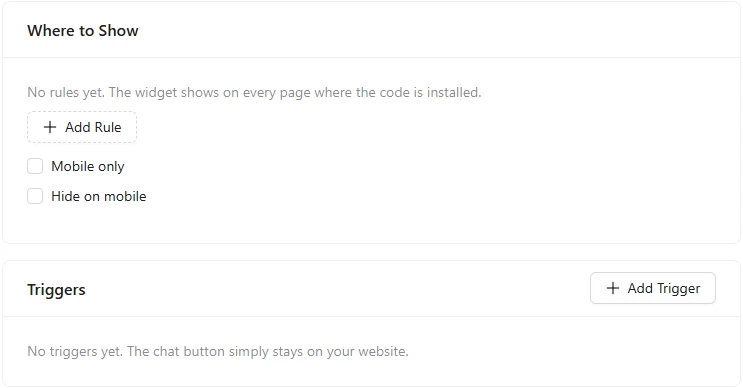
- Chat button. On AXL sites with a switch, on any other site with one line of code.
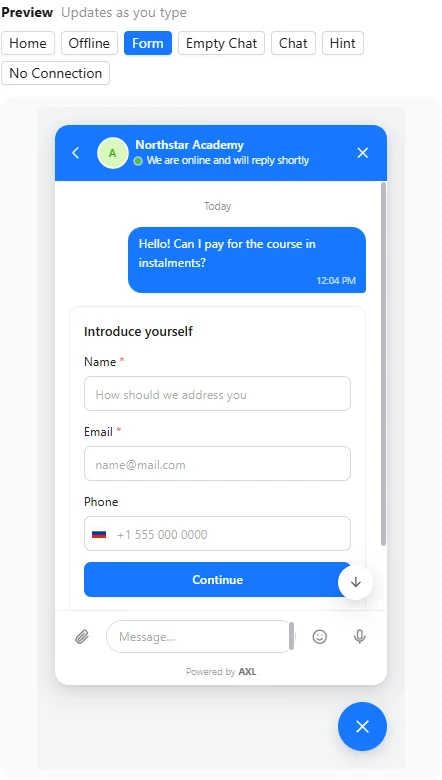
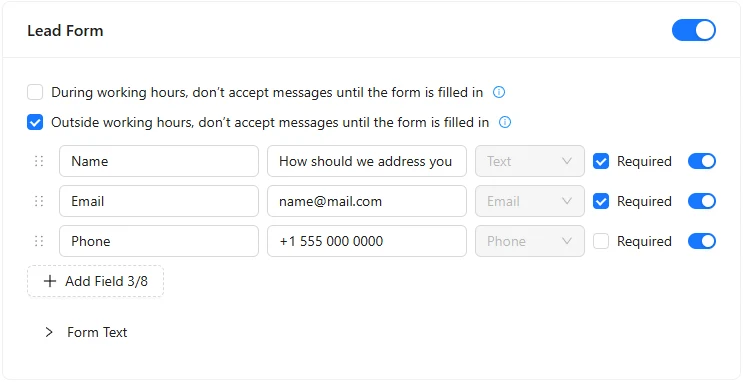
- Lead form. Name, email and phone go straight to the CRM contact.
- Working hours. Reply times, an offline banner and your team’s faces.
- AI and bots. An AI agent or a chatbot answers when you are away.
Good to know: Messenger channels keep their own rules, such as WhatsApp templates and reply windows.
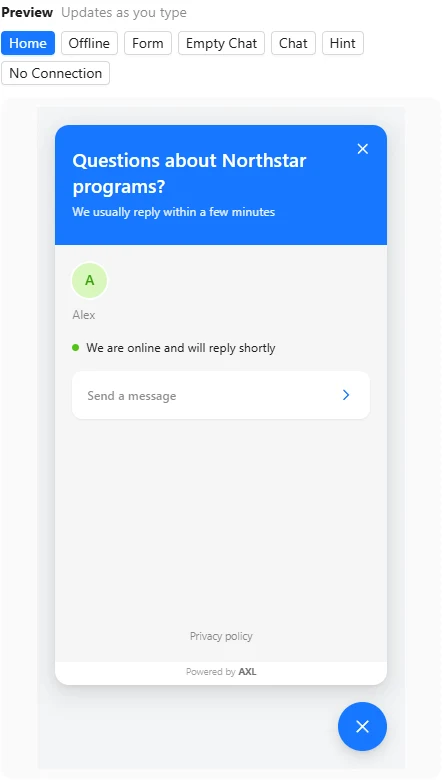
The widget, the form and the inbox.
Screens from a demo academy account. Open any of them to see it full size.
More than a chat window.
- On the contact The visitor becomes a CRM contact with the page they wrote from. The CRM →
- Every channel WhatsApp, Telegram, Instagram and SMS in the same inbox. AI chat agents →
- Chatbots Key phrases start a bot; buttons branch the conversation. Automations →
- Member area The same chat can be the support chat in your student portal. Courses →
Put the chat on your site in five minutes.
- 01 Create the chat Only the title is required. Communications → Website Chat
- 02 Set how it looks Colors, greeting, team and working hours. Website Chat → Settings
- 03 Put it on your site Switch it on for AXL sites or paste one line of code. Embed on Site
Create a chat agent for our website chat. Use our FAQ, help people choose a service and book a consultation. Hand unclear questions to our team.
- 1. Creates an AI chat agent on your website chat.
- 2. Answers from your FAQ and helps people pick a service.
- 3. Books consultations from your booking pages.
- 4. Hands unclear questions to your team.
Paste it into the AI Assistant inside AXL, or into Claude, ChatGPT or Cursor connected over MCP. AI chat agents →
Live chat for three people, per month.
Help desks charge per seat and again for each AI answer. On AXL the chat comes with the plan, extra admins are $15 a month, and AI replies use AI credits.
| Tool | 3 people | AI agent | What the price covers |
|---|---|---|---|
| AXL Starter | $79 | 200 AI credits included, then $0.01 per credit | Chat, messengers, CRM, email, booking and sites |
| Intercom Essential | $117 | $0.99 per Fin outcome | Live chat, shared inbox, help centre |
| Zendesk Suite Team | $207 | 5 resolutions per agent, then $2.00 each | Help desk, chat and email tickets |
| Crisp Mini | $45 | Not priced on the plan | Chat for up to 4 seats |
| Tidio Starter | $29 | Lyro from $32.50 a month for 50 conversations | 100 conversations a month |
AXL: $49 Starter with one admin, plus two at $15. Intercom: $39 per seat ($29 for new customers). Zendesk: $69 per agent. From intercom.com, zendesk.com, crisp.chat and tidio.com pricing pages; AXL rates on axl.tech/pricing.
Questions people ask.
Yes. Paste one line of code into the site’s head, and limit it to the domains you allow.
Only if you want them to. The lead form can be off, optional, or required during or outside working hours.
Yes. Assign an AXL chat agent to the website chat, and it hands unclear questions to your team.
The chat comes with every plan, including Free. Paid plans start at $49 a month with one admin; more active admins are $15 each.
Contacts import from CSV or XLSX. Conversation history stays in your old tool.
Answer every visitor from one inbox.
Free plan, no card needed. Paid plans from $49 a month.