

Send to the people who actually did something, then see what it earned.
Build the audience from real behaviour, send it by email and messenger together, and read the revenue without exporting anything. The list, the campaign and the order are the same records.
Free plan, no card needed.
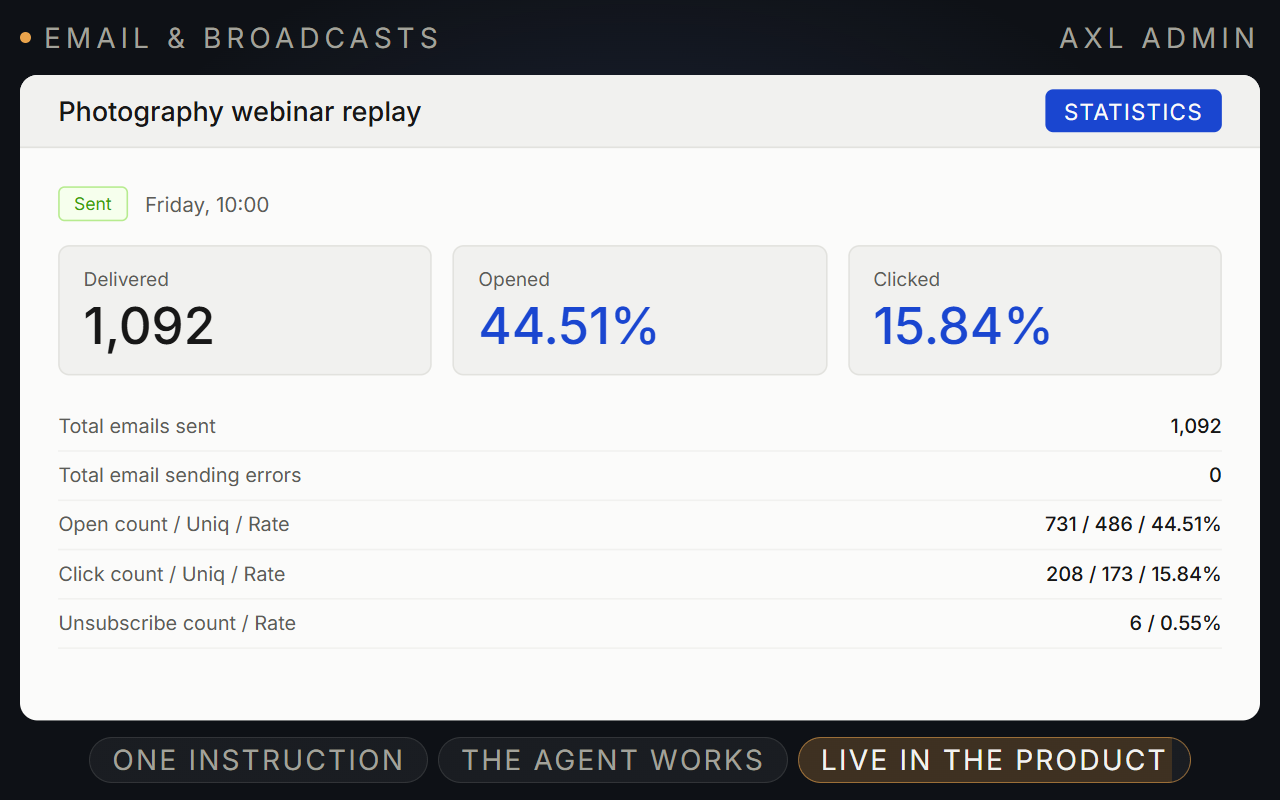
Email the people who did something, and see what it earned.
Build the audience from purchases, lessons and webinars, send by email and chat, and read the revenue in the same account.
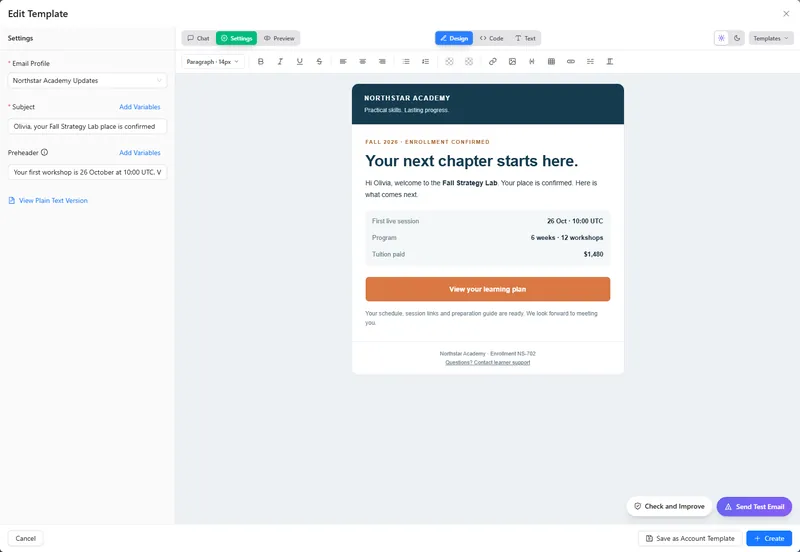
- Write. Build the template by hand or ask AI for it.
- Target. Audiences from orders, UTM, course progress and attendance.
- Send. Email and chat channels in one campaign.
- Measure. Delivery, opens, clicks, unsubscribes and orders.
Good to know: Send from the built-in profile or your own SMTP. One-click unsubscribe, stop lists and bounce suppression are built in.
Deliverability, the editor and AI edits for every email.
Screens from a demo academy account. Open any of them to see it full size.
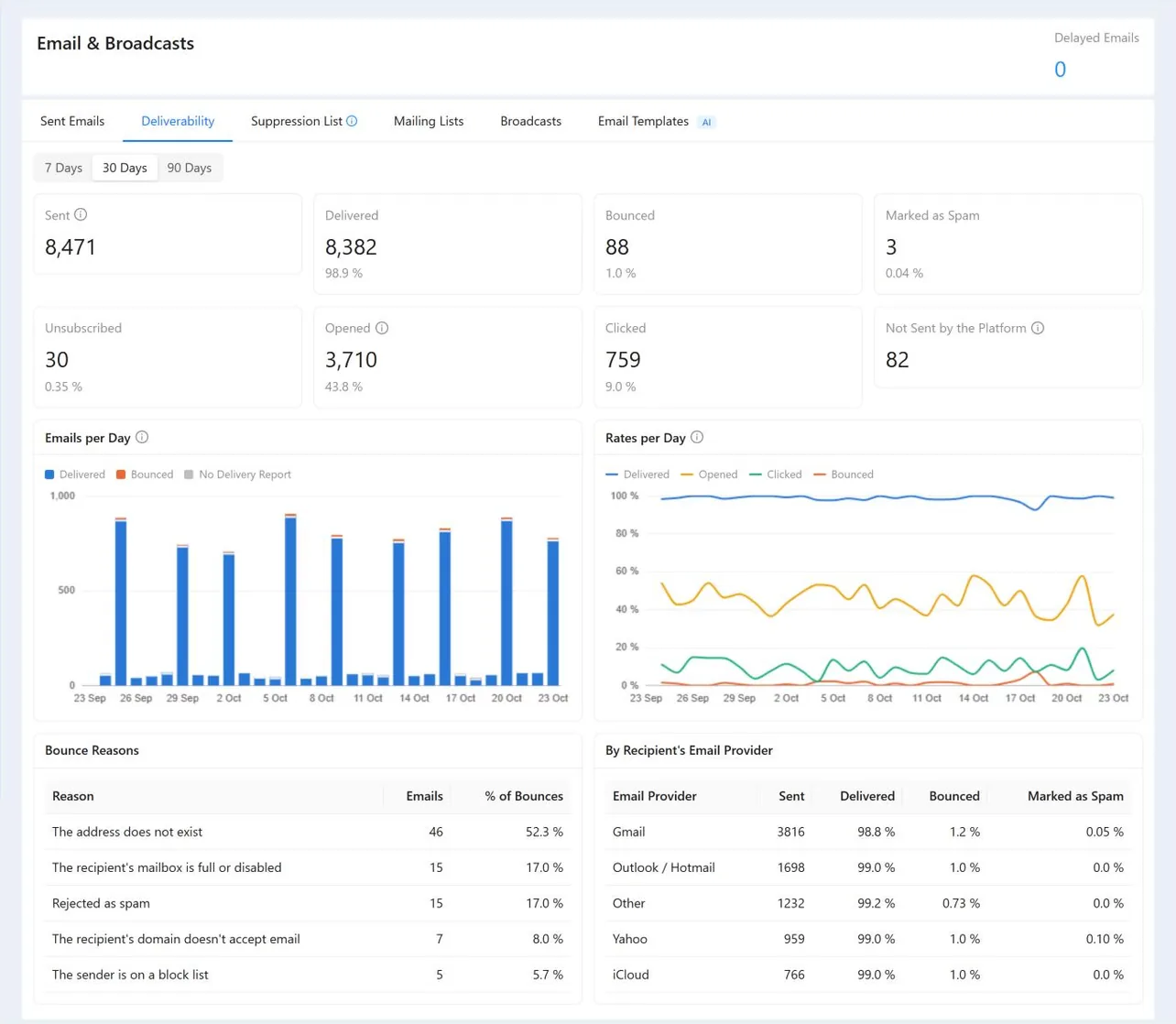
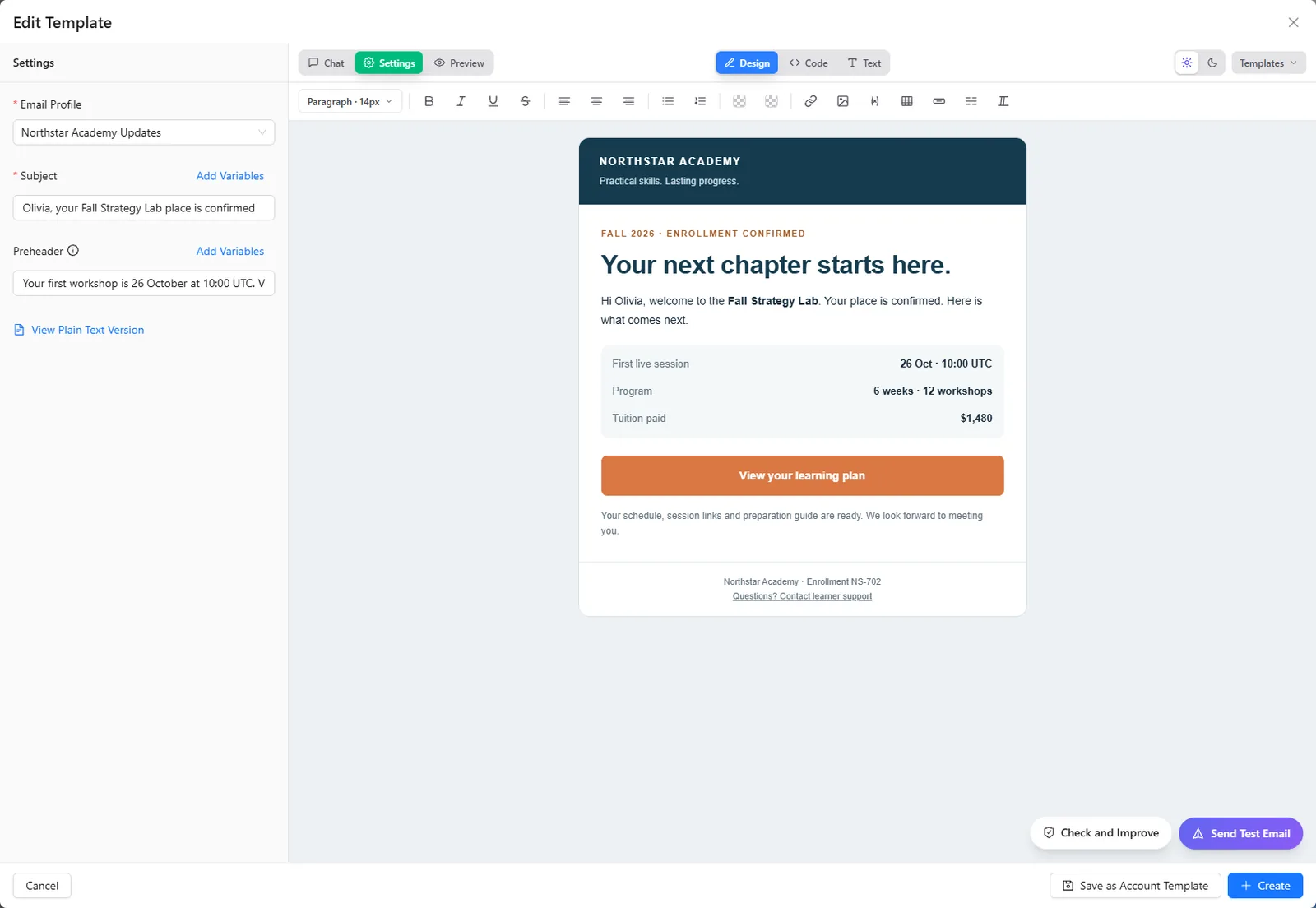
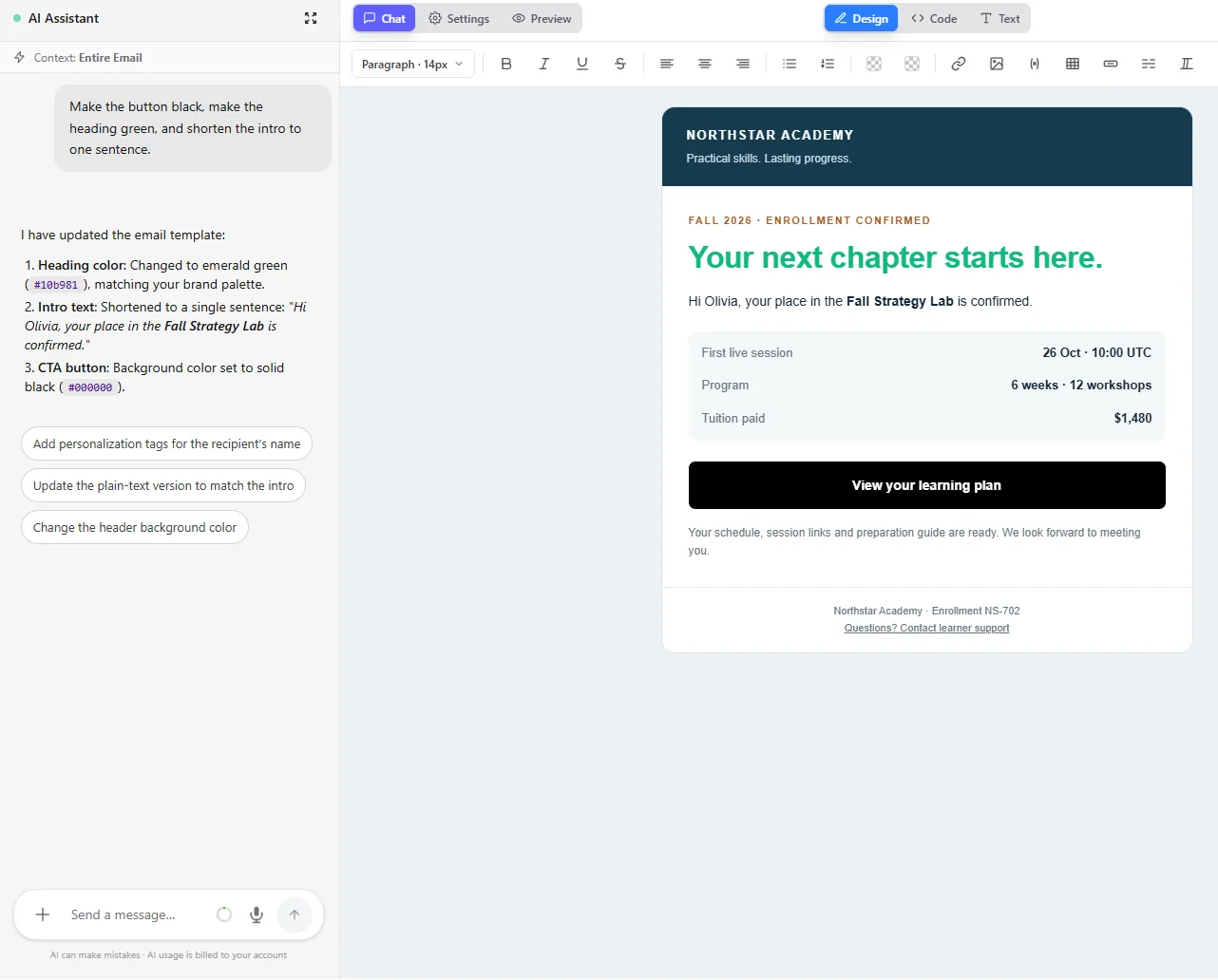
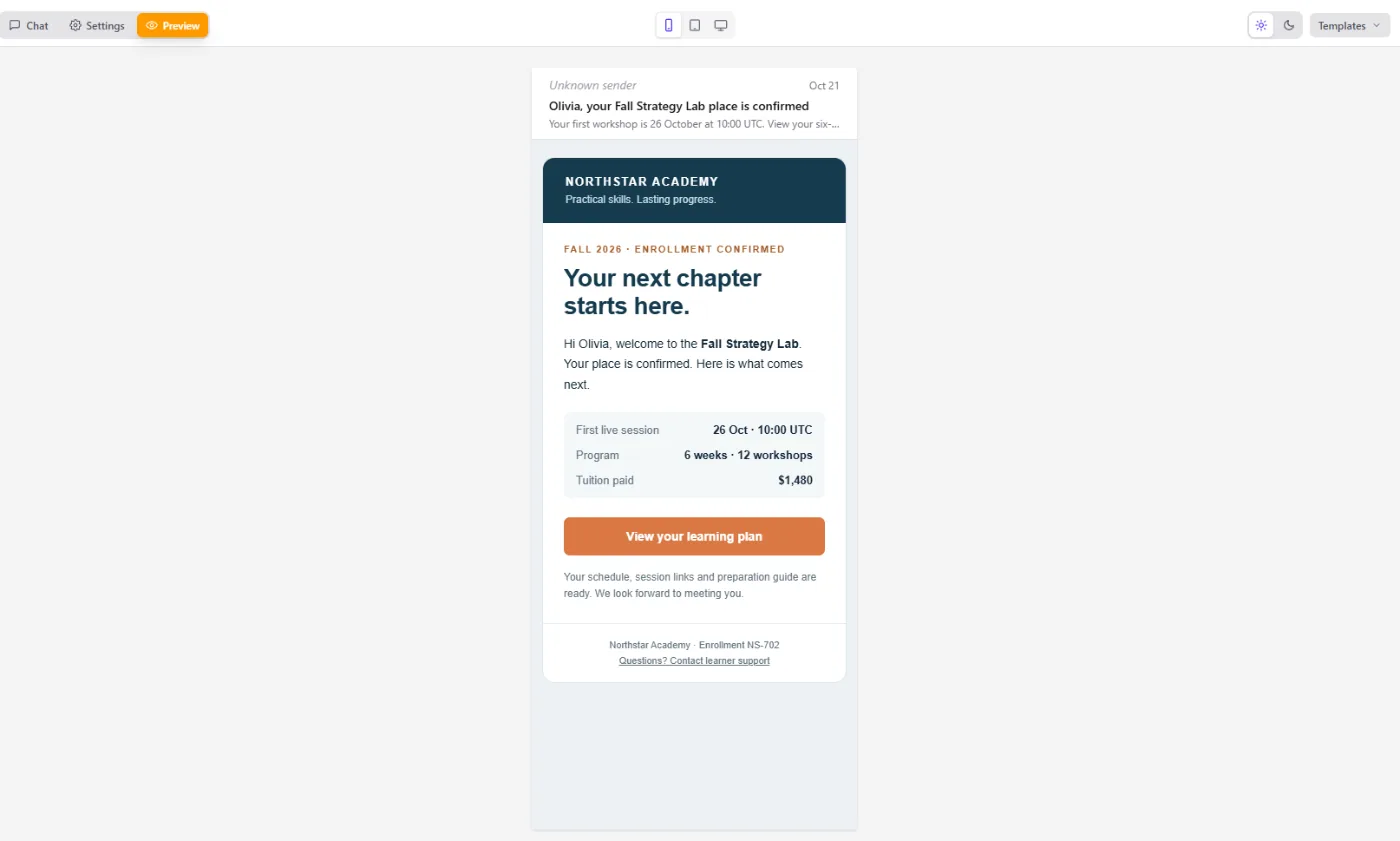
From the audience to the revenue.
- Templates with AI Ask for the email, subject, preheader and plain text, then edit by hand.
- Live audiences Lists that update as people buy, learn and attend. Segments in the CRM →
- Follow-ups “Opened, did not click” starts a scenario. Automations →
- Sales analytics Revenue by broadcast, UTM, page and product, first and repeat sales. Email and analytics guides →
Send a first behaviour-based broadcast.
- 01 Profile and template The built-in profile sends today, no DNS work. Email → Templates
- 02 Build the audience Check the contact count before sending. CRM → Segments
- 03 Create the broadcast Pick the list or filter right on the broadcast. Broadcasts
- 04 Schedule it Then add the follow-up for people who did not click. Broadcast → Schedule
- 05 Read the revenue Filter sales by this broadcast. Analytics → Sales
Write an email template for students who started ‘Foundations of Colour’ and never finished lesson three, with one link carrying utm_campaign=lesson3-nudge. Build that audience, tell me the contact count, then schedule the broadcast for 10:00 tomorrow. Do not send it.
- 1. Writes the email with one tracked link.
- 2. Builds the audience: started the course, never finished lesson three.
- 3. Tells you how many contacts that is.
- 4. Schedules it for 10:00 tomorrow without sending.
Paste it into the AI Assistant inside AXL, or into Claude, ChatGPT or Cursor connected over MCP. What an agent can do →
Email for the price of an email tool, with the rest included.
2,500 contacts and 30,000 emails a month.
| Tool | Per month | What the price covers |
|---|---|---|
| AXL Starter | $58 | Email, plus CRM, courses, checkout, automations and sites |
| Mailchimp Standard | $60 | Email marketing |
| Kit Creator | $59 | Email marketing for creators |
AXL: $49 Starter with 15,000 emails included, plus 15,000 at $0.0006. From mailchimp.com/pricing and kit.com/pricing. AXL rates on axl.tech/pricing.
Questions people ask.
Yes. Lesson progress, homework, quiz answers, webinar attendance and community activity are all audience conditions, because it is one contact record.
Yes. One campaign can go by email and chat channels, with opens, clicks and unsubscribes in one report. SMS needs a phone number, see telephony.
Every plan includes an email allowance: 15,000 on Starter. Extra platform emails cost $0.0006 each and extra messages $0.0004 each.
Yes. Sales analytics filter by purchase from a broadcast and by UTM, split into first and repeat sales, using the same orders as the CRM.
Email the behaviour, not the list.
Free plan, no card needed. Paid plans from $49 a month.