

AI voice agents for every customer call.
Answer calls, call customers back, qualify leads and book meetings. Tell the AI Assistant what the agent should do.
Inbound and outbound calls on your AXL number.
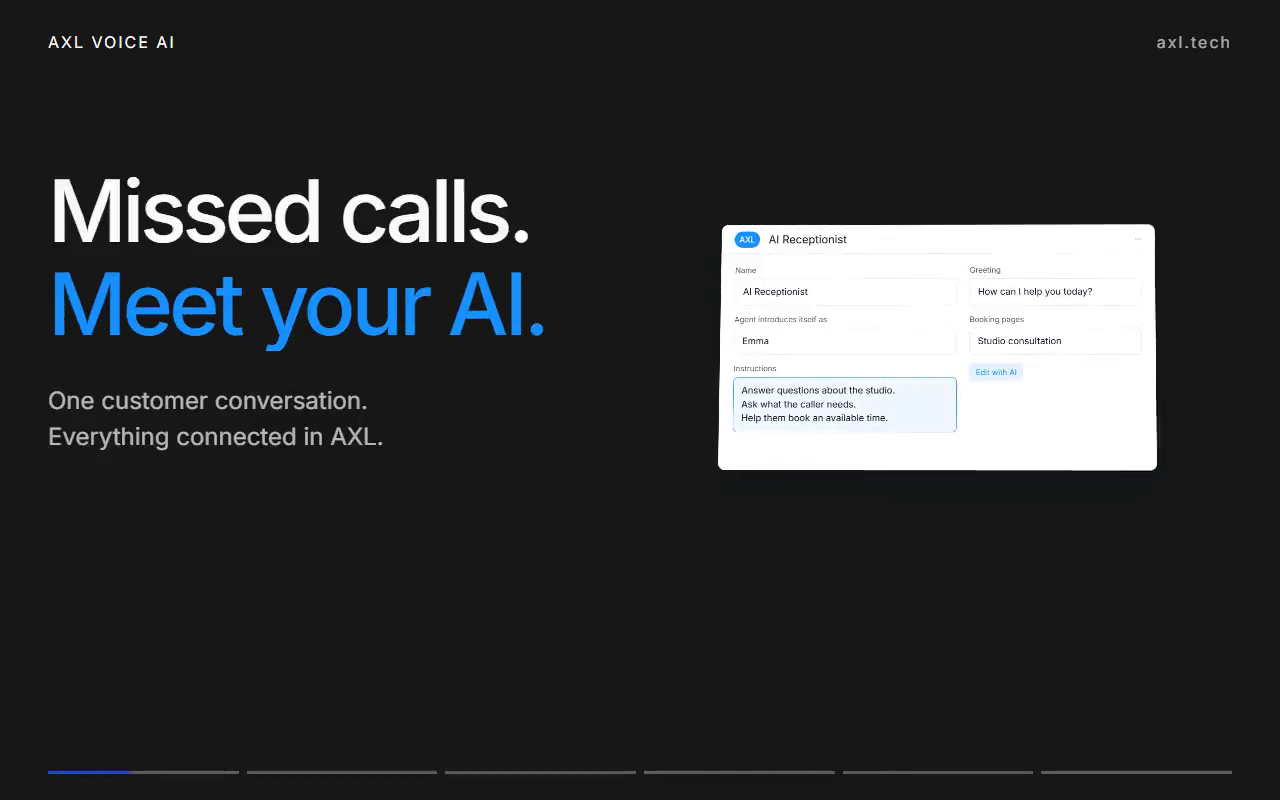
Preview ready
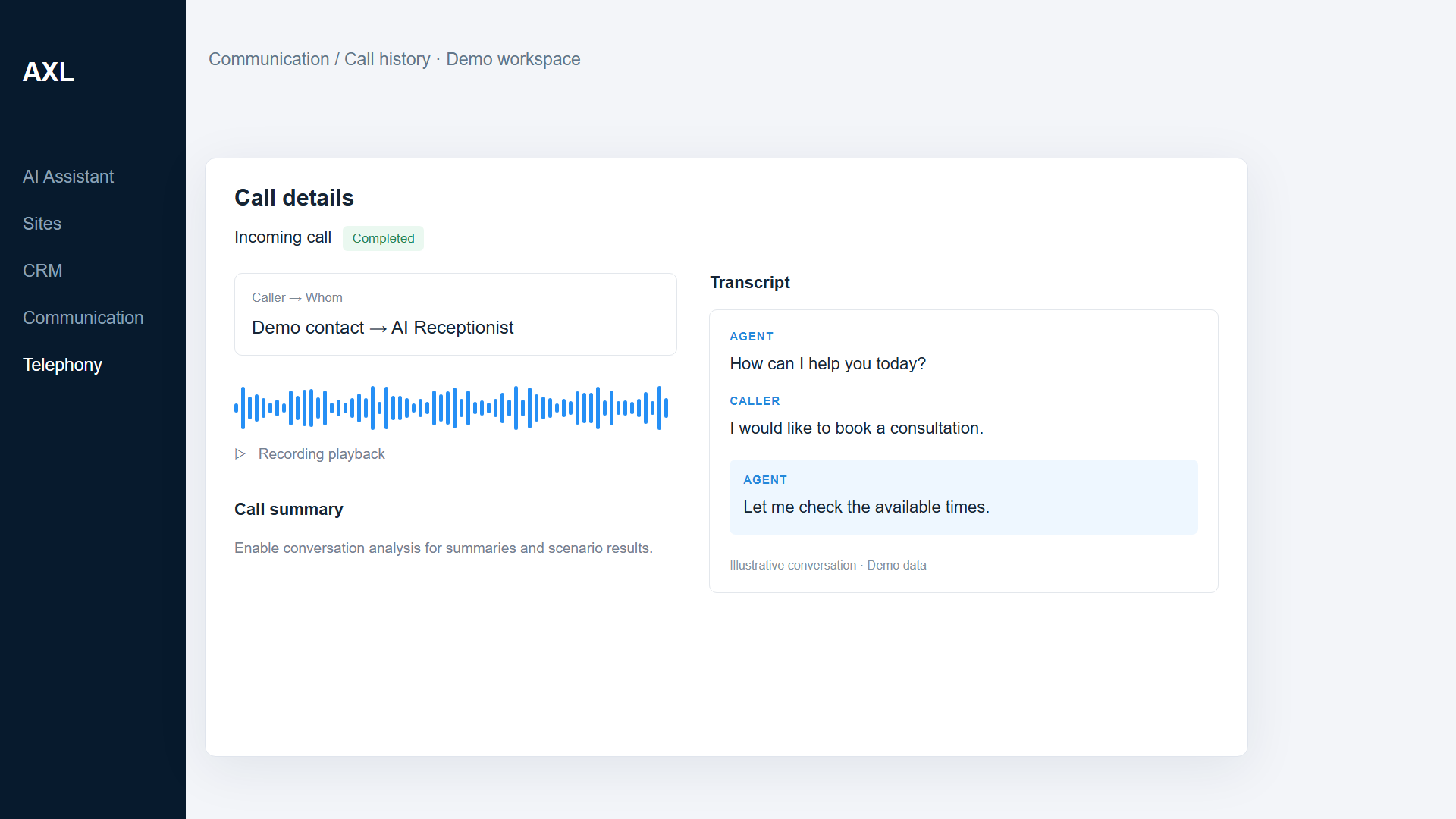
Every call ends with a recording, a transcript and a next step.
The agent talks to the caller, and the result lands on the contact for your team or your next automation.
- Answer. Pick up incoming calls on your number.
- Call out. Reach customers from a scenario or a campaign.
- Book. Check your booking pages and reserve a slot during the call.
- Follow up. A task, a message or a webhook from the call result.
Good to know: Outbound calls need the contact’s consent, a number and account funds. AI analysis uses your AI balance.
Agents, call scenarios and campaigns.
Screens from a demo academy account. Open any of them to see it full size.
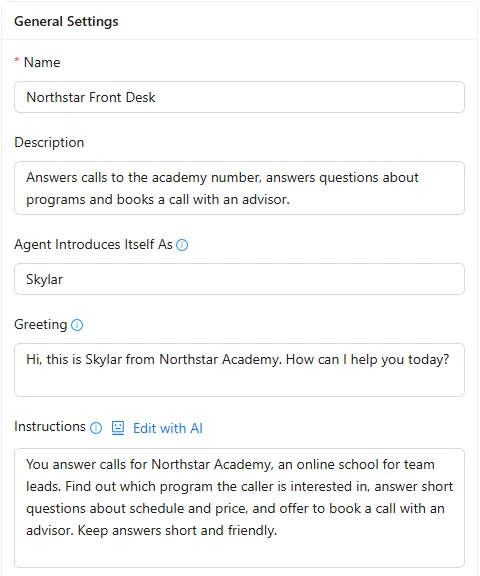
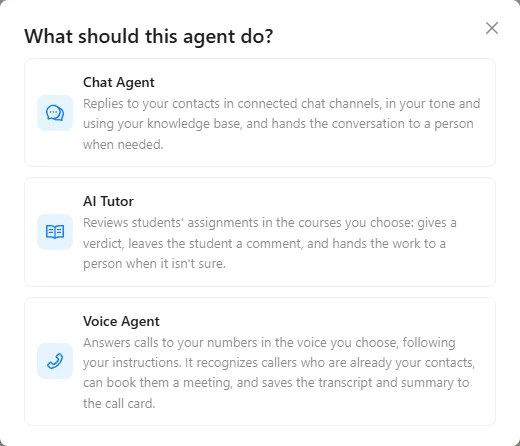
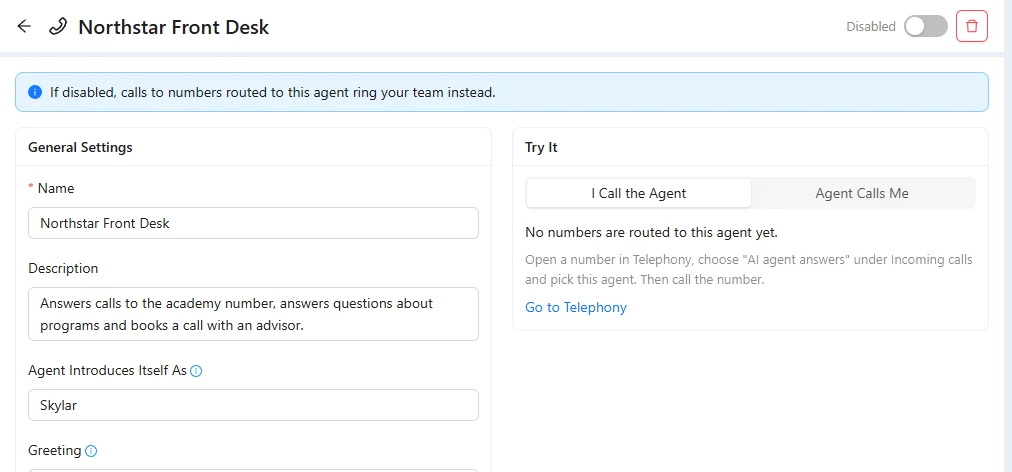
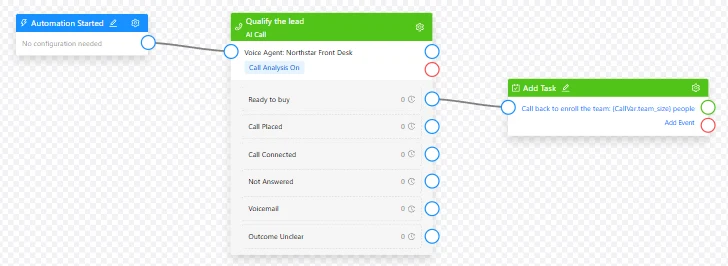
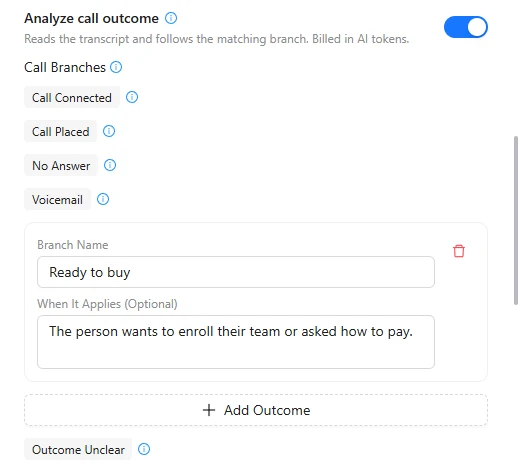
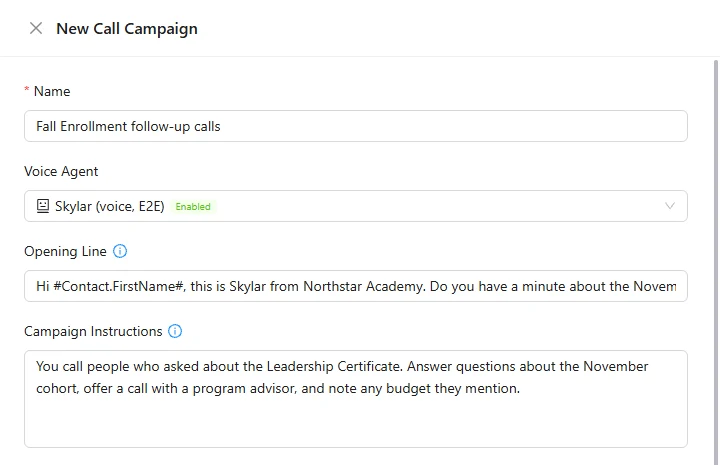
Give each call a job.
- AI receptionist Answer questions and book a time with the right person. AI receptionists →
- Lead qualification Ask about need, timing and fit, then pass the result on. Sales teams →
- Booking Check the booking pages you attach and book a free slot. Booking →
- Feedback calls Call after a service and save the answers. Service businesses →
- Webinar reminders Call registrants before the webinar and explain how to join. Webinar teams →
- Follow-up Answered, no answer, voicemail: each result starts its own next step. Automations →
Start with the job, not the wiring.
You buy the number yourself; the assistant can route an existing number to the agent.
- 01 Describe the conversation Business facts, the task and the booking pages to use. AI Assistant
- 02 Connect your number Buy it in Telephony, then route it to the agent. Telephony → Numbers
- 03 Test and switch on Make a real test call, refine, then turn it on. Agent → Try it
Create a voice agent to qualify new enquiries. Ask what the customer needs and when they want to start. Offer a consultation using our booking calendar.
- 1. Creates a voice agent with qualification instructions.
- 2. Asks callers about their need and timing.
- 3. Offers a consultation from your booking calendar.
Paste it into the AI Assistant inside AXL, or into Claude, ChatGPT or Cursor connected over MCP. AXL telephony →
Compare the call cost and what happens after it.
Each comparison prices real call usage, not plan stickers.
Questions people ask.
No. AXL includes its own voice agents.
No. You choose and buy the number yourself. The assistant can read your numbers and set up routing.
Yes, when you attach booking pages to the agent. It checks free slots and books the caller.
It works over the phone. A website can link to the agent’s number.
Number rental and call minutes are separate from AI usage. See the current rates and your balance inside AXL.
Put your next call to work.
Free plan, no card needed. Calls and AI are charged by use.
Put your next conversation to work.
Choose a job for your voice agent. Give it your business instructions, make a test call and build from there.