

Call center phones with AI answering.
Your team calls from the browser. An AI agent takes the first questions. Every call lands on the contact.
Free plan, no card needed.
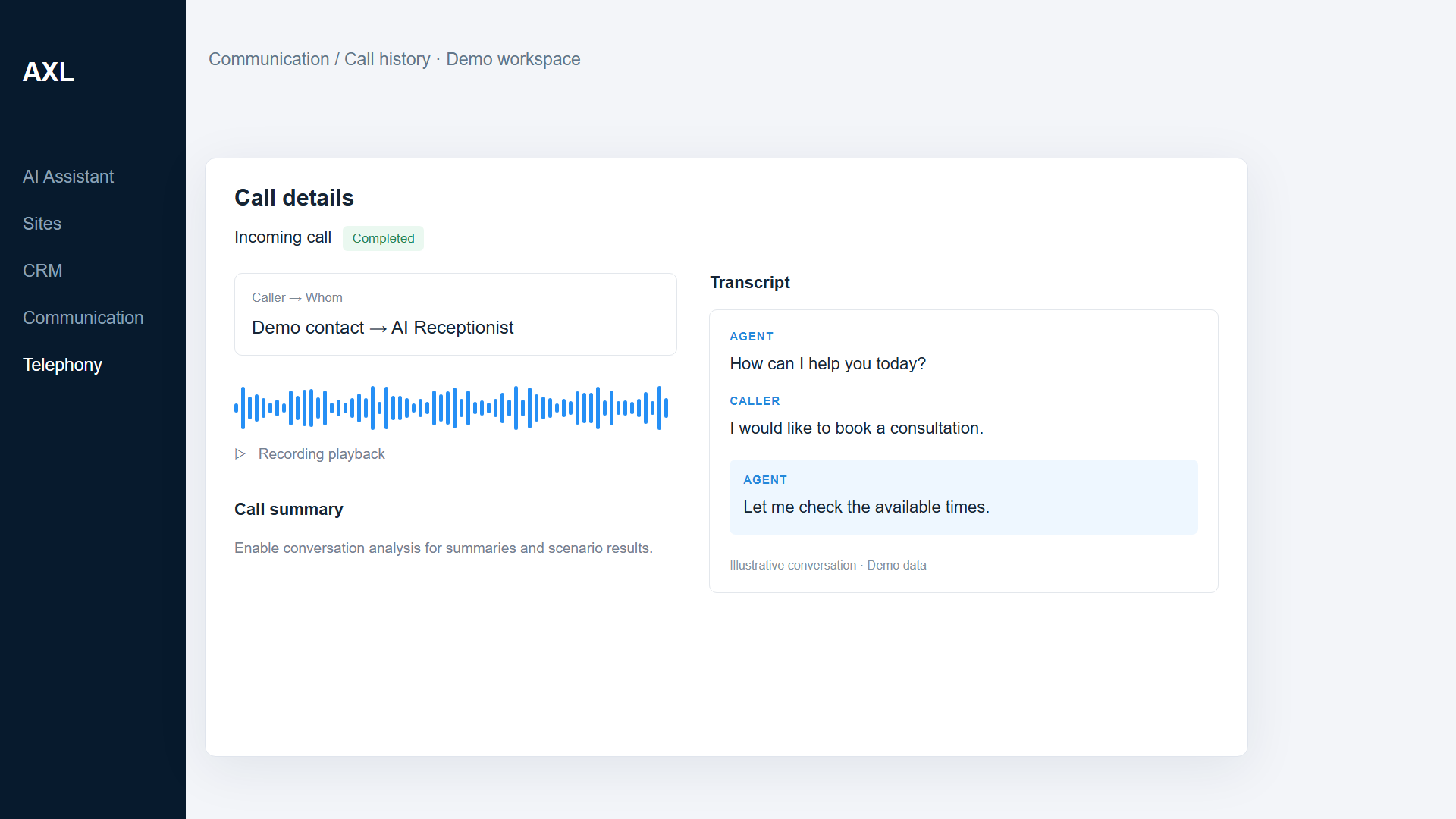
Call details with recording and transcript. Demo data.
Every call has a recording, a transcript and a next step.
Buy numbers in AXL, decide which calls the AI agent answers and which ring your team. After each call, the team sees what was said and what happens next.
- Browser phone. Call with a headset, no desk phones.
- AI first answer. An agent asks why the person is calling.
- Recordings. Recording and transcript on the contact.
- Follow-up. A task or message for each outcome.
Good to know: US and Canada numbers. No predictive dialer and no workforce scheduling.
Four parts of AXL a call center uses.
- Telephony Numbers, browser phone, recordings and call analytics. Telephony →
- Voice AI AI agents that answer and make calls. Voice AI →
- CRM Contacts, deals and tasks with every call on them. CRM →
- Live chat Website chat in the same inbox. Live chat →
Your first line in an afternoon.
- 01 Get a number Buy one or use a number you own. Telephony → Numbers
- 02 Add the team Admins who take calls in the browser. Settings → Admins
- 03 Set up the AI agent Business facts and what to ask. AI agents → Voice
- 04 Route the calls Which calls go to AI, which to people. Number → Routing
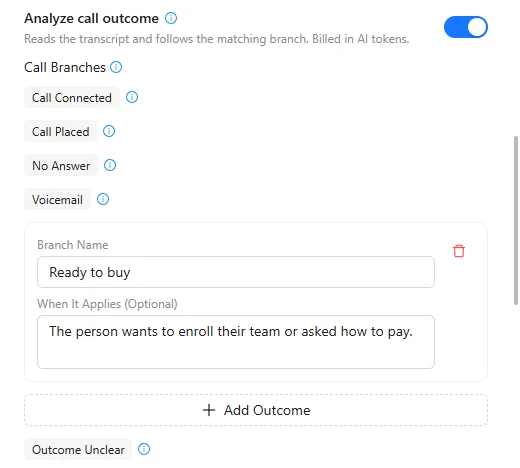
Set up an AI receptionist for our main number. Ask why the person is calling, offer an available appointment and keep the result with the contact.
- 1. Creates a voice agent with your business facts.
- 2. Asks each caller why they are calling.
- 3. Offers a time from your booking page.
- 4. Saves the call and its result on the contact. You turn the line on.
Paste it into the AI Assistant inside AXL, or into Claude, ChatGPT or Cursor connected over MCP. How AI calls work →
A phone system for three people, per month.
Phone systems charge per user. On AXL you pay for the numbers and the minutes.
| Job | Usual tool | Monthly | In AXL |
|---|---|---|---|
| Phone system | Quo Starter, 3 users | $84 | Numbers, calls, recordings |
| Phone, meetings, chat | RingCentral Core, 3 users | $90 | Calls, live chat, email |
| Call center phones | Aircall Essentials, 3 licenses | $120 | Browser phone and call analytics |
| Three people | AXL | About $103 | Starter with two extra admins, 3 numbers and 1,000 minutes |
Three people, list prices billed monthly, 23 October 2026: Quo $28, RingCentral $30 and Aircall $40 per user (Aircall needs at least 3 licenses), from quo.com, ringcentral.com and aircall.io. AXL phones are an estimate: about $1.50 per US number and $0.0195 per US minute with recording. AXL rates and usage allowances on axl.tech/pricing.
Questions people ask.
Yes. Choose for each number whether the AI agent or your team answers.
In call history and on the contact: recording, transcript, notes and the result.
US and Canada numbers.
No. There is no predictive dialer and no shift scheduling.
Set up your team’s phones in AXL.
Free plan, no card needed. Paid plans from $49 a month; numbers and minutes are billed separately.
Also for: Sales teams · AI receptionists · Service businesses · Webinar teams · All solutions