

Turn your coaching into a course you can sell.
Lessons, tests, homework, certificates and checkout in one account. Build the first one in a weekend.
Free plan, no card needed.
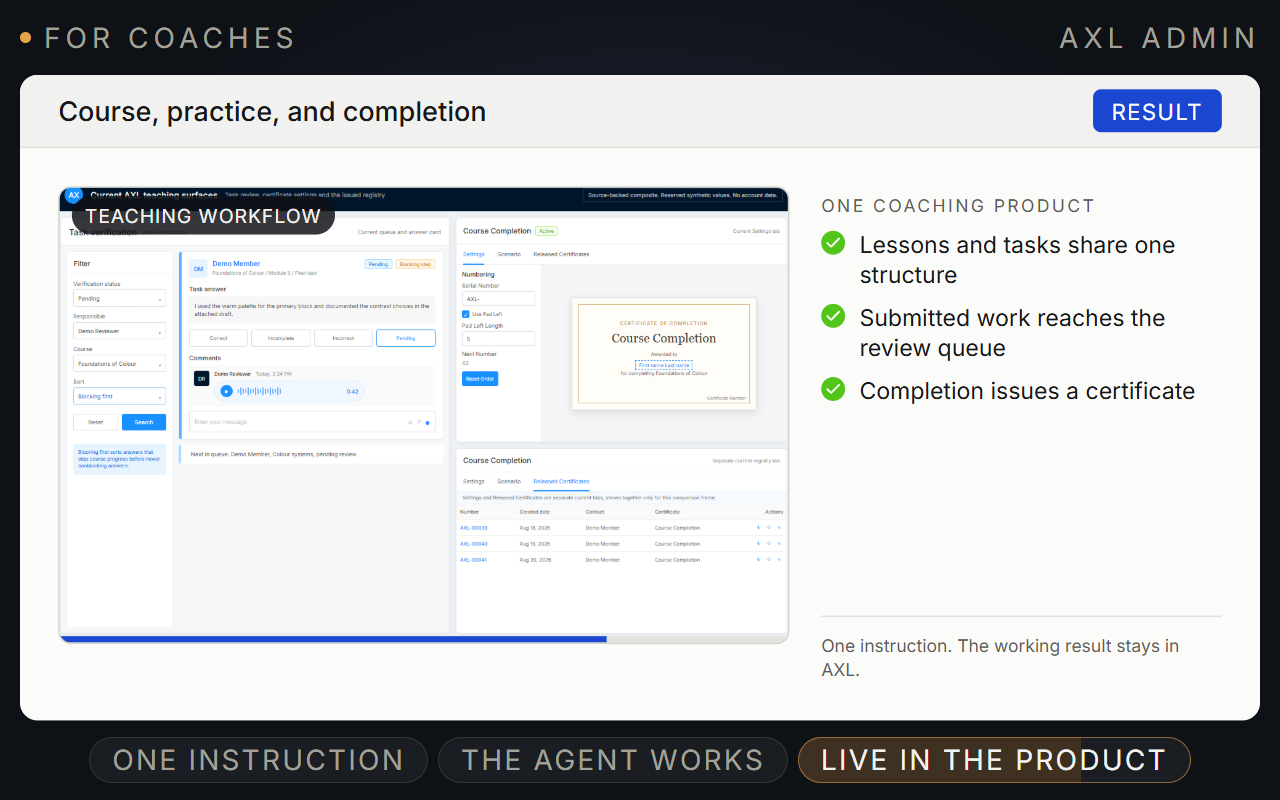
Turn one-to-one coaching into a course you can sell.
Build the course in sections and steps. Each step can teach, test, take homework and wait until the work is accepted.
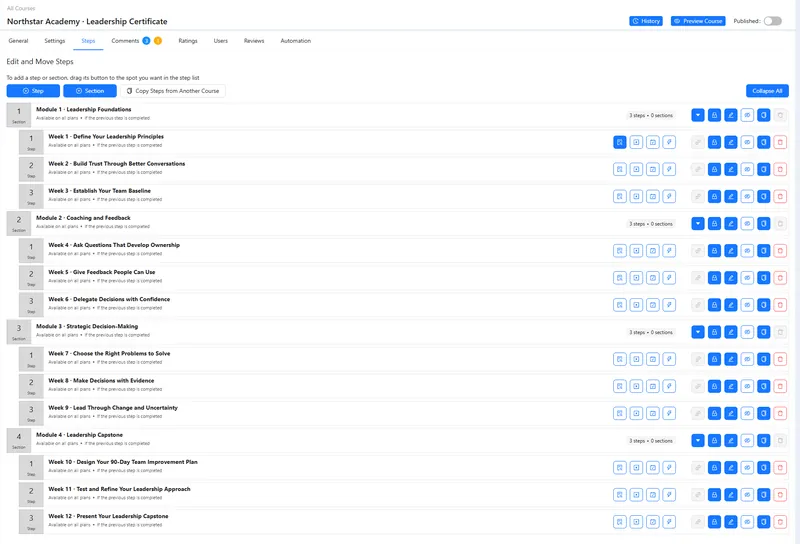
- Lessons. Video, text and files in each step.
- Tests. Six question types with a pass mark.
- Homework. A review queue, with text or voice replies.
- Certificates. Issued by hand or when the course is done.
Good to know: Students use the course in a browser on your own domain. There is no branded phone app.
Four parts of AXL a coach uses.
- Courses Lessons, tests, homework, drip and certificates. Courses →
- Checkout Sell the course or a package of sessions. Payments →
- Booking One-to-one calls with Zoom or Google Meet links. Booking →
- Webinars Live launches from the browser or OBS. Webinars →
Your first course in a weekend.
- 01 Lay out the course Sections and steps, video in each. Courses → New
- 02 Add a test and homework Pass mark, reference answer, step lock. Step → Tests, Tasks
- 03 Create the product Price, access period and checkout page. Products → New
- 04 Grant access on payment Order paid, then access and a welcome email. Scenarios
Build “First 30 Days of Strength” from this outline: 4 sections, 12 steps, a 5-question test at 70% pass, homework with a reference answer only I see, a certificate, a $199 product and a checkout page.
- 1. Builds the course: 4 sections and 12 steps.
- 2. Adds a 5-question test with a 70% pass mark and homework with a reference answer only you see.
- 3. Adds a certificate.
- 4. Creates a $199 product and its checkout page.
Paste it into the AI Assistant inside AXL, or into Claude, ChatGPT or Cursor connected over MCP. What an agent can do →
One plan in place of a course host, a scheduler and an email tool.
Prices are the tiers a coach usually starts on.
| Job | Usual tool | Monthly | In AXL |
|---|---|---|---|
| Course hosting | Teachable Builder | $89 | Courses with tests and homework |
| Booking | Calendly Standard | $12 per seat | Booking pages |
| Kit Creator, 1,001 to 3,000 subscribers | $59 | Broadcasts and automations | |
| Sales pages and checkout | ClickFunnels Launch | $97 | Pages and checkout |
| All of it | AXL | From $49, 0% of sales | Starter includes 5,000 contacts and 100 h of video |
Vendor prices from their own pricing pages, billed monthly. AXL rates and usage allowances on axl.tech/pricing.
Questions people ask.
No. The course editor, page builder and certificate designer are drag and drop.
Students are contacts. Starter includes 5,000; each one above that is $0.002 a month.
Yes. Go live from the browser or OBS with registration and chat. The recording can become an evergreen replay.
Tests grade themselves. Homework can be accepted automatically or go to the review queue.
Build your first course in AXL.
Free plan, no card needed. Paid plans from $49 a month.
Also for: Bloggers · Communities · Consultants · Creators · Online schools · Sellers · Small business · Web designers