

Qualify every lead and book the meeting.
An AI agent asks the first questions and books a meeting. Your reps call with the history in front of them.
Free plan, no card needed.
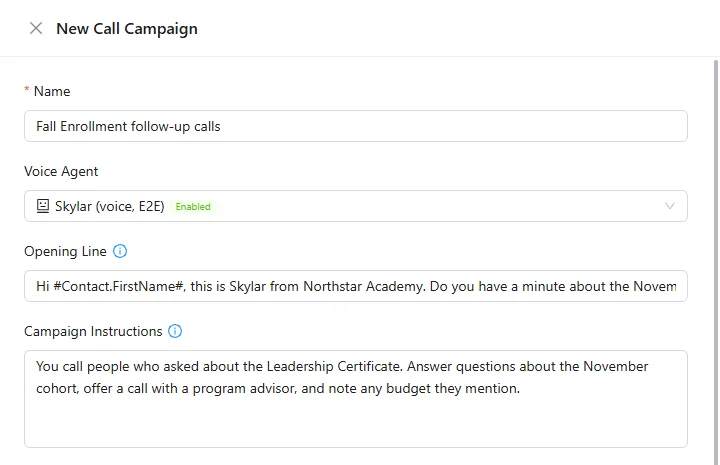
An AI call campaign and its results.
Every lead gets an answer, a meeting and a follow-up.
The AI agent qualifies the lead by phone or chat and books from your calendar. Reps see the call and the deal before they pick up.
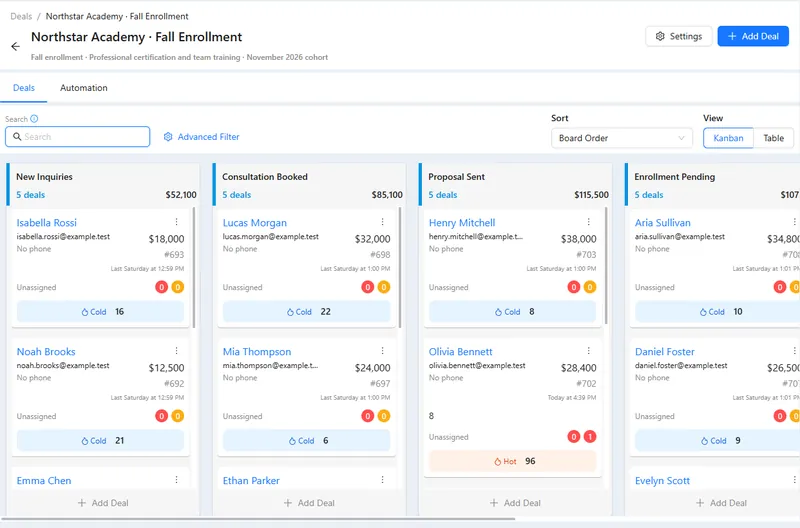
- Qualification. Your questions, by phone or chat.
- Booking. The agent offers free slots and books them.
- Rep calls. Browser phone with the deal open.
- Outcomes. Answered, no answer or voicemail, each with its own next step.
Good to know: Outbound AI calls go only to contacts with recorded consent, and a person confirms each campaign.
Four parts of AXL a sales team uses.
- CRM Pipelines, deals, tasks and sales analytics. CRM →
- Voice AI AI calls that qualify and book. Voice AI →
- Booking Meeting pages with Zoom or Google Meet. Booking →
- Telephony Numbers and the browser phone. Telephony →
Your first qualifying agent this week.
- 01 Write the questions What makes a lead a good fit. AI agents → New
- 02 Attach a booking page Where the agent books meetings. Agent → Booking
- 03 Pick the channel A phone number or chat channels. Agent → Channels
- 04 Test both paths A good fit and one that needs a person. Test call
Create an agent that asks what the customer needs and when they want to start. Offer a consultation from our booking page and prepare a follow-up for the sales team.
- 1. Creates an agent with your qualifying questions.
- 2. Offers a consultation from your booking page.
- 3. Creates a follow-up task for the sales team.
- 4. Leaves the agent switched off until you test it.
Paste it into the AI Assistant inside AXL, or into Claude, ChatGPT or Cursor connected over MCP. How AI calls work →
One plan in place of a phone system, a CRM and a scheduler.
Prices are per seat where the vendor charges per seat.
| Job | Usual tool | Monthly | In AXL |
|---|---|---|---|
| Phone system | RingCentral Core | $30 per user | Numbers, browser phone, recordings |
| CRM | Pipedrive Growth | $49 per seat | Pipelines, deals, tasks |
| Booking | Calendly Standard | $12 per seat | Booking pages |
| All of it | AXL | Free; paid from $49/month | Starter includes one admin; each extra active admin is $15 |
Vendor prices from their own pricing pages, billed monthly. On AXL, numbers, minutes and AI calls are billed by usage. AXL rates and usage allowances on axl.tech/pricing.
Questions people ask.
Yes. Attach the booking pages it may use; it checks free slots and books one.
Each outcome, such as no answer or voicemail, can start its own task or message.
Yes. Set up a chat agent for your connected channels, with handoff to a person.
By default only contacts with recorded consent, and a person confirms each campaign launch.
Give every lead a fast first answer.
Free plan, no card needed. Paid plans from $49 a month.
Also for: Call centers · AI receptionists · Service businesses · Webinar teams · All solutions