

Connect your AI agent to AXL in one line.
Add the endpoint to the assistant you already use, sign in in your browser, and it has tools over the whole admin API, around 1,100 operations. No key to paste.
claude mcp add axl --transport http https://app.axl.tech/mcp
Per-client instructions are in your account at Settings → MCP. New to this? What an MCP server is →
Free plan, no card needed.
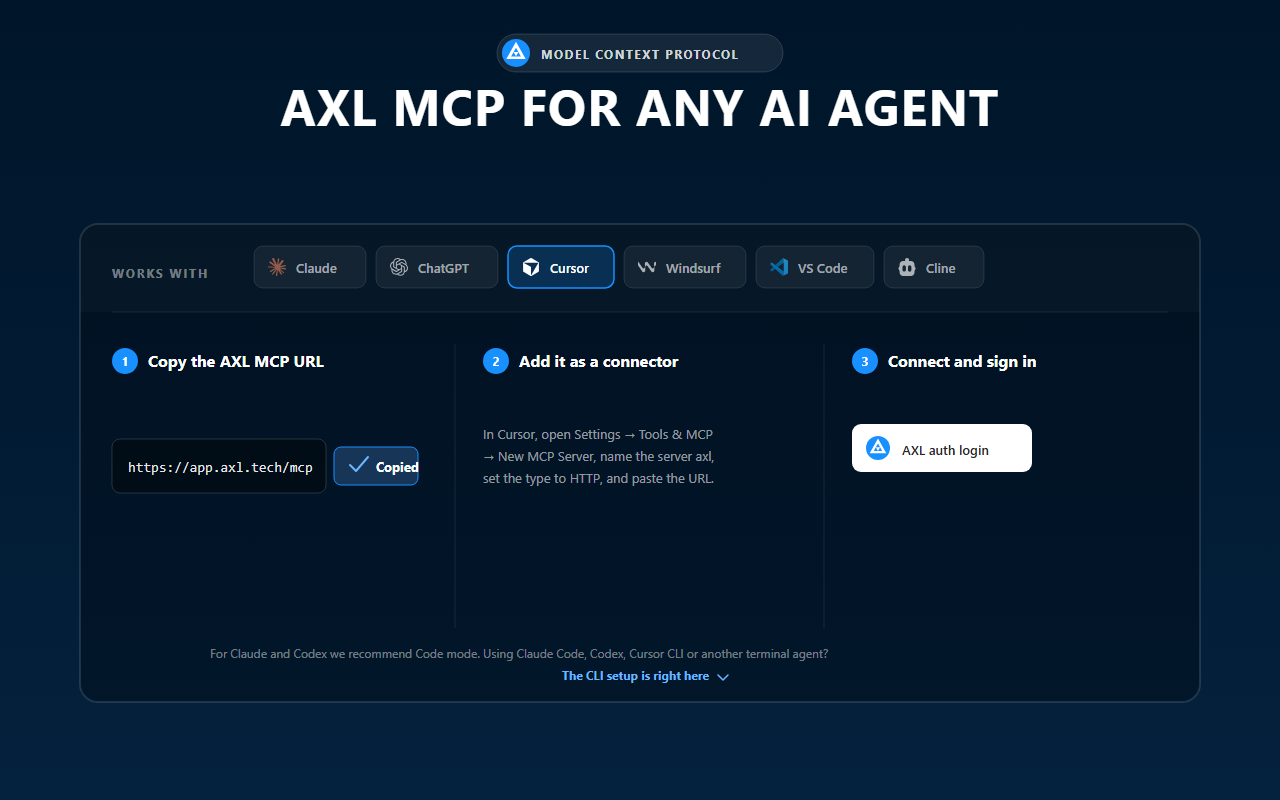
Choose Cursor, copy the connection details, and finish setup in your client.
Streamable HTTP, stateless, two properties worth knowing.
JSON-RPC over POST only
A GET returns 405. No SSE stream, no session teardown; a client that insists on one needs mcp-remote.
Stateless
There is no Mcp-Session-Id. A server restart does not drop your connection.
Three steps, then it is connected.
- 1 Add the server. One command in Claude Code, the JSON block everywhere else.
- 2 Sign in. A consent screen names the client and the account, and lets you switch before you approve. The flow in full →
- 3 Ask for work. The agent gets a small fixed tool set and navigates to the right operation itself.
“Show me my five most recent contacts, then tell me what you can build in this account.”
A successful write comes back as a link to the new record in the admin.
Two things first. The token scopes to an account, so you need one with a school. A negative balance answers everything but billing reads with 403 lockedSchoolAccessDenied.
Your client, with its own menu path
{ "mcpServers": { "axl": { "url": "https://app.axl.tech/mcp" } } }
Cursor, Windsurf and VS Code take that block; Claude Desktop and anything without HTTP transport needs mcp-remote.
Ask for the outcome. Your agent handles the steps.
You do not need to know the AXL menu, API names or data model. Describe the finished result. Your agent finds the right parts of the account, does the work and returns links to review.
Launch a paid photography course. Build the page, checkout, lessons, hosted video, booking, CRM and follow-up.
The agent returns finished work
Page and checkout ready to review
Course, lessons and video connected
Booking, CRM and follow-up in place
Start with the job, not the feature
- Launch a page. Match the brand, add the form and checkout, then return a preview link.
- Build a course. Structure lessons, attach hosted video and prepare enrolment.
- Organise sales. Create the pipeline, update contacts and connect booking to follow-up.
- Automate the journey. Connect triggers, messages and branches across the account.
You stay in control. The agent gives you links to inspect what it made. Publishing and sending remain separate actions.
Need the implementation details? Open the developer reference →OAuth 2.1, with dynamic client registration and PKCE.
AXL is both the protected resource and its own authorization server.
-
1
The client calls with no token, gets
401and a metadata pointer, then reads/.well-known/oauth-authorization-server(RFC 8414). -
2
It registers itself at
POST /oauth/register(RFC 7591), a public client with no secret. - 3 Your browser opens the consent screen. A request without PKCE is rejected, not downgraded.
-
4
You approve. A single-use code goes back, exchanged at
POST /oauth/tokenwith the PKCE verifier.
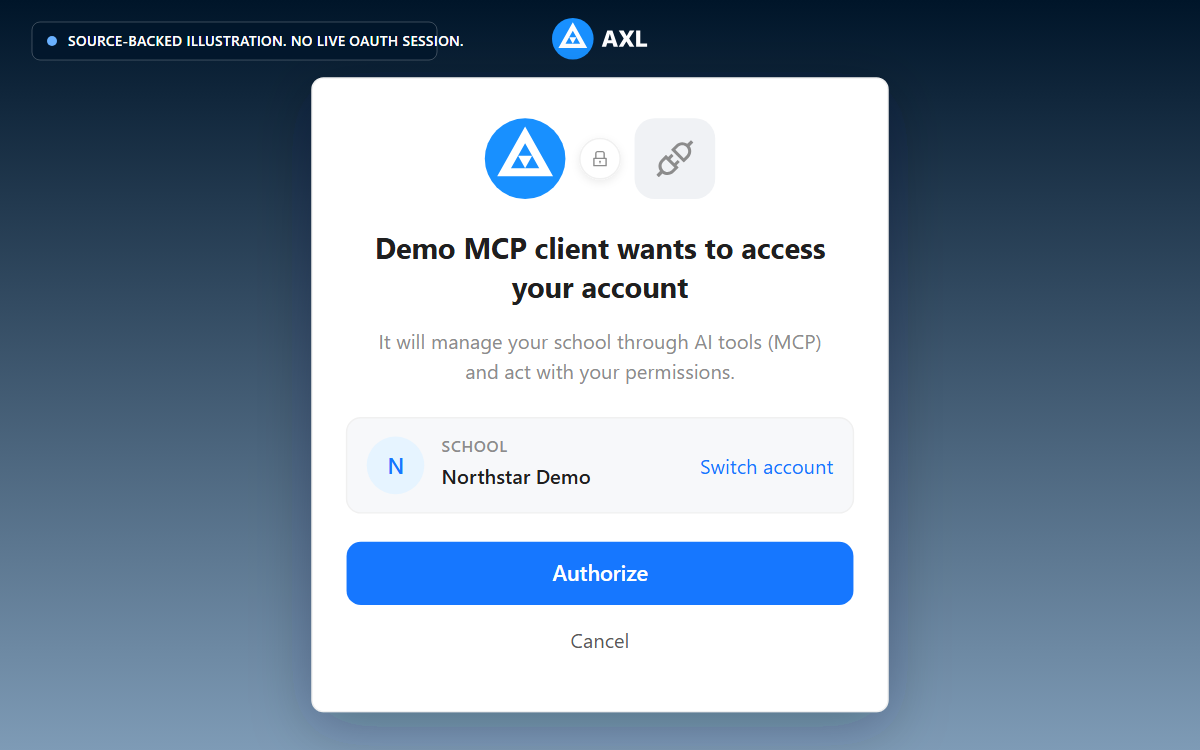
Review the school and access request before you approve the connection.
It is an ordinary admin token
Not a parallel credential class, which is why everything downstream behaves like your own session.
Account-scoped, and the scope is coarse
Production advertises one scope, so a completed flow carries the approving admin's rights. Narrower means an API key with reduced rights.
What to know before you start.
- •Concurrency, not rate. A fixed number of requests in flight at once; sequential calls are unlimited. Over it,
429withRetry-After: 1and theX-Concurrency-Limitheader; read that rather than hard-coding a number. - •Upload leaves the MCP surface for one step. A begin call, a raw
PUTto a pre-signed URL with no auth header, then a complete call; an agent limited to MCP tools cannot finish one alone. - •Long responses are truncated at roughly 200,000 characters, with a hint to narrow the fields. REST is not capped this way.
- •Writing HTML means reading the guide first. Page bodies and course-step theory refuse a write until the agent echoes the guide's token back.
Before you connect
It sees what you see. The token is scoped to one account and carries your permissions, including per-field rights; a field you cannot read is a field it cannot read.
Not as a scope on the browser flow; production advertises one. The endpoint also accepts Authorization: Bearer, so the mechanism is an API key with read rights only, connected with that token.
No. The API and the agent surface are included, with no separate MCP plan. Your agent's own model tokens are billed by whoever you run it with. Work out your number →
Connect it, then give it a real job.
Still choosing? What an agent finishes →