

Build structured courses with assessment, feedback and completion rules.
Auto-graded tests, AI-reviewed homework with a human fallback, drip rules that match how you teach and certificates at the end, all on the same contact record as your CRM and checkout.
Free plan, no card needed.
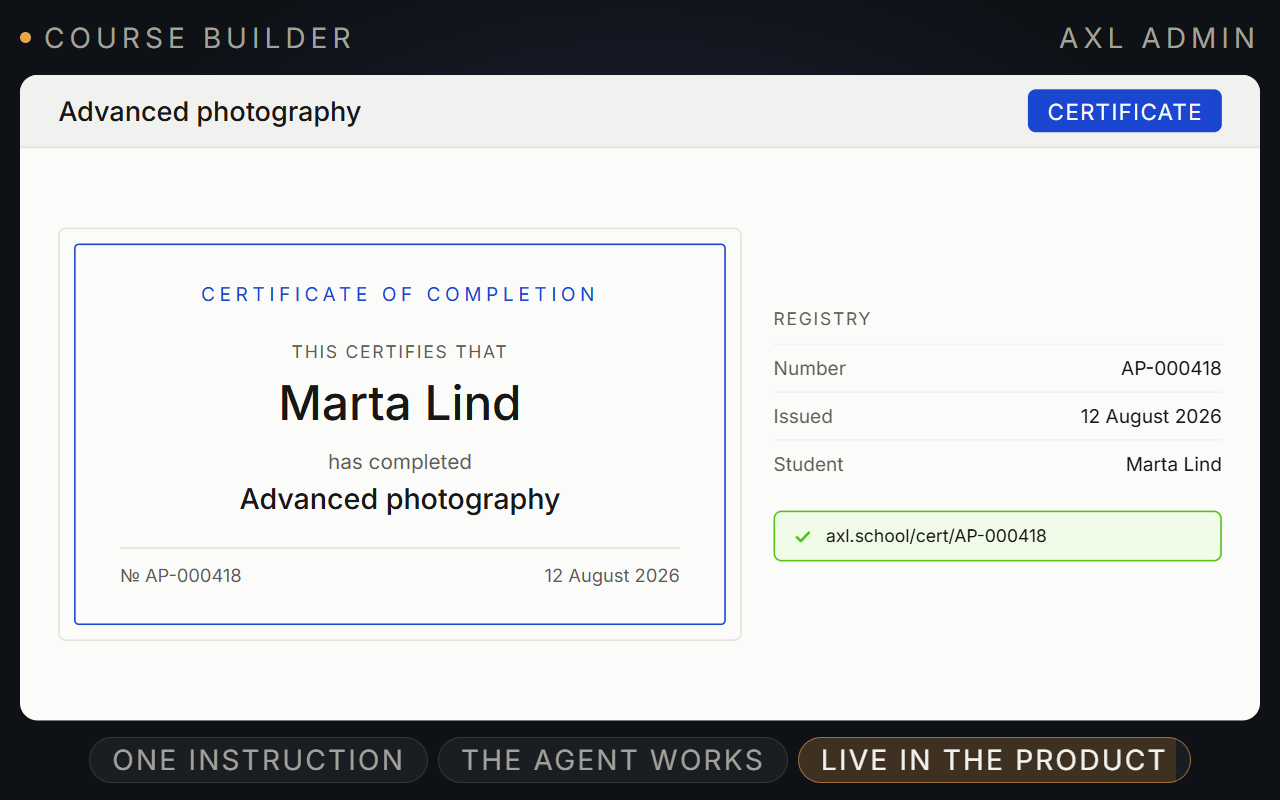
Teach, test, review and pace a course in one place.
Build sections and lessons, grade tests automatically and let AI review homework, with a person for anything unclear.
- Teach. Text, hosted video, images and files in each step.
- Test. Six question types with a pass mark.
- Review. AI checks homework; unclear work goes to a person.
- Pace. Open lessons by date, plan, cohort or a finished step.
Good to know: No SCORM and no app-store app. Lessons, videos and tests from another platform are rebuilt, not imported.
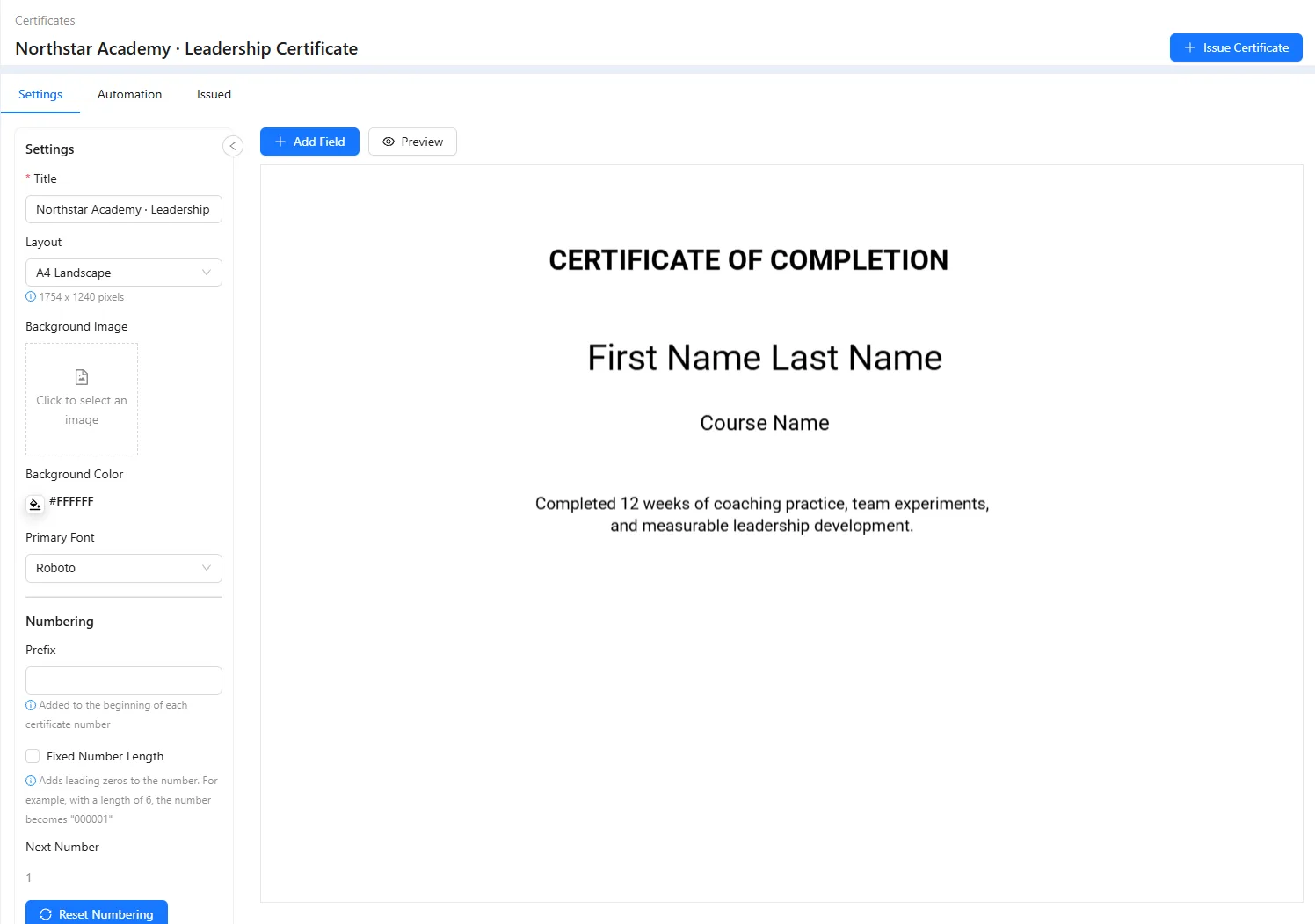
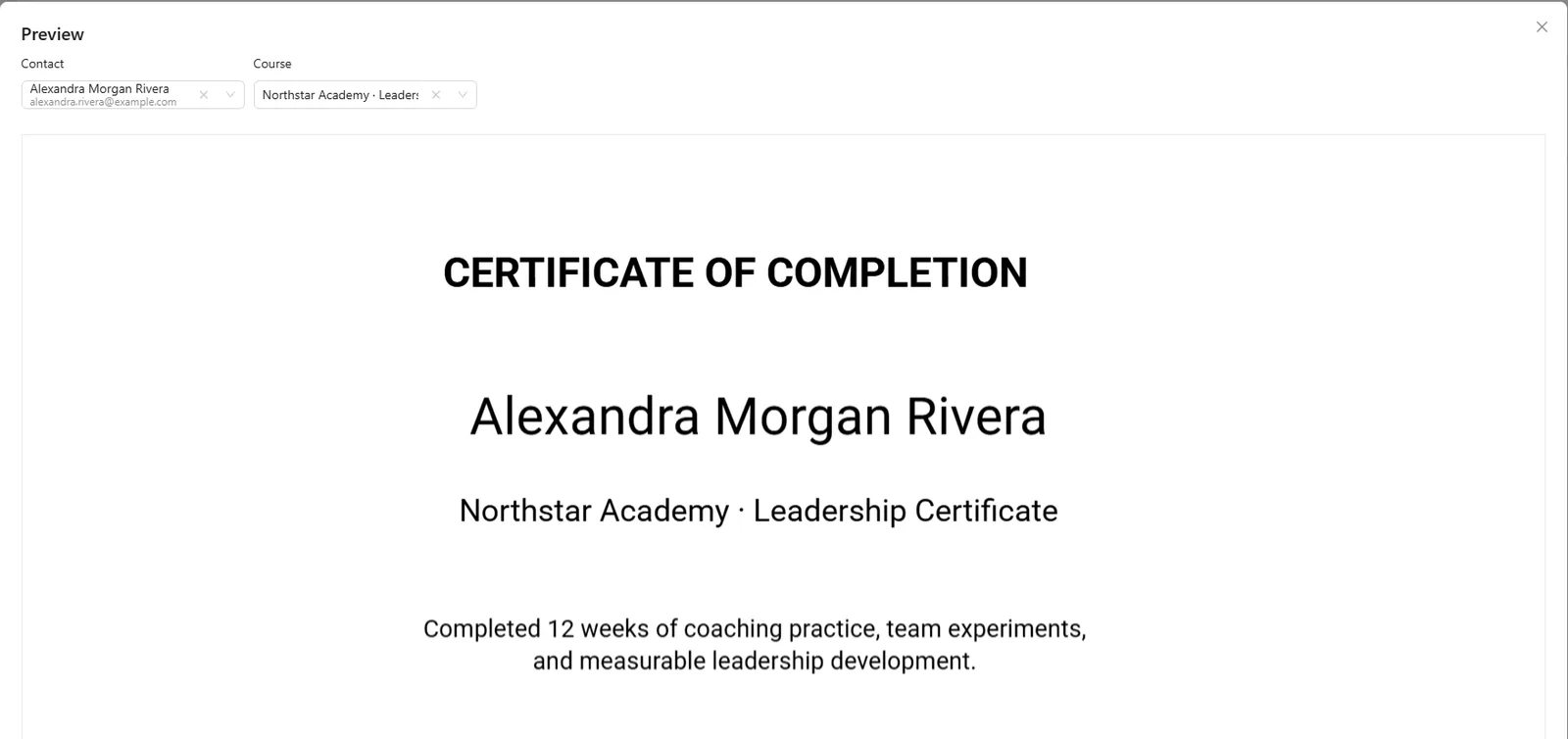
What a course looks like inside AXL.
Screens from a demo academy account. Open any of them to see it full size.
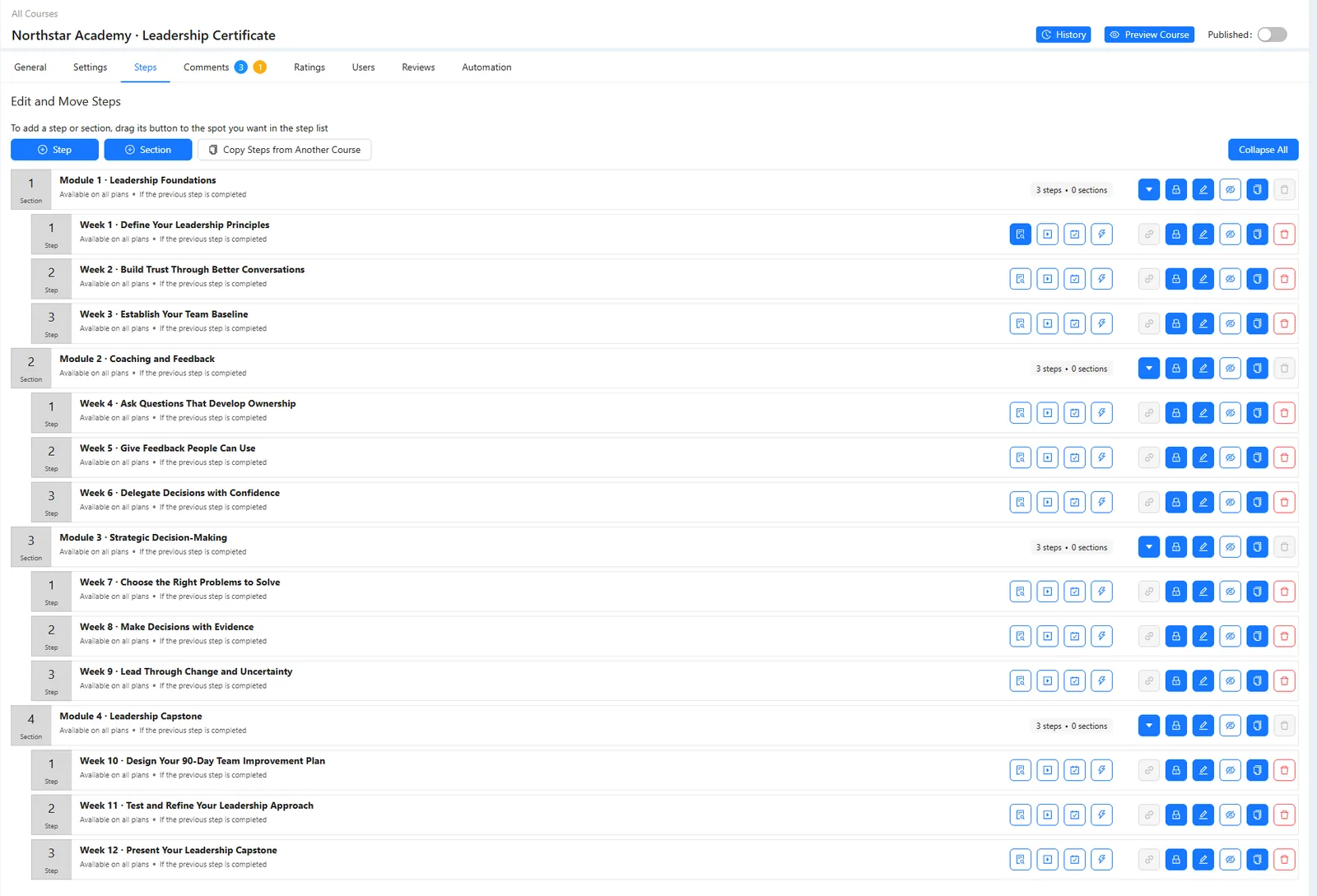
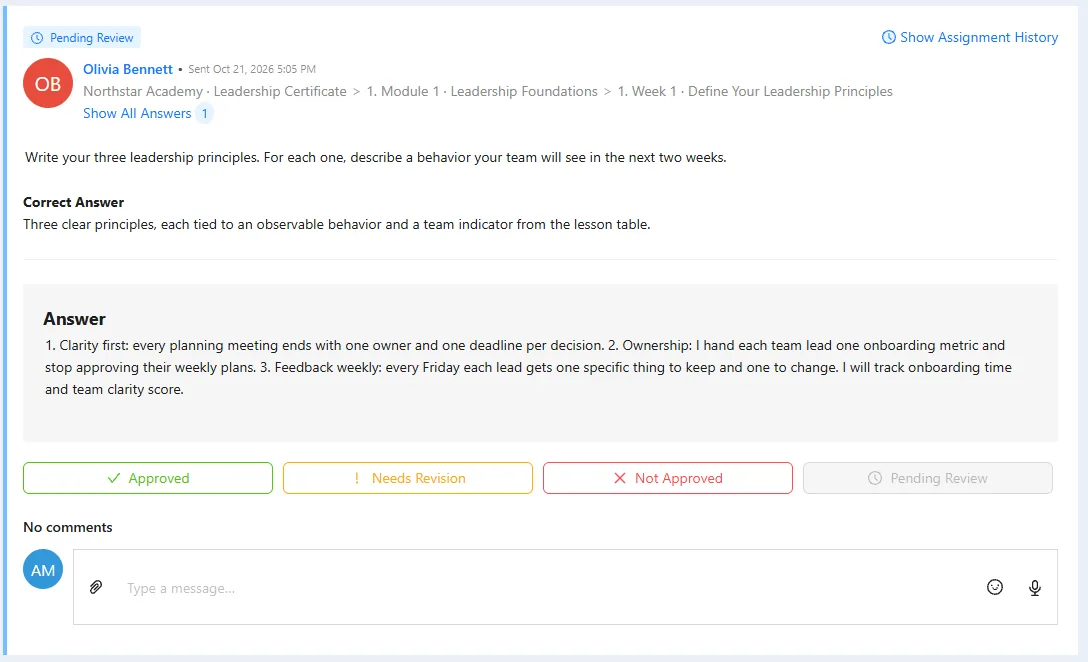
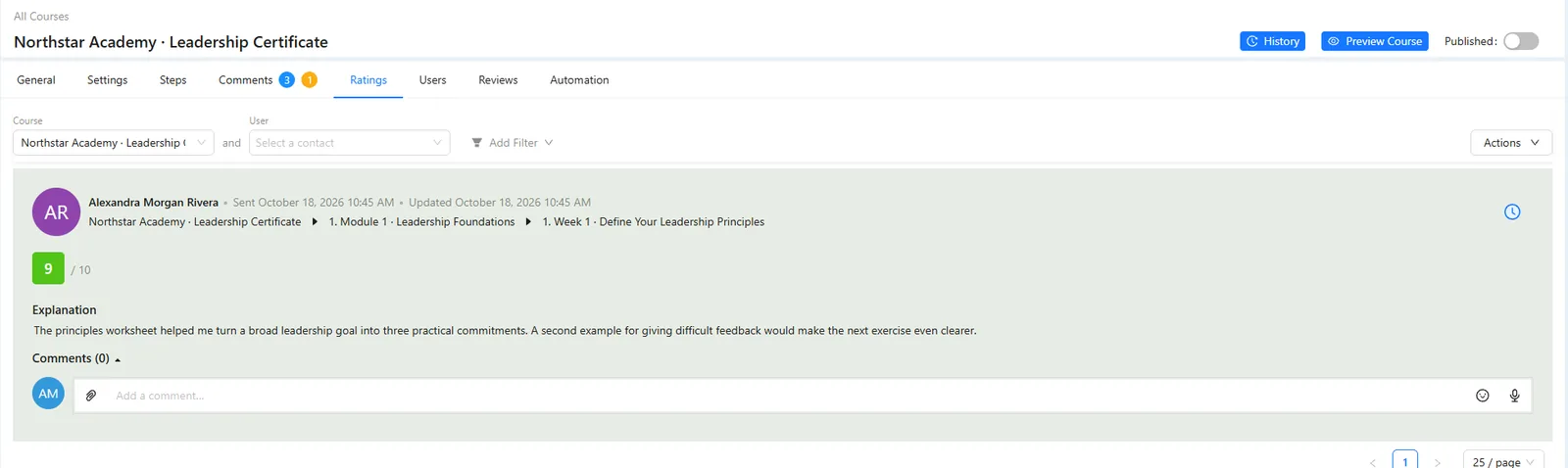
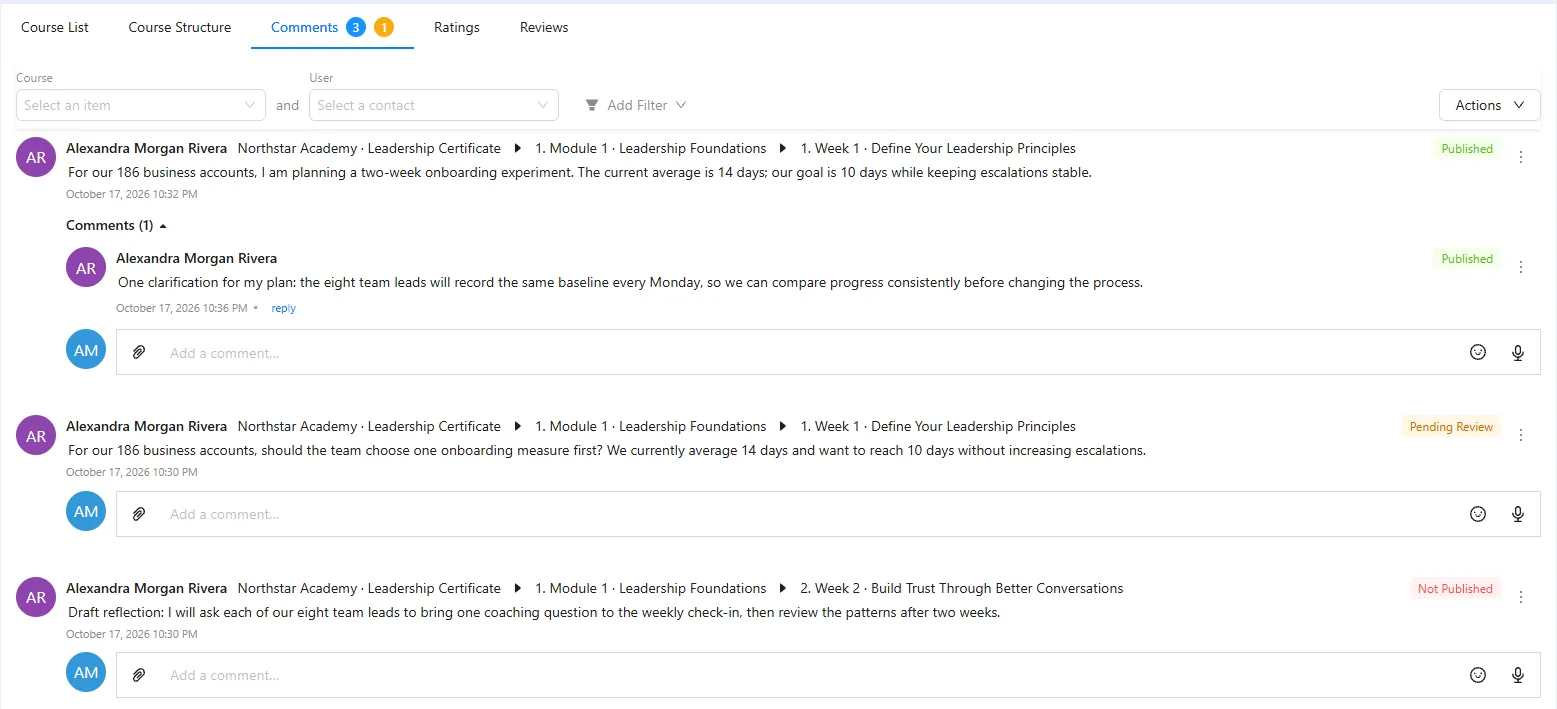
The course is part of everything else.
- On the contact Lessons, homework and quiz answers are segment conditions. The CRM →
- Reminders Remind people who stopped, branch on who finished. Automations →
- Selling Sell a course as a product or a subscription, with checkout on your page. Checkout →
- Live classes Run the live session, then count attendance on the same student. Webinars →
- Community Give the cohort its own space. Community →
- Certificates Design the certificate once; it is issued when the course is finished.
Your first graded lesson in ten minutes.
- 01 Create the course Cover and description are what students see. Courses
- 02 Write one lesson One idea per step. Step editor
- 03 Add a test 70% of five questions allows one mistake. Step → Test
- 04 Add homework Write the reference answer only you see. Step → Task
- 05 Set when it opens Days after enrolment or a cohort start. Step → Access
Create a course ‘Foundations of Colour’, add a lesson with the theory below, a five-question test at a 70% threshold and a homework task with a reviewer-only answer. Make the step blocking and unlock it three days after enrolment. Do not publish.
- 1. Creates ‘Foundations of Colour’ with a theory lesson.
- 2. Adds a 5-question test at 70% and homework with a reviewer-only answer.
- 3. Blocks the step and unlocks it three days after enrolment.
- 4. Publishes nothing.
Paste it into the AI Assistant inside AXL, or into Claude, ChatGPT or Cursor connected over MCP. What an agent can do →
A course platform with the CRM and checkout included.
Entry plans, billed monthly.
| Platform | Per month | What the price covers |
|---|---|---|
| AXL Starter | $49 | 5,000 contacts, courses, CRM, email, automations and sites, 0% of sales |
| Teachable Starter | $39 | 5 products, 100 active students |
| Thinkific Basic | $54 | Courses and a course site |
| Kajabi Basic | $179 | Courses, email and a site |
From teachable.com/pricing, thinkific.com/pricing and kajabi.com/pricing. Full comparisons: vs Teachable, vs Thinkific, vs Kajabi.
Questions people ask.
Yes. Six question types, points or percentages against a pass mark, and an explanation on each answer. A wrong answer can start an automation that sends the next lesson.
Yes. You set the instructions and a confidence level. AI marks clear answers and leaves feedback; anything it is unsure about waits in Task Review for a person.
Both. A cohort has its own start date, so lessons open for the whole group at once.
They buy the course, or you invite them from their contact. Every grant has a start date and either an end date or a set length, from one day to six months.
Build the course once. Let it teach.
Free plan, no card needed. Paid plans from $49 a month.