

Answer every enquiry and book the job.
An AI agent answers by phone or chat, books a time and saves the request for your team.
Free plan, no card needed.
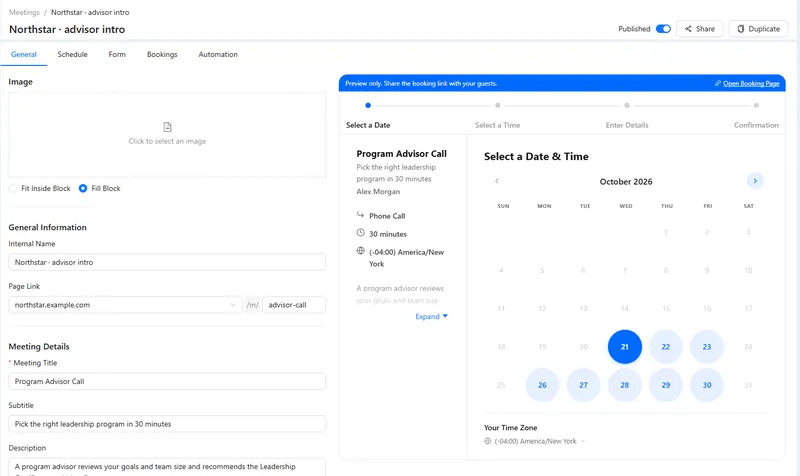
A consultation booking page.
Enquiries, bookings and feedback in one place.
The agent asks what the customer needs, offers a free time and saves everything on the contact. After the job, it can ask how it went.
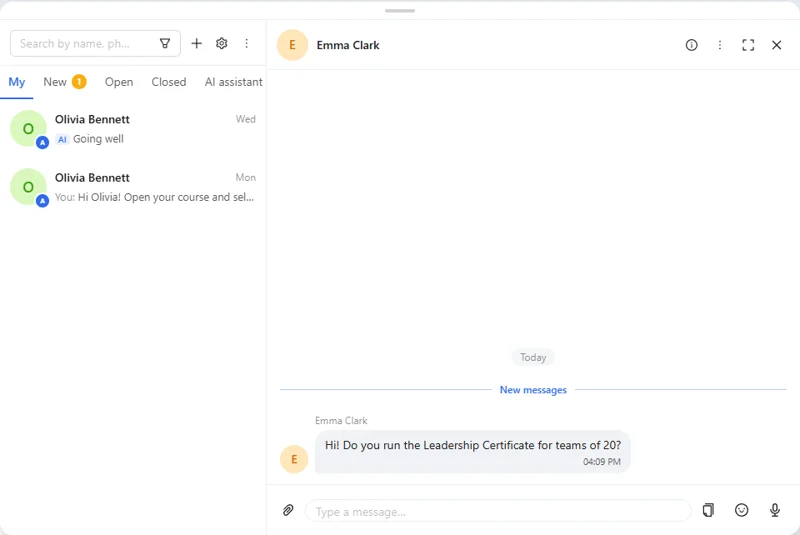
- Enquiries. Phone, website chat and messengers.
- Booking. Consultations from your calendar.
- Callbacks. Your team calls back with the history open.
- Feedback. A call or message after the job.
Good to know: No field service scheduling: routes and crews stay in your own process.
Four parts of AXL a service business uses.
- Voice AI AI calls that answer and book. Voice AI →
- AI chat The same agent in chat channels. AI chat →
- Booking Consultation pages and reminders. Booking →
- CRM Requests, calls and jobs on the contact. CRM →
Your enquiry line set up in an afternoon.
- 01 List what you need to know The questions for a useful consultation. AI agents → New
- 02 Choose the channel A number or a chat channel. Agent → Channels
- 03 Attach booking The consultation page. Agent → Booking
- 04 Try a real request Check the booking and the follow-up. Test call
Create an agent for new service enquiries. Ask what help the customer needs, explain our services and offer an available consultation. Keep the request for our team.
- 1. Creates an agent with your services.
- 2. Asks what help the customer needs.
- 3. Offers a free consultation time.
- 4. Saves the request on the contact for your team.
Paste it into the AI Assistant inside AXL, or into Claude, ChatGPT or Cursor connected over MCP. How AI calls work →
One plan in place of a phone line, a scheduler and a forms tool.
Prices are per user where the vendor charges per user.
| Job | Usual tool | Monthly | In AXL |
|---|---|---|---|
| Business phone | Quo Starter | $28 per user | Numbers and calls |
| Booking | Calendly Standard | $12 per seat | Booking pages |
| Enquiry forms | Typeform Plus | $79 | Forms and quizzes |
| All of it | AXL | Free; paid from $49/month | Plus numbers, minutes and AI calls by usage |
Vendor prices from their own pricing pages, billed monthly. AI call rates on axl.tech/pricing. AXL rates and usage allowances on axl.tech/pricing.
Questions people ask.
Yes. Set up the agent for a phone number, website chat or connected messengers.
It books consultations from your booking pages. Crew and route planning stay in your own process.
Yes, with a call or a message. The answer decides whether someone follows up.
Yes. The request, the booking and the call are on the contact.
Answer your next enquiry with AXL.
Free plan, no card needed. Paid plans from $49 a month.
Also for: Call centers · Sales teams · AI receptionists · Webinar teams · All solutions