

Build the funnel once. It runs on every channel you use.
One visual graph handles the trigger, the wait, the condition and the reply, in the DM, the inbox or the comment thread. 139 node types, one canvas.
Free plan, no card needed.
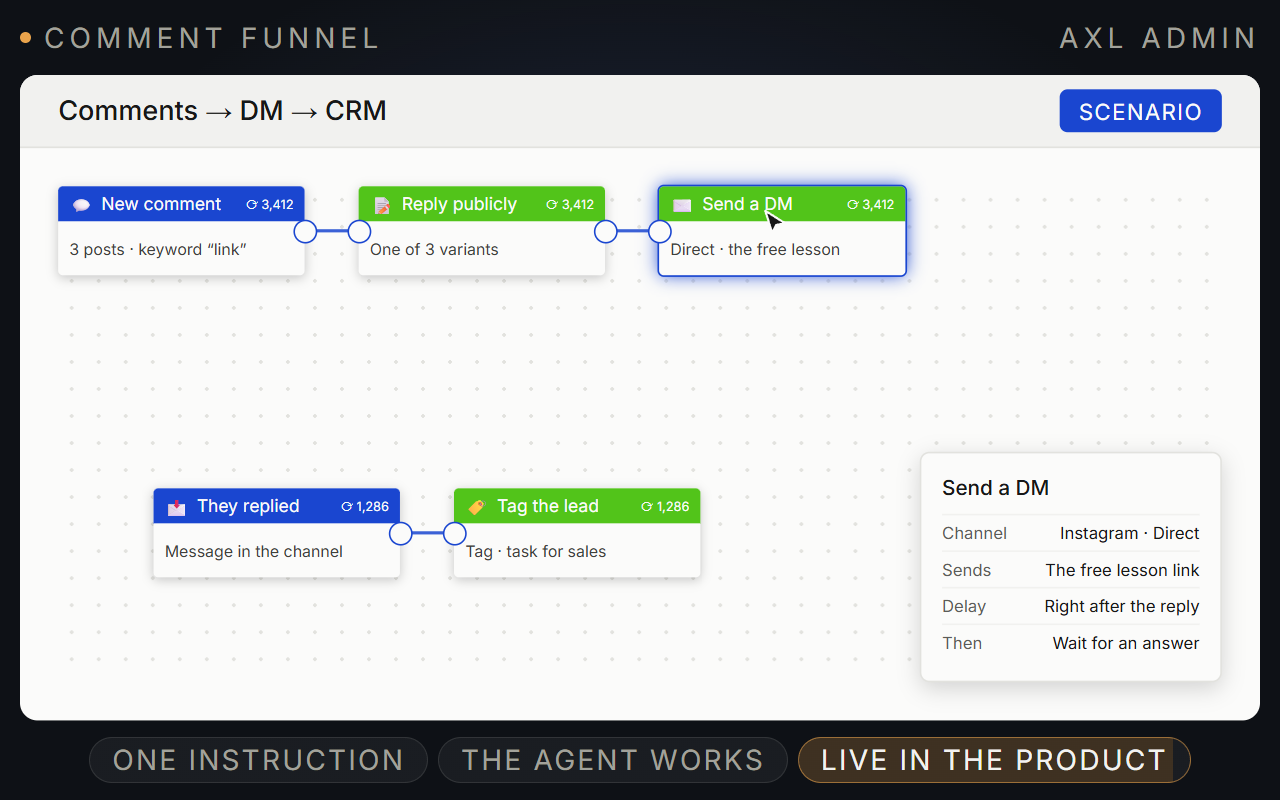
Start with an event. The scenario does the follow-up.
Connect triggers, waits, conditions and actions on one canvas. It runs on email, messengers and the CRM at once.
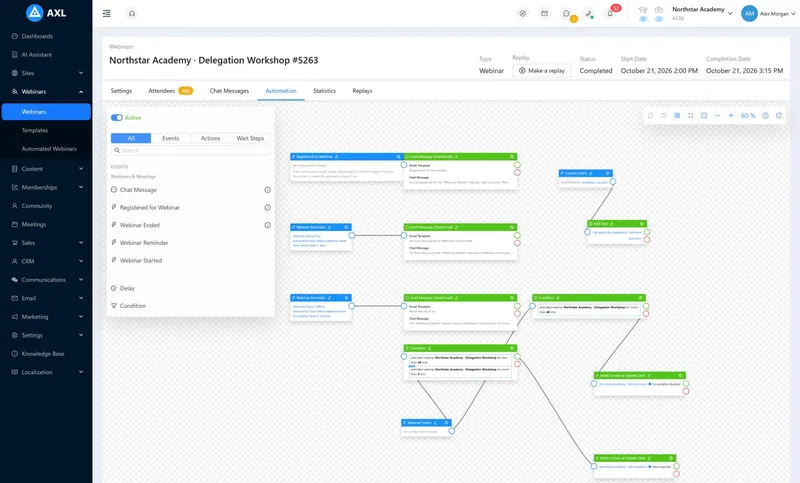
- Trigger. An order, form, comment, renewal, lesson or webinar.
- Wait and decide. Pause, then branch on the same conditions as CRM segments.
- Act. Send a message, grant access, move a deal, create a task.
- Check. Counters on every step and a log per contact.
Good to know: Facebook comment automation still waits for two Meta permissions.
What an automation looks like inside AXL.
Screens from a demo academy account. Open any of them to see it full size.
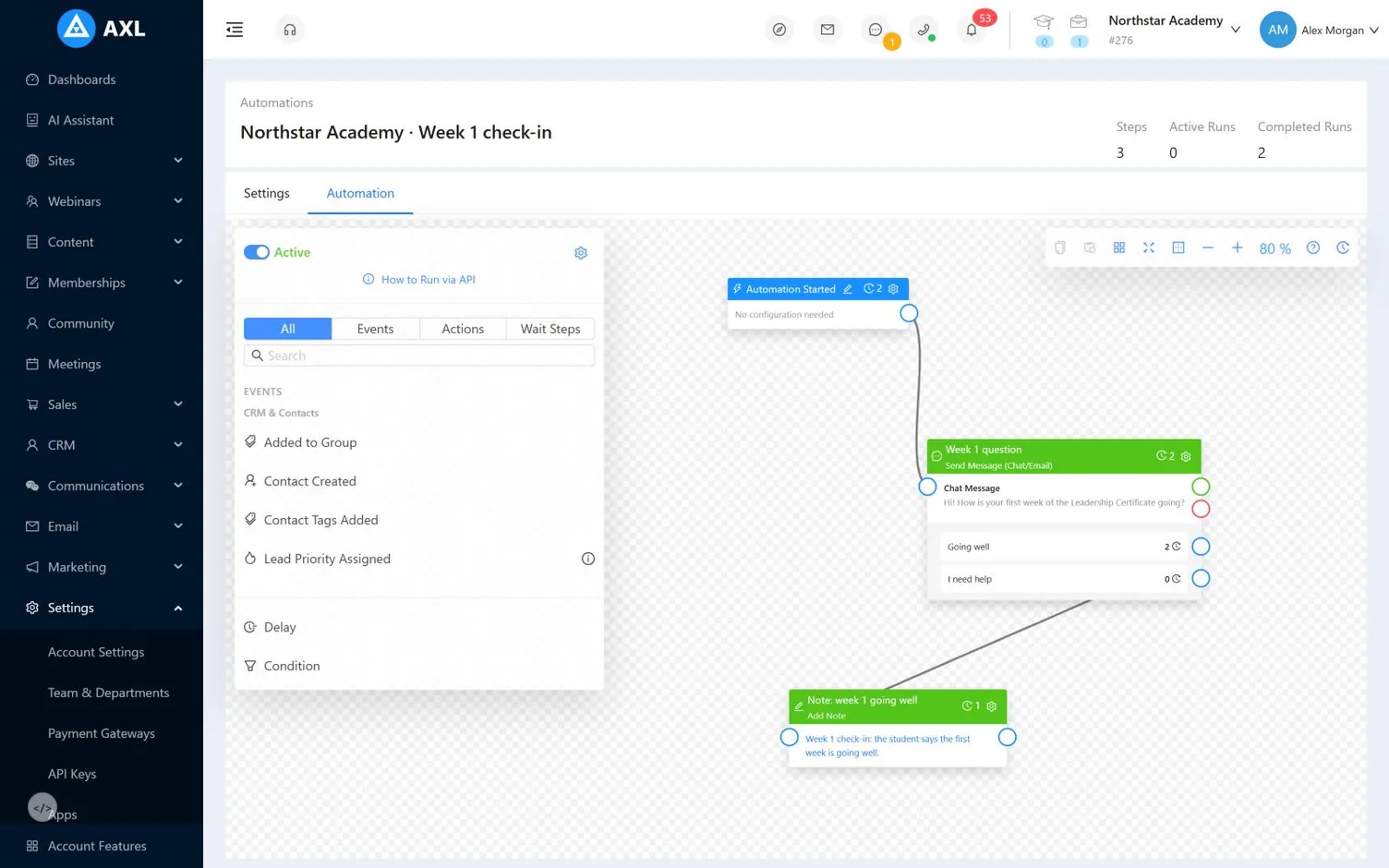
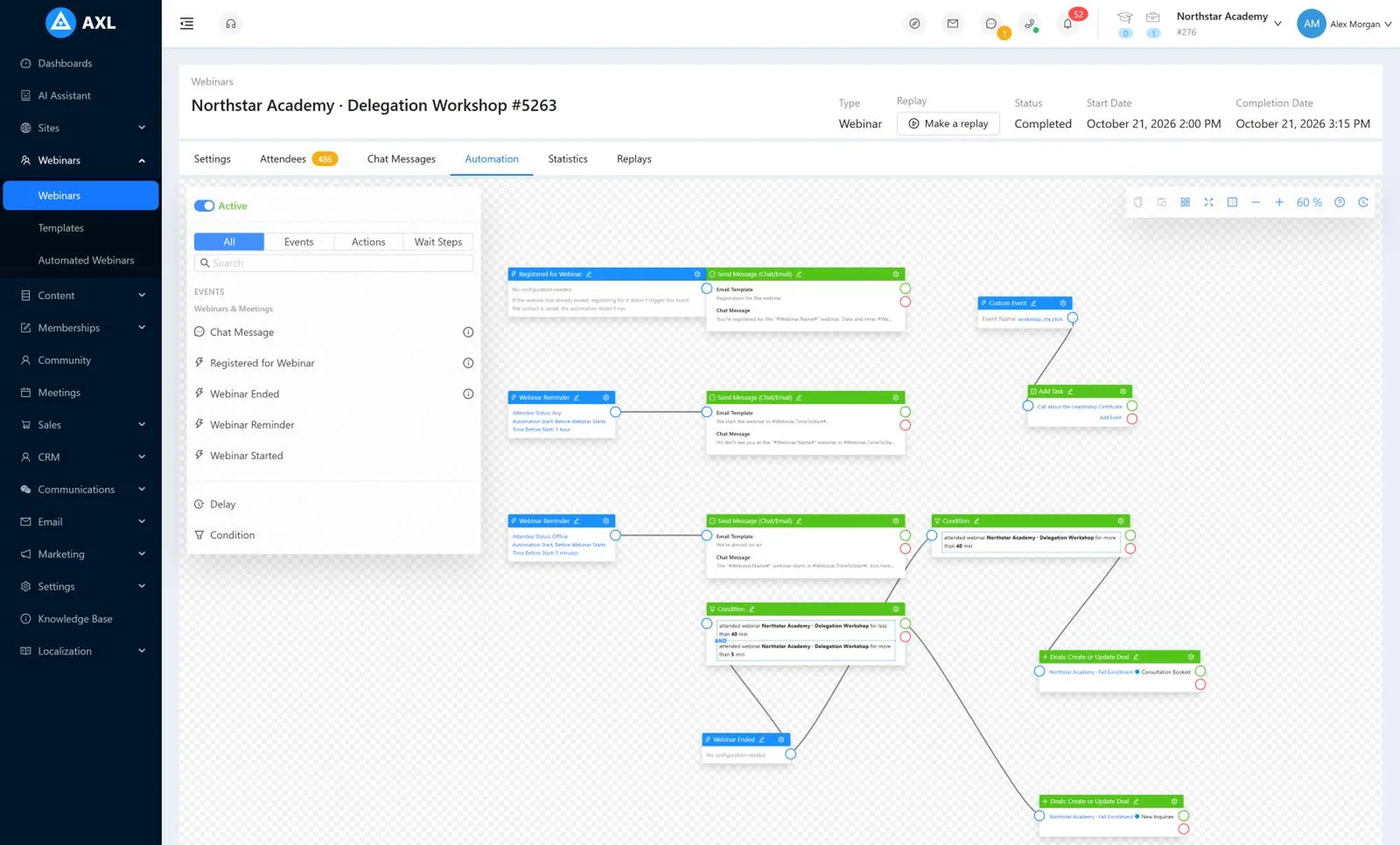
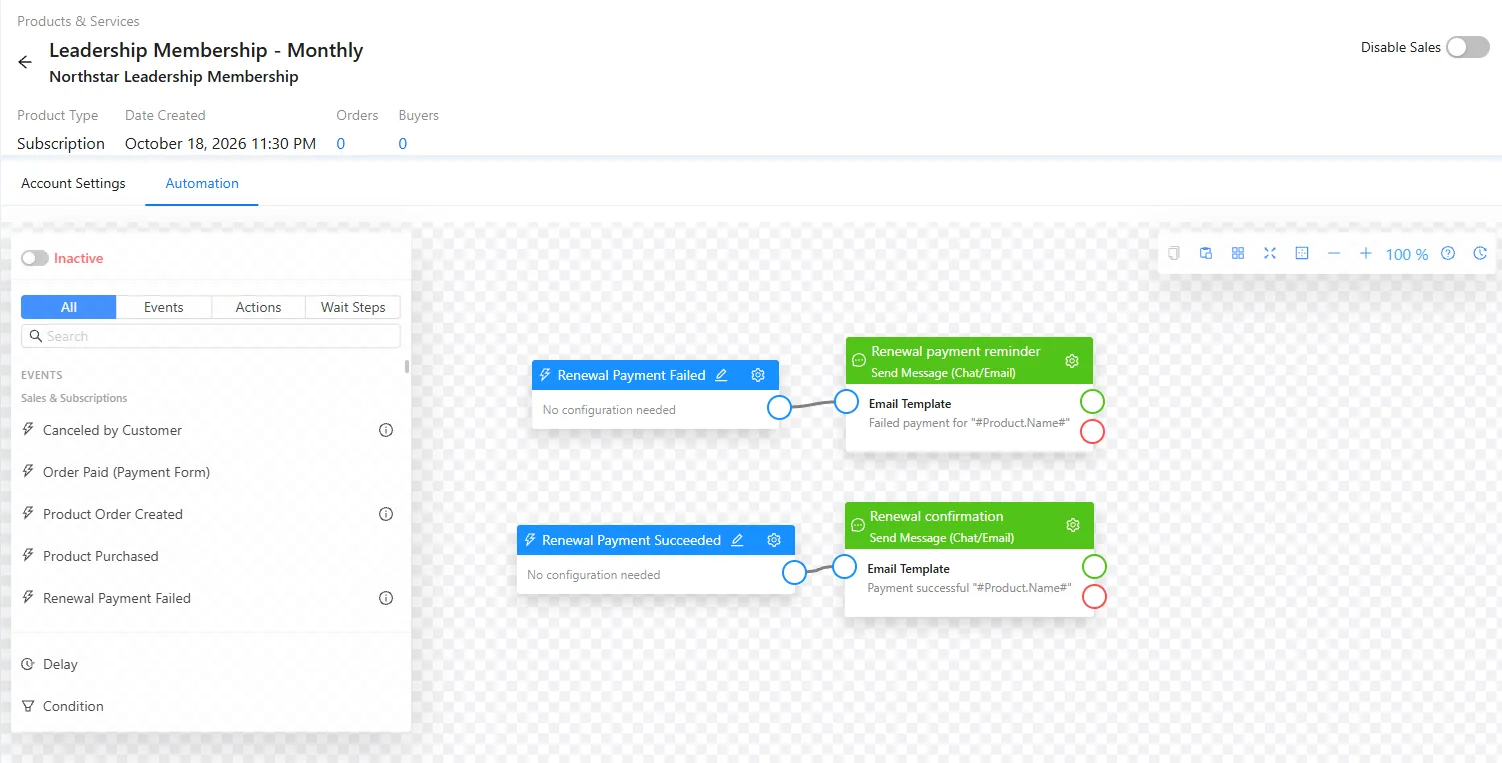
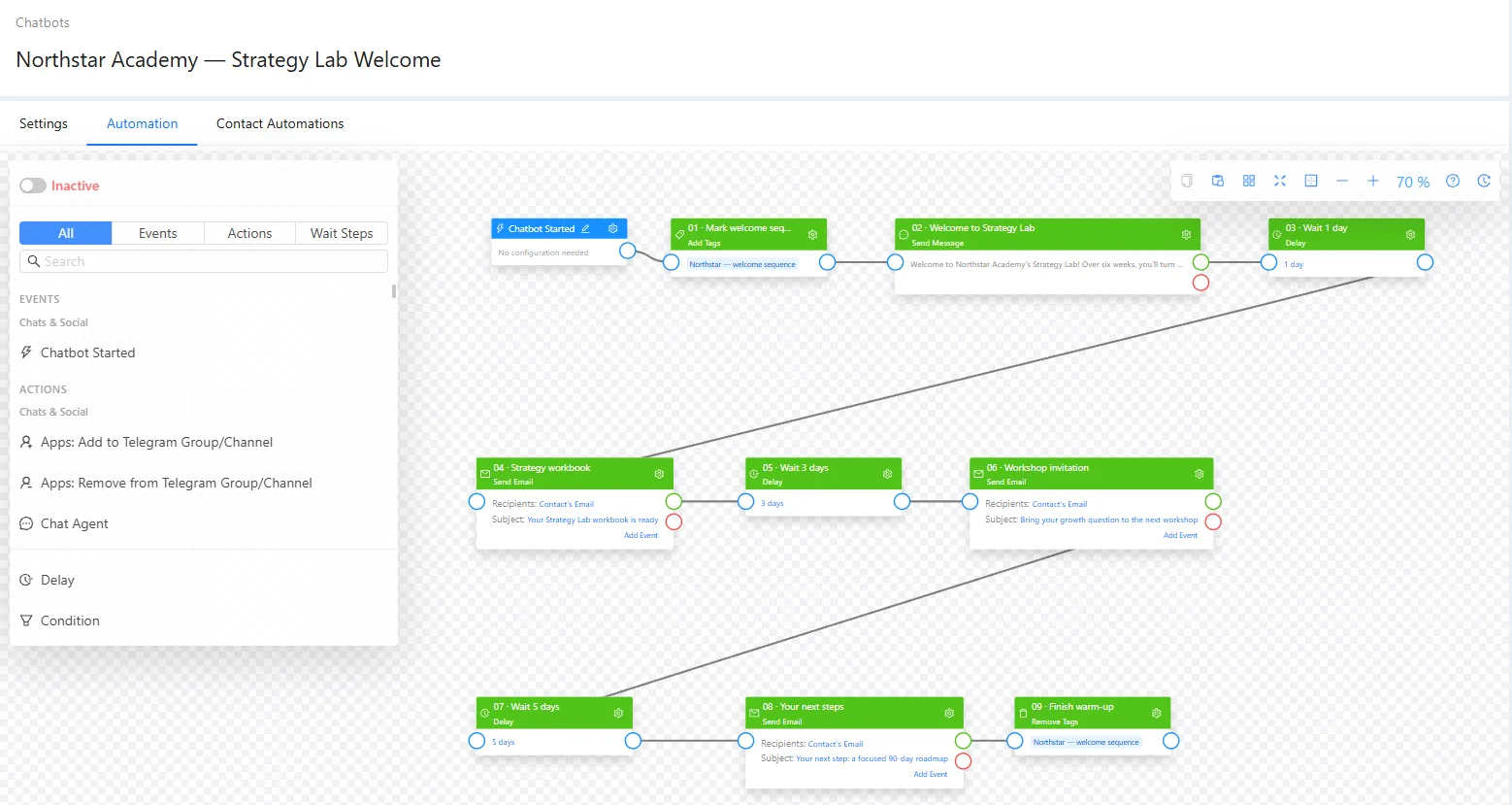
Scenarios connect everything else.
- CRM and payments Orders, renewals and deals start it. It moves deals and pauses subscriptions. CRM →
- Sites and forms Forms, quizzes and page visits start it. Sites →
- Courses Lessons and homework start it. It grants access and issues certificates. Courses →
- Webinars Registration and attendance start it. It splits the follow-up by who stayed. Webinars →
- Email Opens and clicks start it. It sends by email and messenger. Email →
- Community New members and badges start it. It opens spaces. Community →
Turn Instagram comments into leads.
- 01 Connect Instagram Then add a scenario, switched off. Settings → Channels
- 02 Set keywords and replies One of four replies is picked at random. The canvas
- 03 Send a DM with a button The button splits the flow in two. Canvas → Send message
- 04 Ask for the email The answer goes into the contact. Canvas → Ask for data
- 05 Switch it on and test Counters show whether it fired. Scenarios → Runs
Create a scenario on my Instagram channel. Trigger: a comment matching guide, link or send on the posts tagged ‘lead magnet’. Post one of four replies at random, then DM that person the link with a button. If they press it, ask for their email; if not, follow up tomorrow.
- 1. Triggers on comments with guide, link or send on posts tagged ‘lead magnet’.
- 2. Replies publicly with one of four variants.
- 3. Sends the link by DM with a button.
- 4. Asks for an email if they press it, follows up tomorrow if not.
Paste it into the AI Assistant inside AXL, or into Claude, ChatGPT or Cursor connected over MCP. What an agent can do →
More contacts for less than a DM tool.
2,500 contacts who message you on Instagram, WhatsApp and Telegram.
| Tool | Per month | What the price covers |
|---|---|---|
| AXL Starter | $49 | 5,000 contacts, Instagram, WhatsApp and Telegram, plus CRM, email, courses and sites |
| ManyChat Pro | $39 | 2,500 contacts, 3 of 7 channels |
| ManyChat Business | $99 | 7,500 contacts, all channels |
From manychat.com/pricing, for accounts created after March 2026. AXL rates on axl.tech/pricing.
Questions people ask.
Yes. Watch every post or the ones you pick, match keywords, reply in public and send a DM.
Yes. Pick a saved segment and start the scenario for everyone in it, or start it from one contact.
Yes, from the same message node as Telegram or WhatsApp, once a phone number is connected. See telephony.
With webhooks. A scenario can call any URL and branch on the response, and any system can start a scenario through the API. Webhooks →
Build the follow-up once.
Free plan, no card needed. Paid plans from $49 a month.