

Run it live, then reuse the recording in scheduled evergreen sessions.
Live rooms with stage layouts, slides and a chat you can moderate. Then turn the recording into a scripted session that opens the room, swaps the slides and shows the offer at the same second, twice a day, without you.
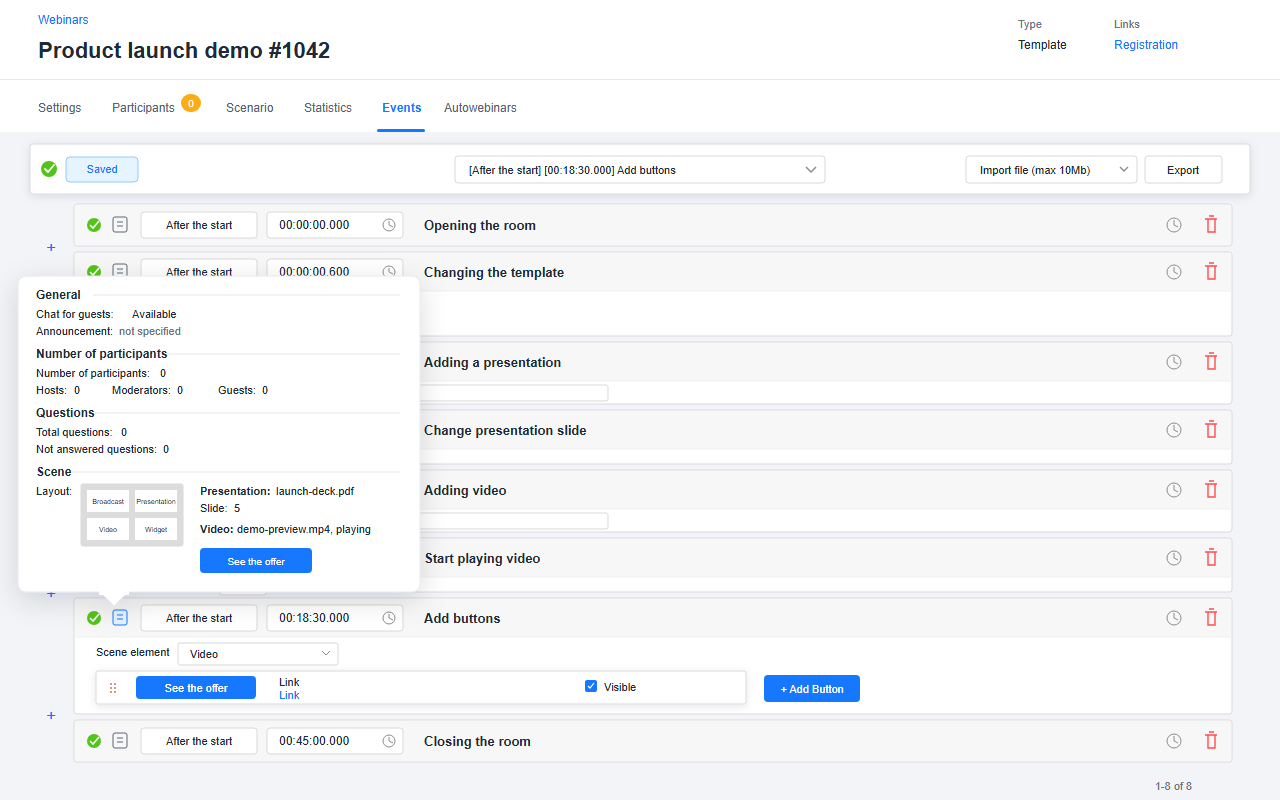
See the live room, evergreen event list, attendance, sales and follow-up in one walkthrough.
Run it live, then let it run again on schedule.
Registration, the live room, timed offers, attendance and sales in one account.
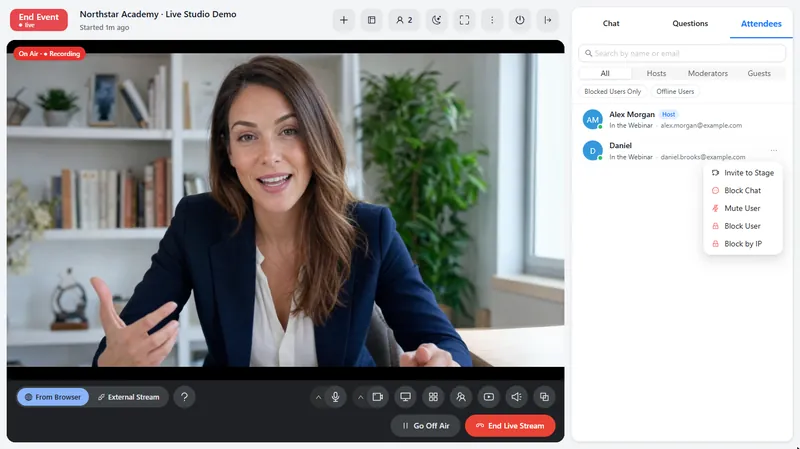
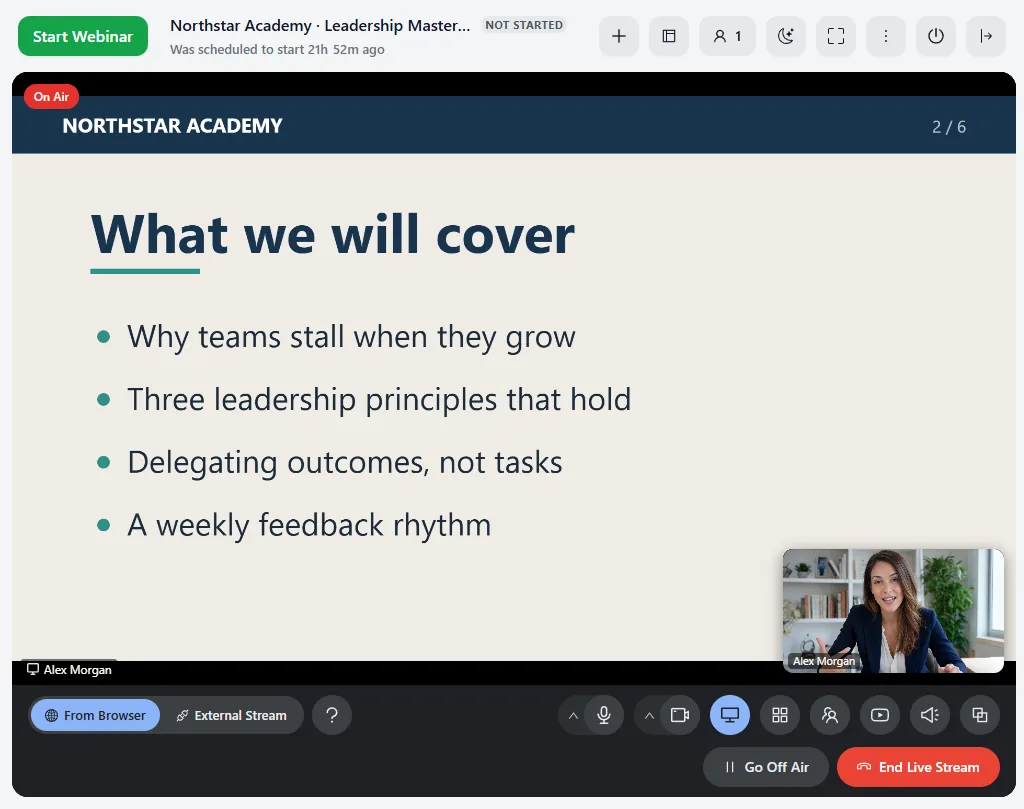
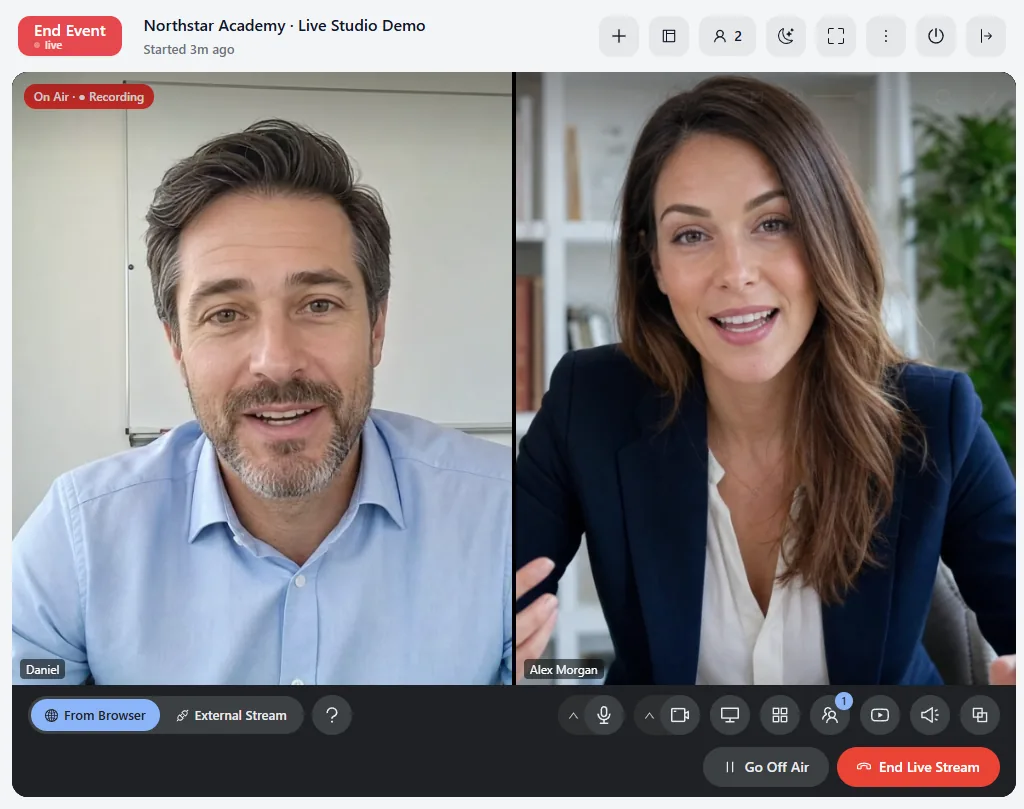
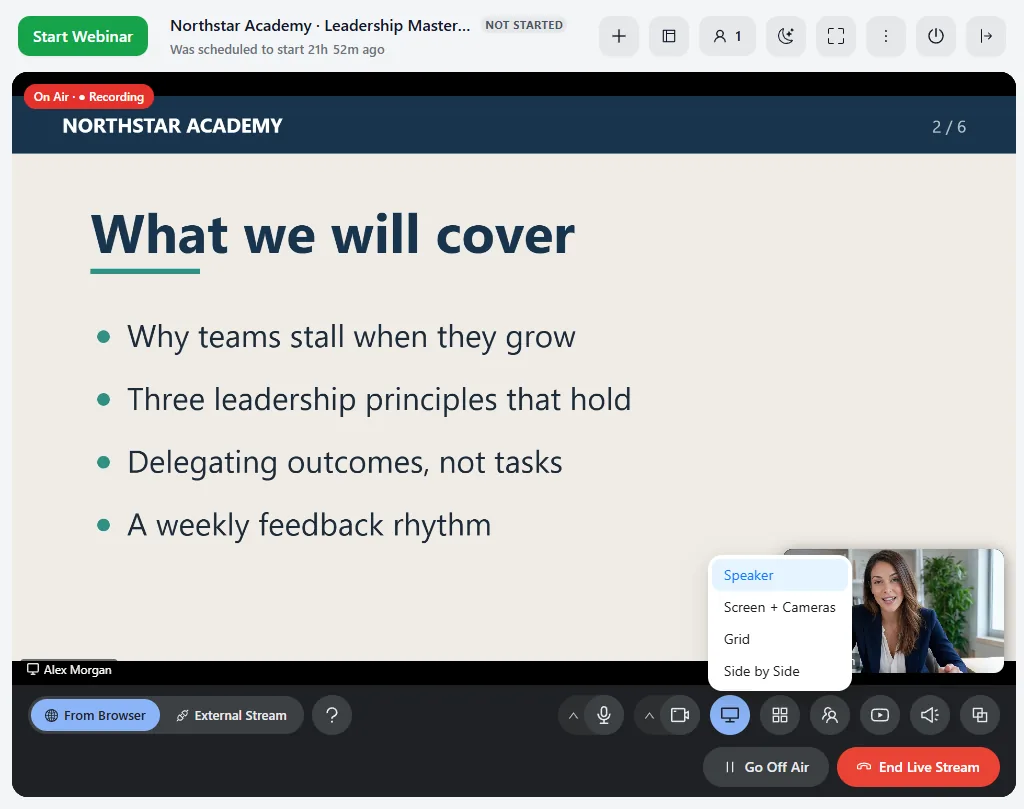
- Live room. Stream, slides, video and widgets, with layouts you switch live.
- Broadcast from AXL. From the browser or OBS, with guests on stage.
- Evergreen. Replay the session with slides, chat and offers at the same moments.
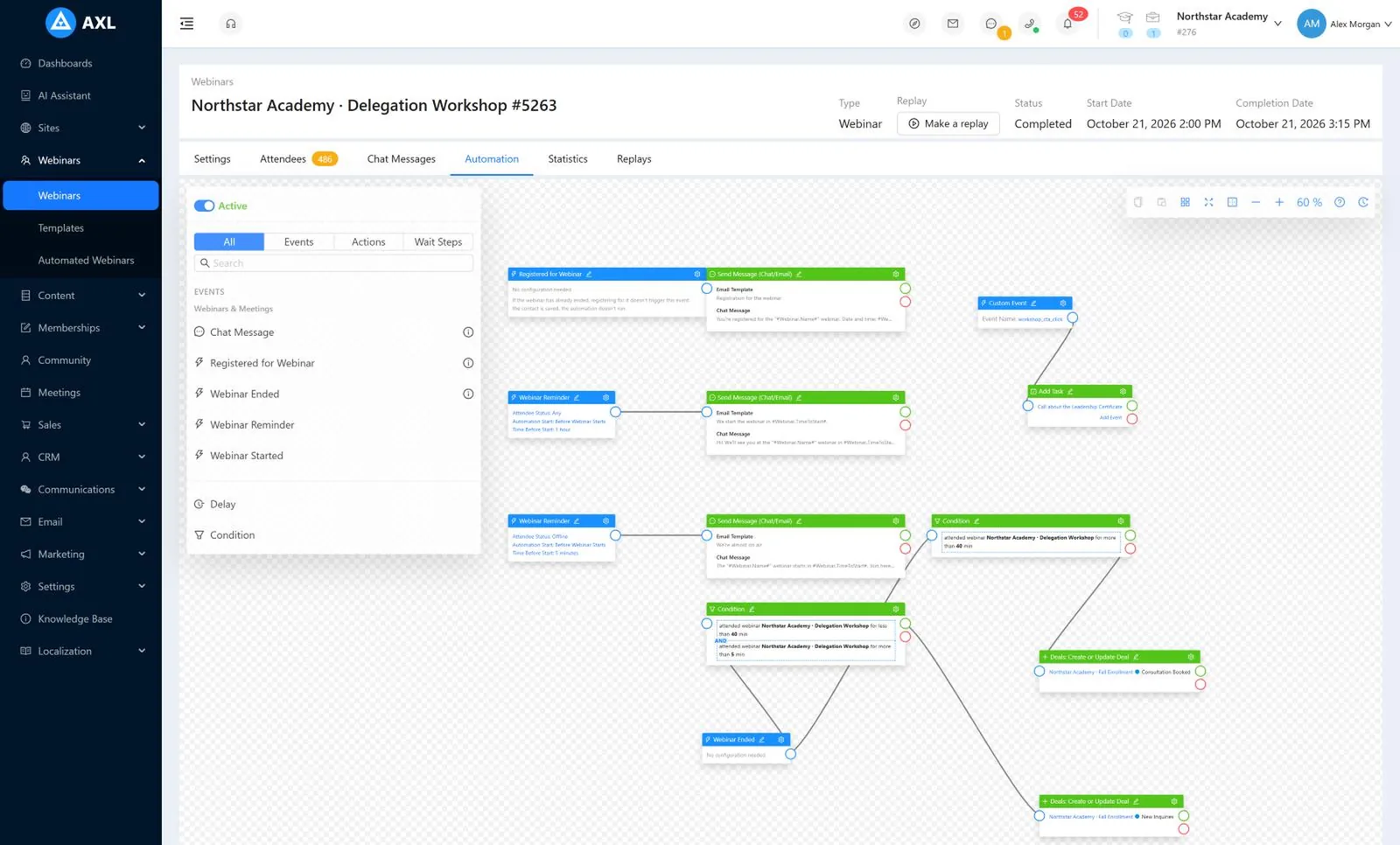
- Results. Attendance, drop-off, revenue and UTM together.
Good to know: Viewing through the AXL stream is counted in viewer-hours. A YouTube, Vimeo or Facebook stream can play in the room instead.
Analytics, automation and the live studio behind each webinar.
Screens from a demo academy account. Open any of them to see it full size.
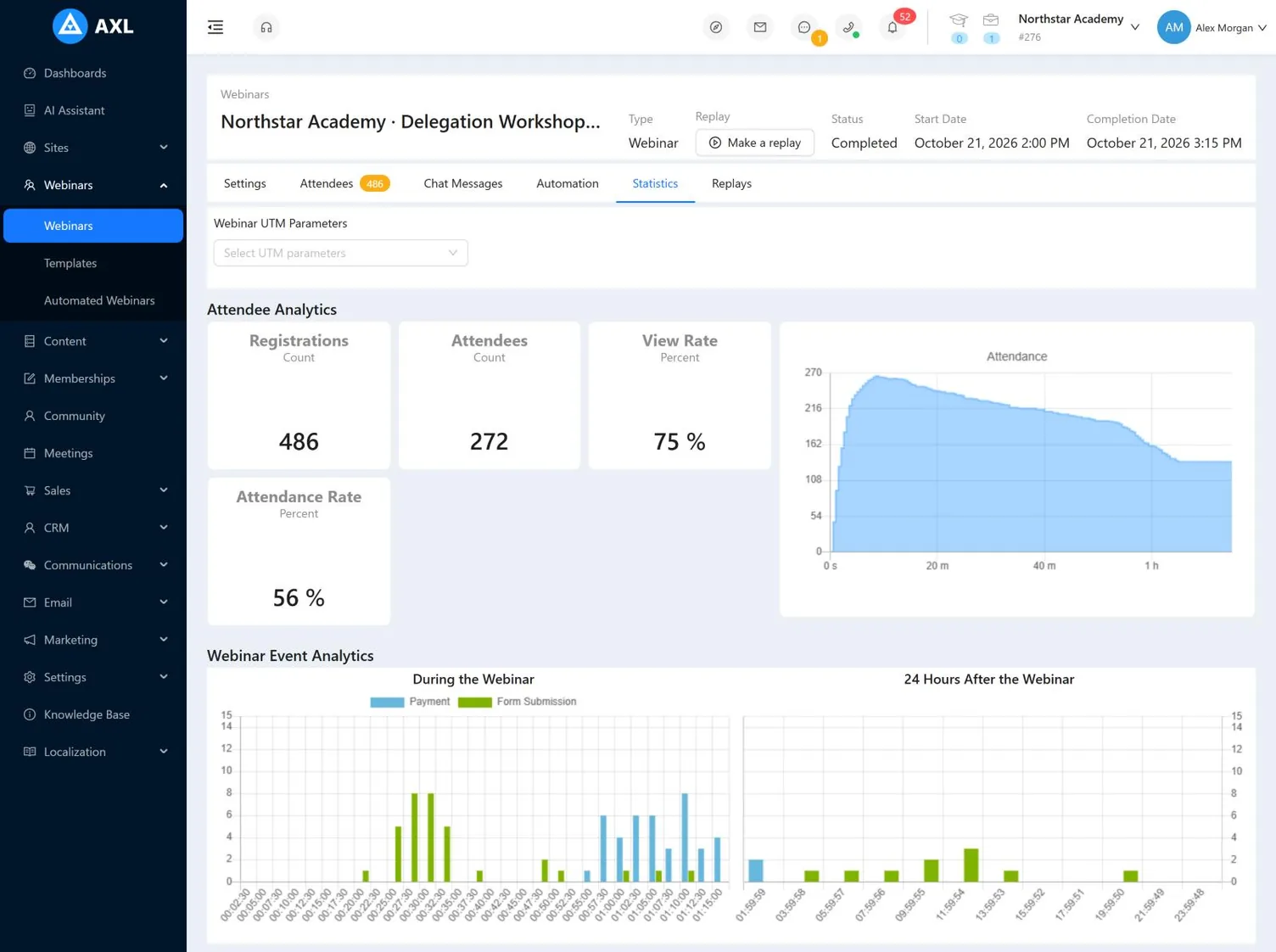
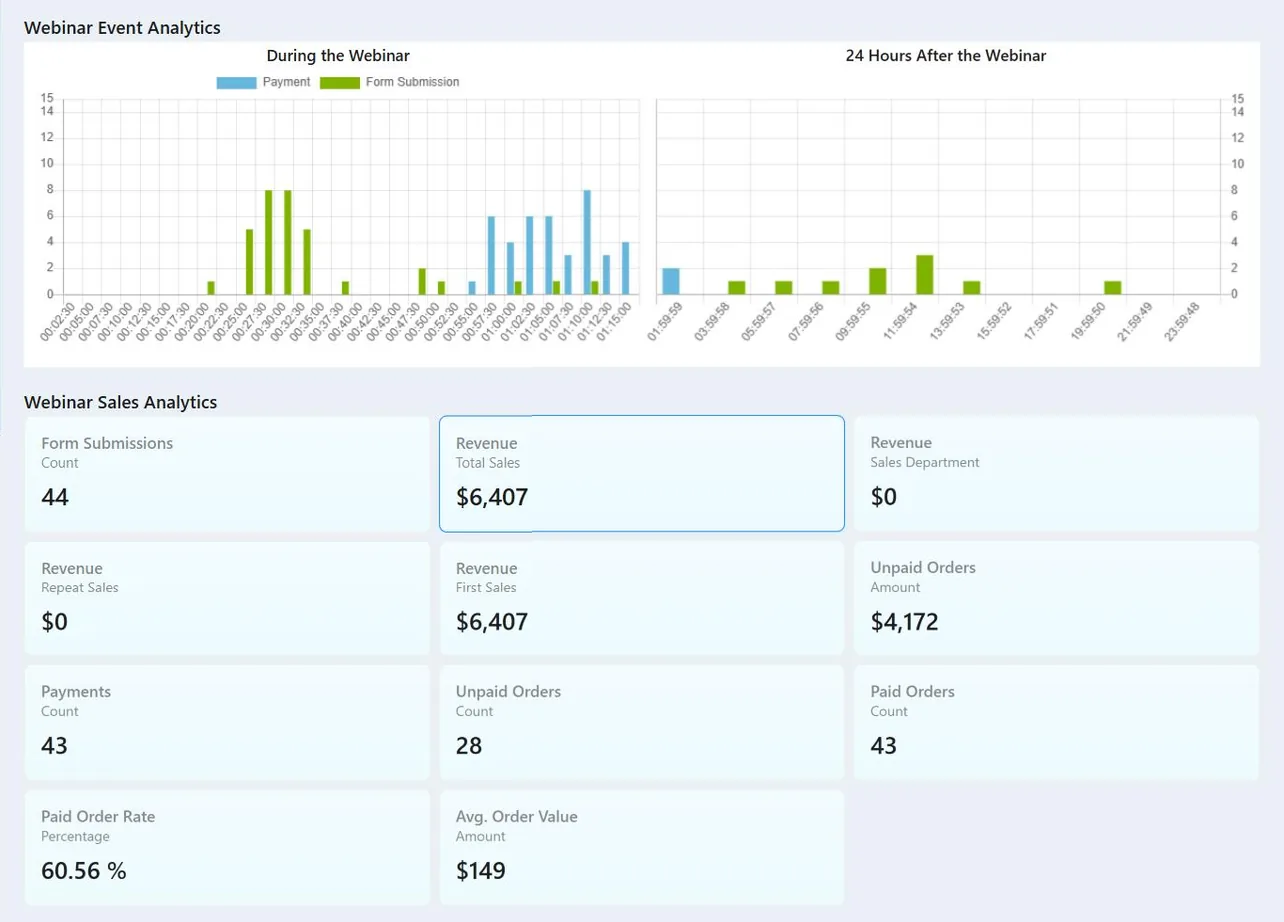
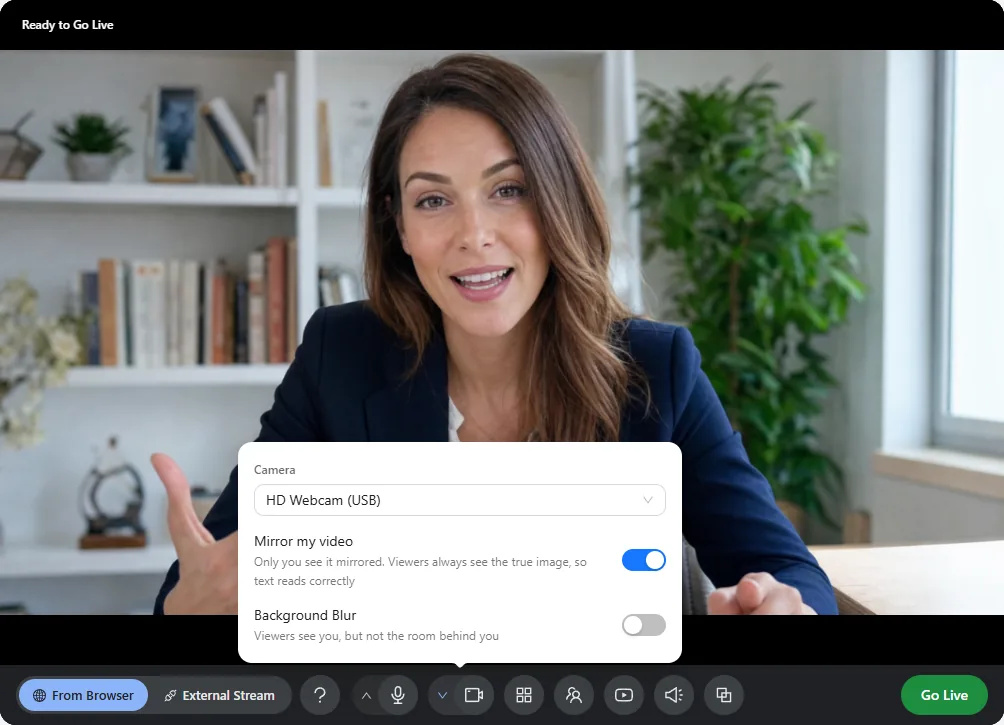
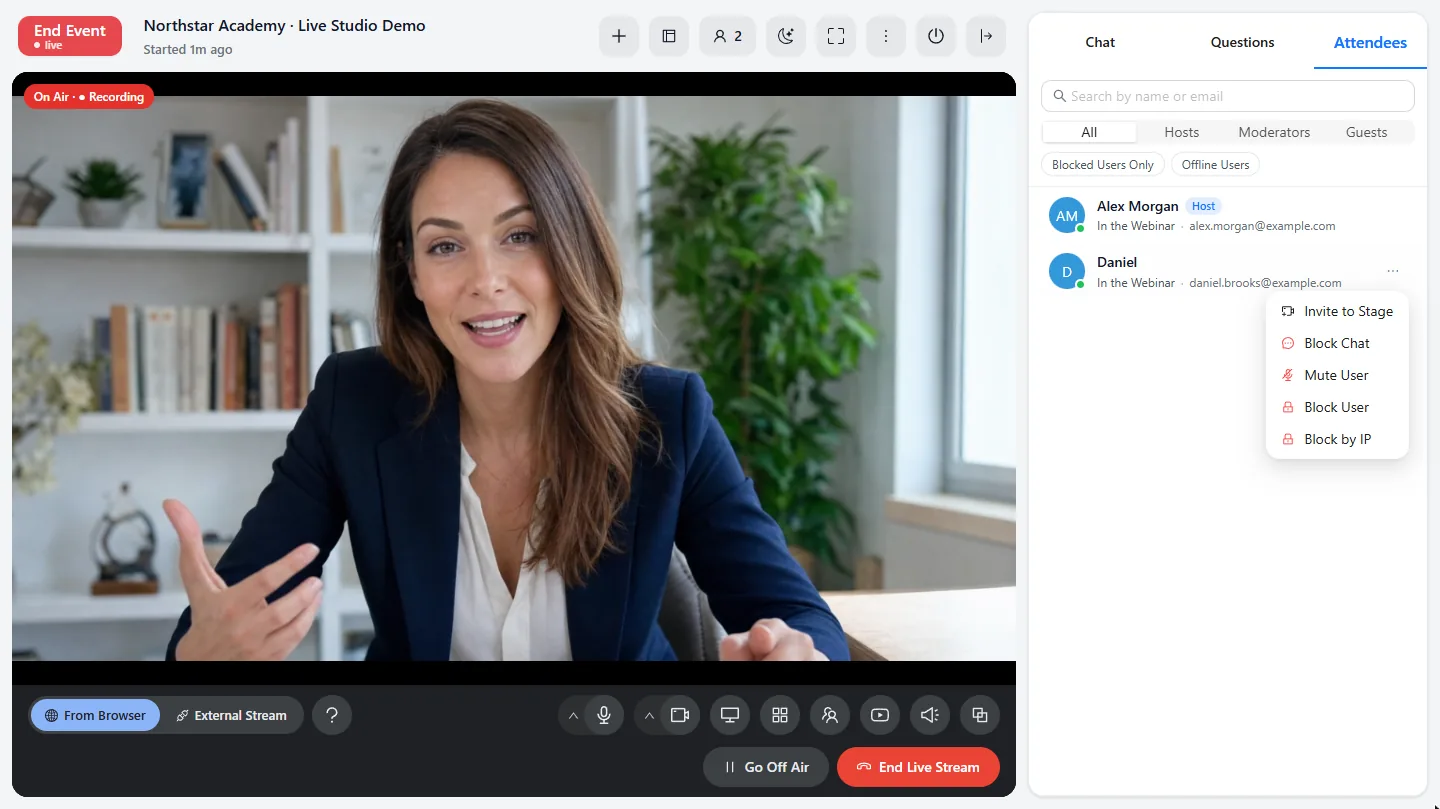
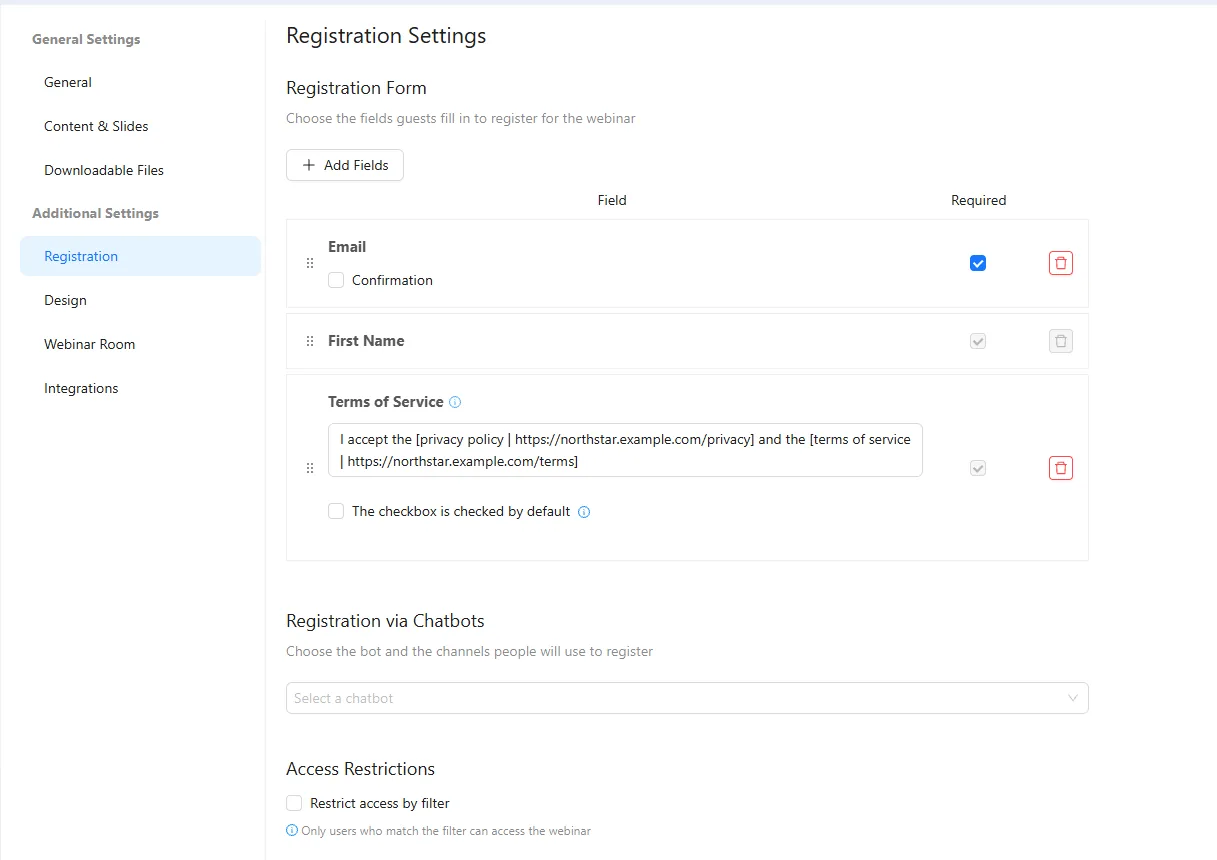
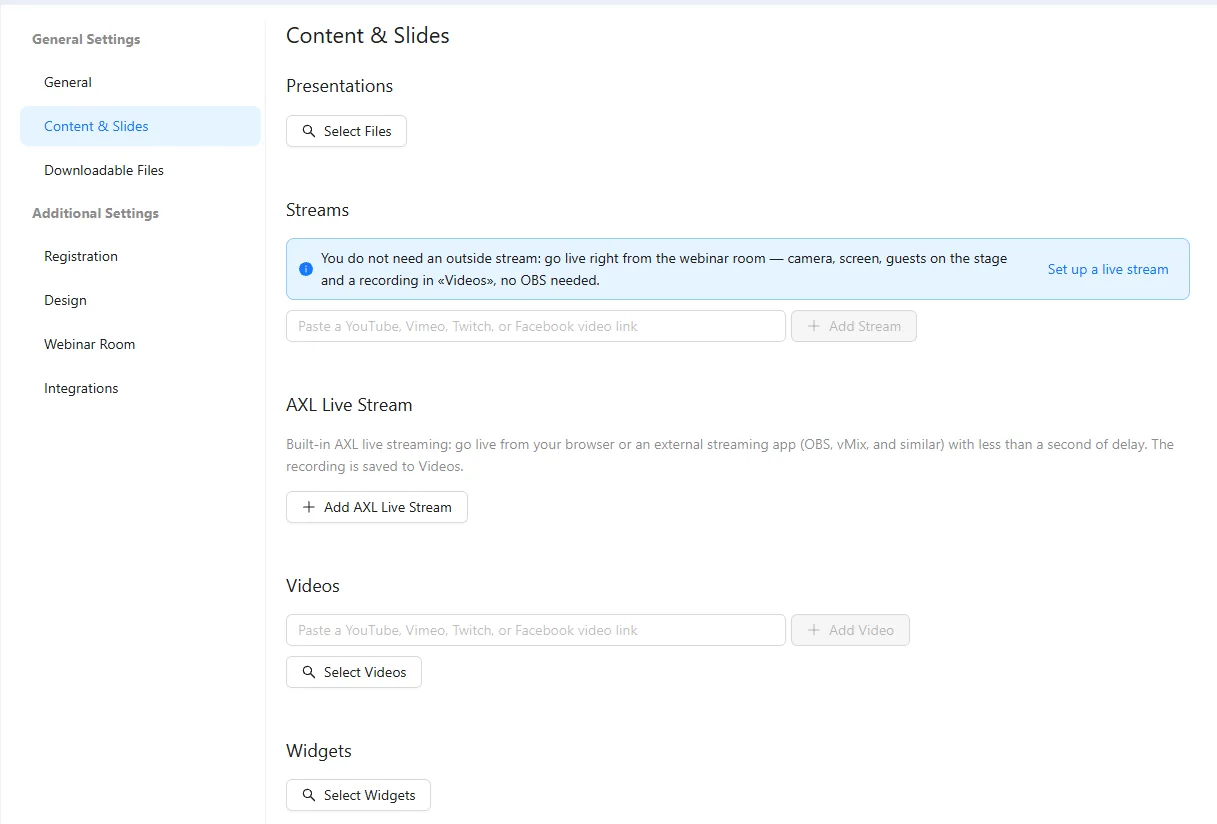
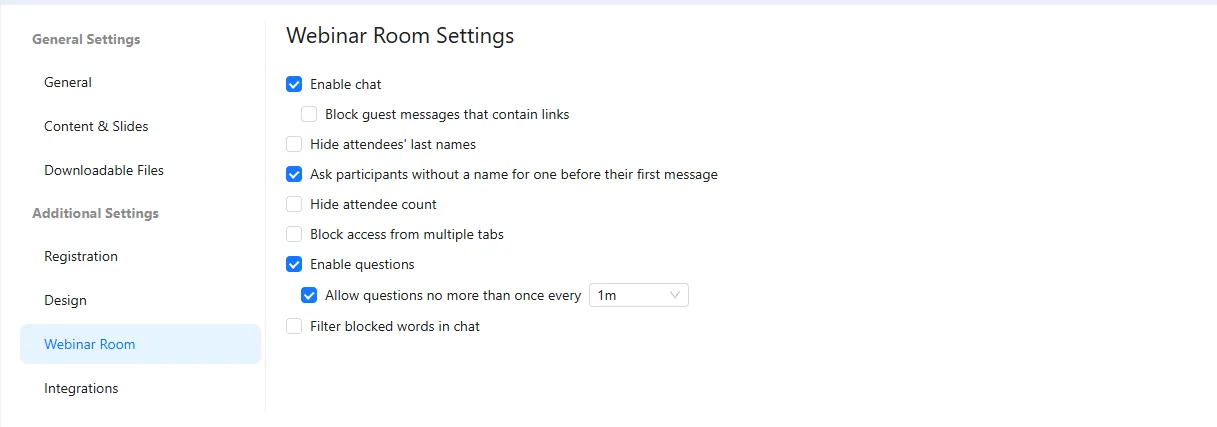
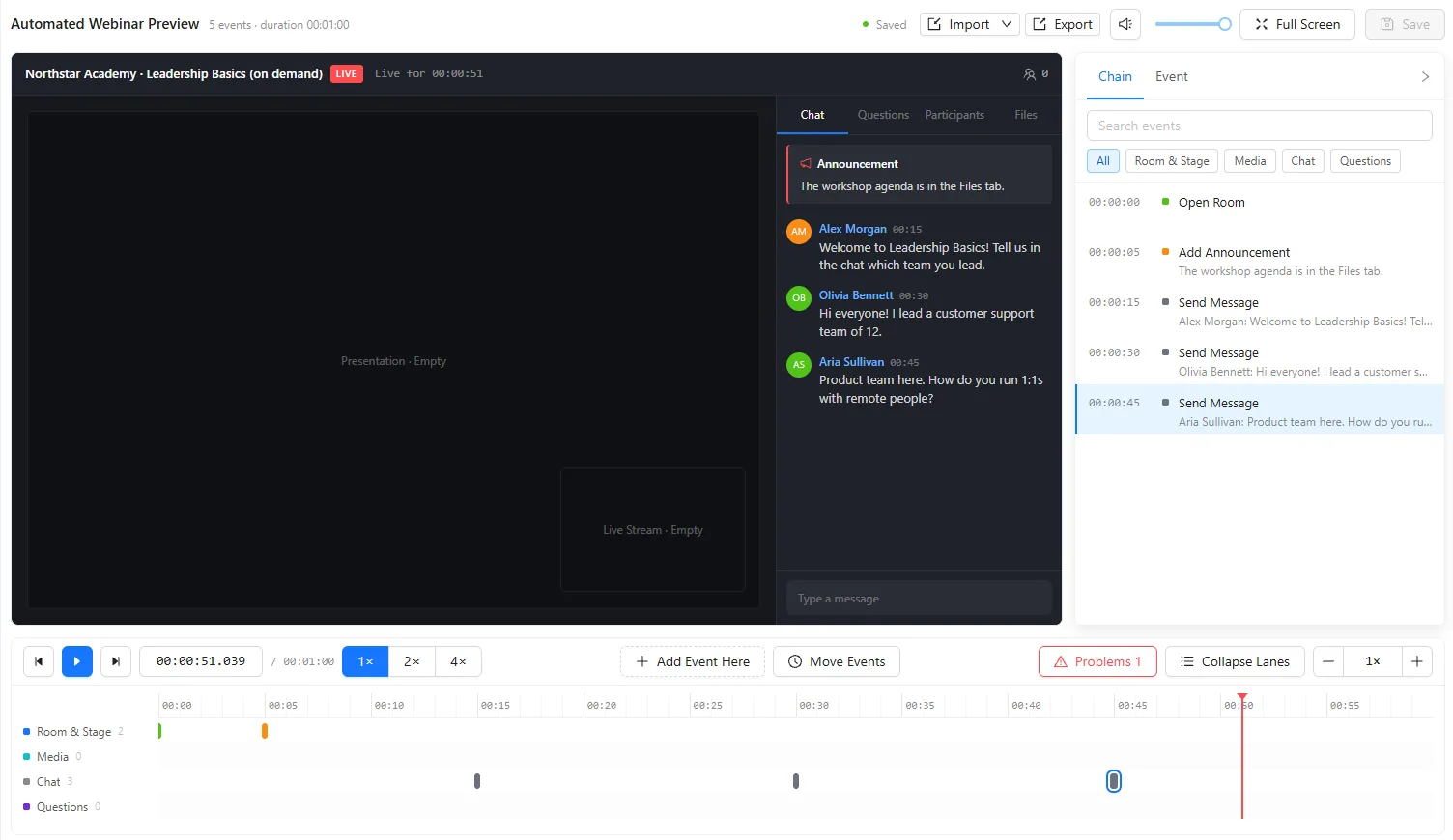
See webinar follow-up in action.
Watch the AXL demo: Sell More With AI Webinar Follow-Up.
Every registrant becomes a contact.
- On the contact “Watched past 40 minutes and did not buy” is one segment. The CRM →
- Follow-up Registered, attended, a timer and a chat keyword start scenarios. Automations →
- Sales The offer button opens your checkout, and orders keep their UTM. Registration and sales pages →
- Courses Attendance and lesson progress are two conditions on one person. Courses →
Turn one live session into an evergreen webinar.
- 01 Start from a real live run The timings you need are the ones the room produced. Webinars → New, type auto
- 02 Registration page and stage Ask only for what you need. Extra fields cost registrations. Event → Registration
- 03 Place the webinar events Read the seconds off the recording. Guessed ones feel wrong. Template → Events
- 04 Make the offer button an event Then “saw the offer” and “clicked it” are different branches, for contacts with an email. Timeline → Button
- 05 Script the chat, set the schedule Never script a question you would not answer honestly live. Template → Chat script
- 06 Split the follow-up three ways Never attended, under twenty minutes, past the offer. Scenarios
Create a scenario for the webinar ‘Colour Masterclass’ with three branches: did not attend, attended under 20 minutes, attended over 40. Message each on their preferred channel, email as fallback, then send the offer link to the attending branches. Leave it switched off.
- 1. Builds one scenario with three branches by attendance.
- 2. Sends each branch a message on its preferred channel, email if there is none.
- 3. Adds the offer link for people who attended.
- 4. Leaves it switched off, so you review it before anything sends.
Paste it into the AI Assistant inside AXL, or into Claude, ChatGPT or Cursor connected over MCP.
What an agent can finish →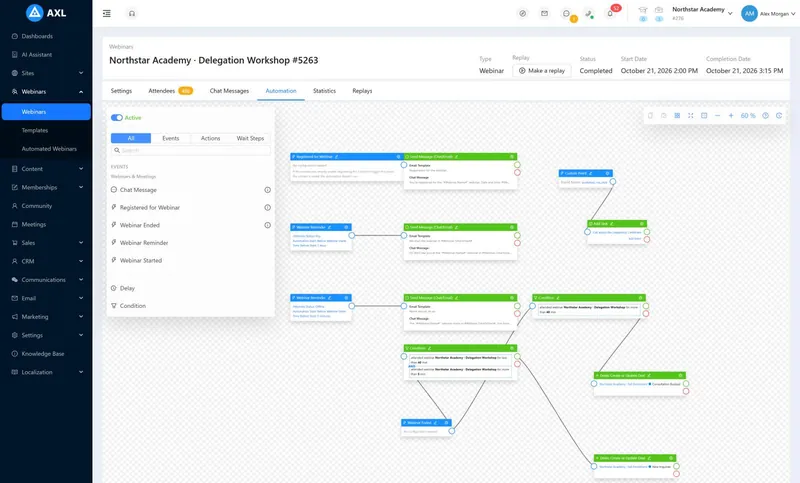
You pay for the hours you stream, not for the size of the room.
AXL charges $0.03 per viewer-hour above your plan. Webinar tools charge a fixed monthly fee for the room size.
| Schedule | AXL | Zoom Webinars | WebinarJam | GoTo Webinar | Demio |
|---|---|---|---|---|---|
| One 1-hour session a month, 100 viewers | $49 | $105.99 | $49 | $69 | $80, billed yearly |
| One 1-hour session a month, 300 viewers | $55 | $105.99 | $99 | $69 | $196, billed yearly |
| Four 2-hour sessions a month, 300 viewers | $118 | $105.99 | $99 | $69 | $196, billed yearly |
| What the price covers | Webinars, plus courses, CRM, email, automations, sites and checkout | Webinars with Q&A, polls and reports | Live and automated webinars, reminders | Webinars, reminders, polls | Live and automated webinars |
AXL includes the $49 Starter plan with 100 viewer-hours. Zoom includes the required $16.99 Workplace Pro licence. Demio bills yearly only. Prices from zoom.us, webinarjam.com, goto.com and demio.com; AXL rates on axl.tech/pricing.
Questions people ask.
Yes. Go on air from the browser or OBS, bring guests onto the stage, and the broadcast is recorded to your video library. A YouTube, Vimeo or Facebook stream link works too.
A scheduled session that replays a live one, or runs from a recorded video, with the same slides, chat and offer at the same moments. It produces attendance data like a live session.
Yes. “Make a replay” turns a finished AXL broadcast into an auto-webinar people register for.
Yes. “Attended more than 40 minutes” is a segment, an email audience and an automation branch.
Events and contacts import from files, and timeline events from JSON or CSV. Recordings are uploaded again.
Run it live once. Let it sell on schedule.
Free plan, no card needed. Paid plans from $49 a month.