

One customer record, from first click to last renewal.
Each person has one contact record, whether they are a lead, customer, student or someone who left checkout.
Free plan, no card needed.
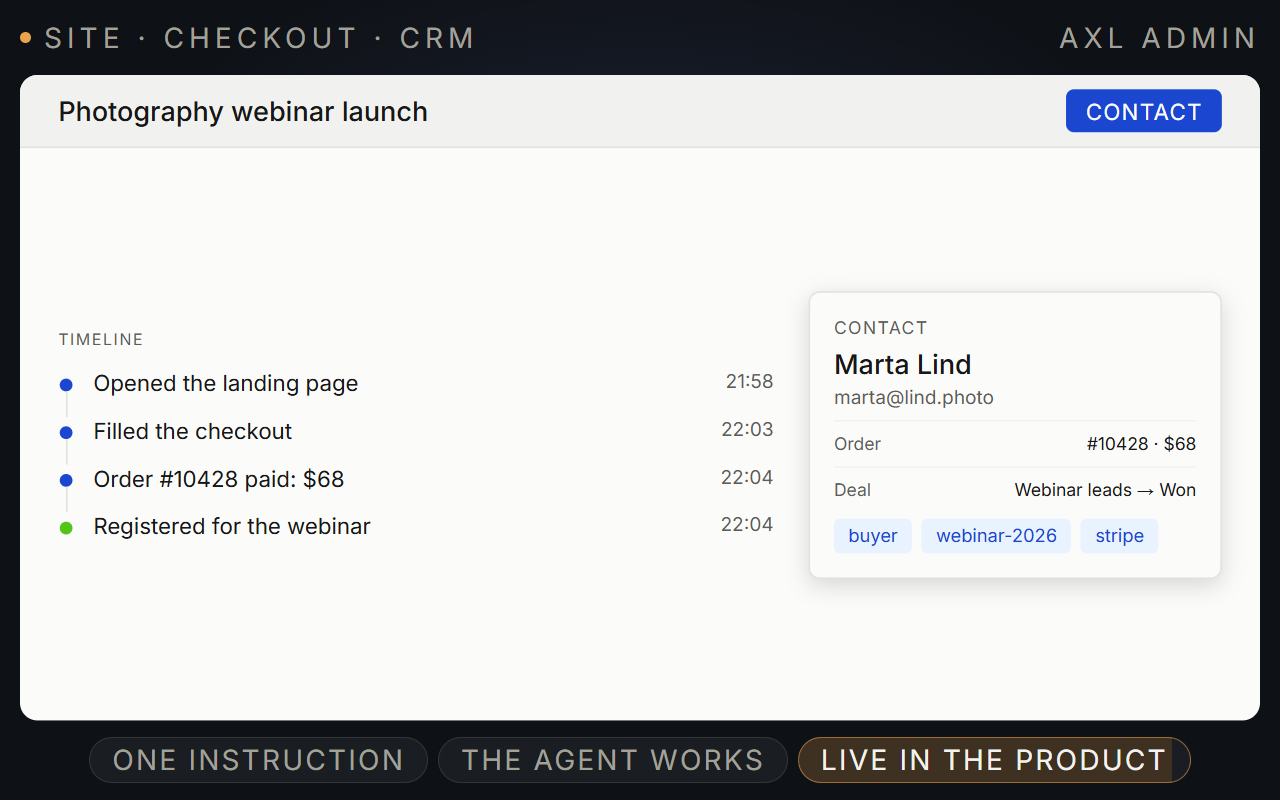
Every lead, deal and payment on one contact.
Forms, chats, webinars and imports create contacts. You turn a contact into a deal, move it through a pipeline and see when it is paid.
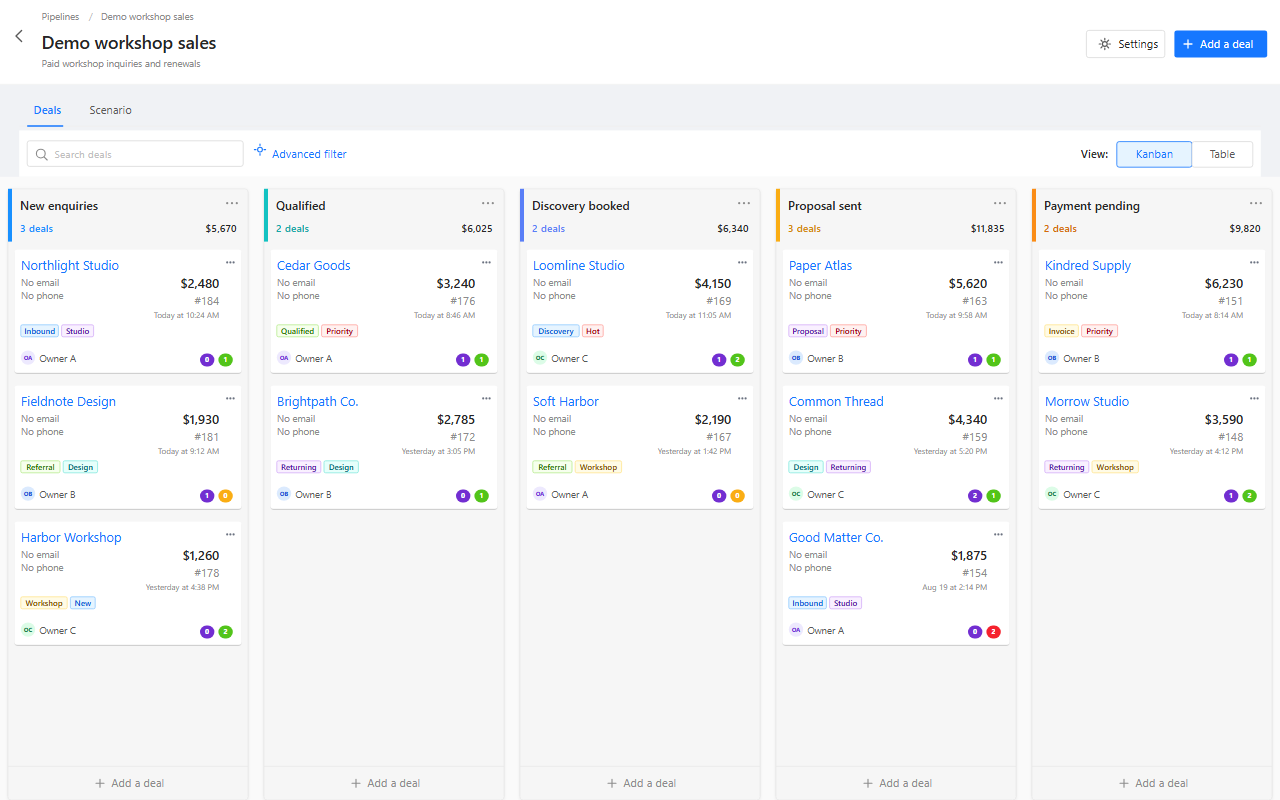
- One record per person. Lead, customer or student, it is the same contact.
- Pipelines. Deals by stage, as a board or a table.
- Segments. Lists that update themselves as people act.
- Tasks. An owner, a due date and a reminder on the next step.
Good to know: AXL does not calculate tax or create invoice documents. Merging duplicates works on up to five records at a time and cannot be undone.
Pipelines, contact records and sales in one place.
Screens from a demo academy account. Open any of them to see it full size.
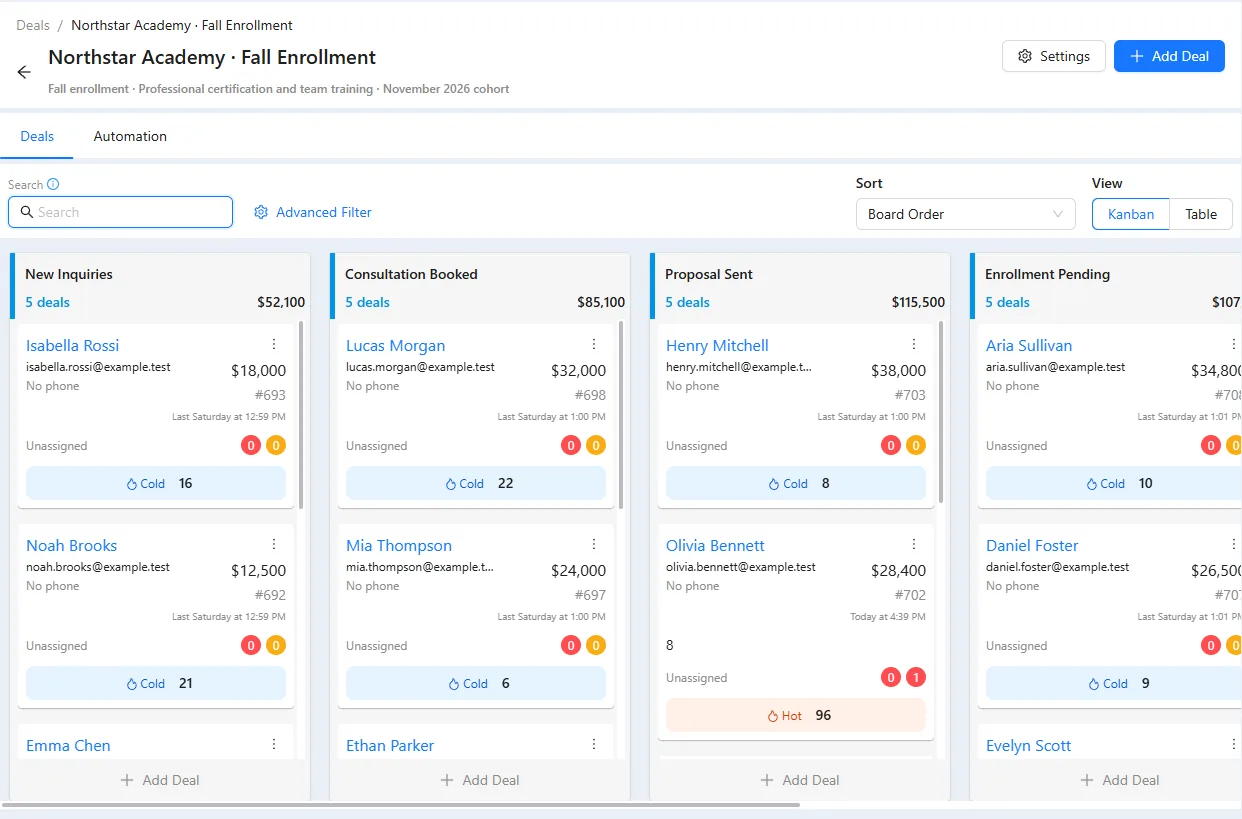
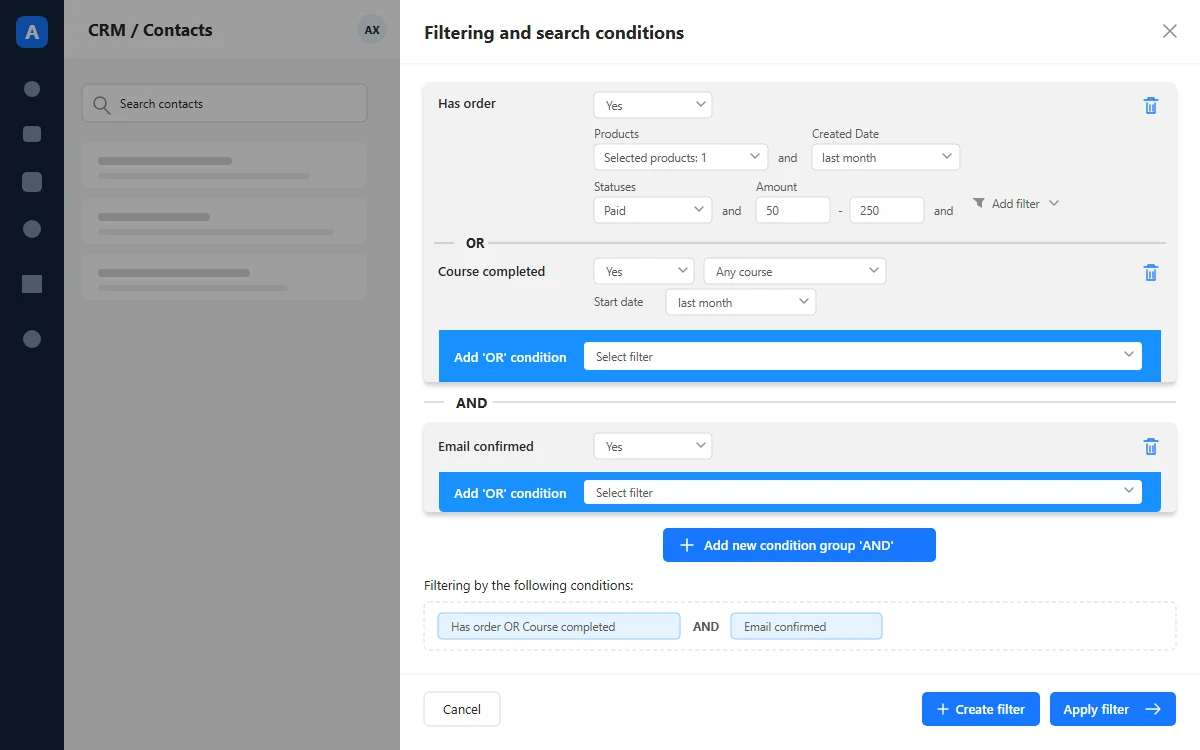
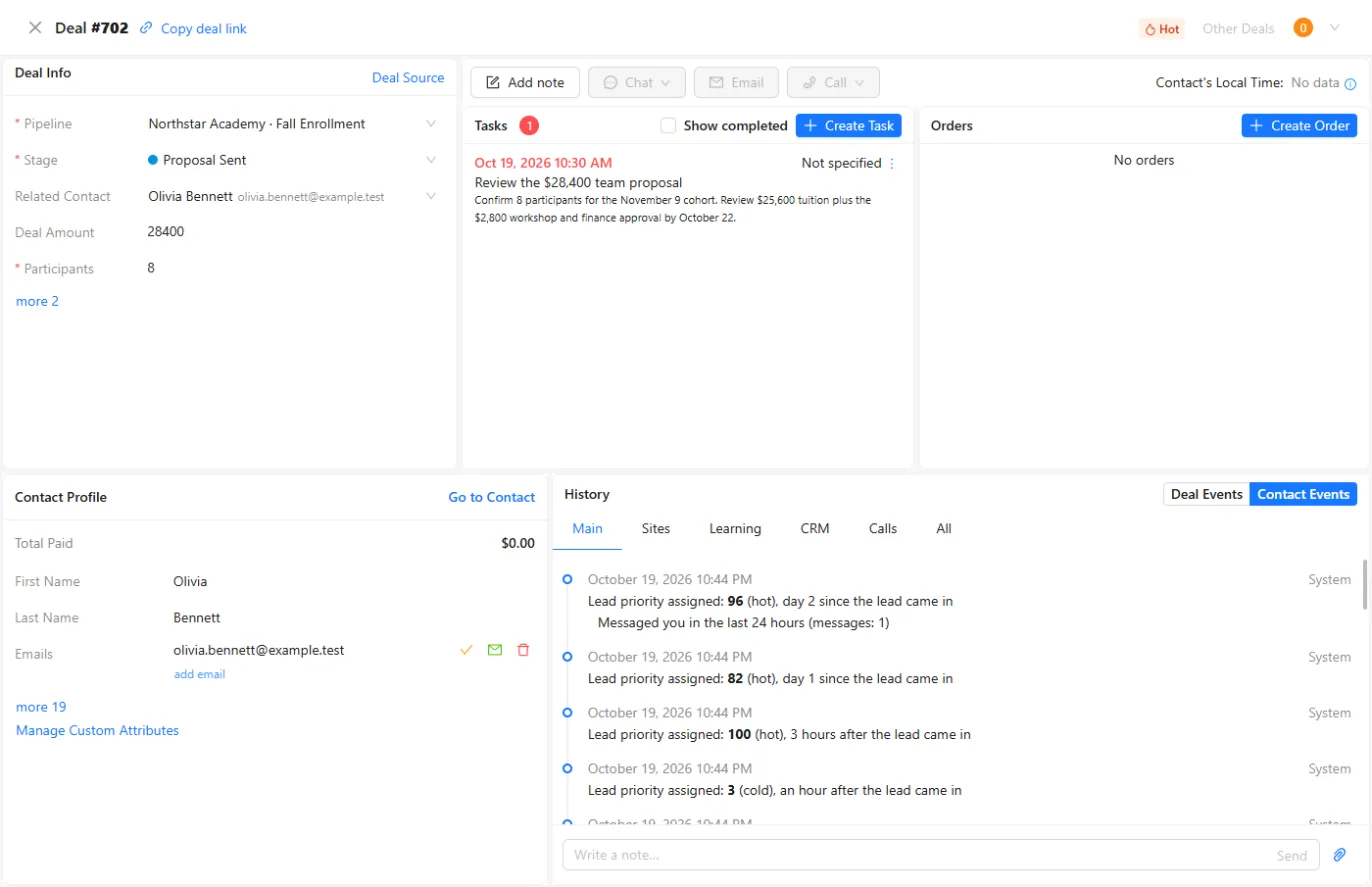
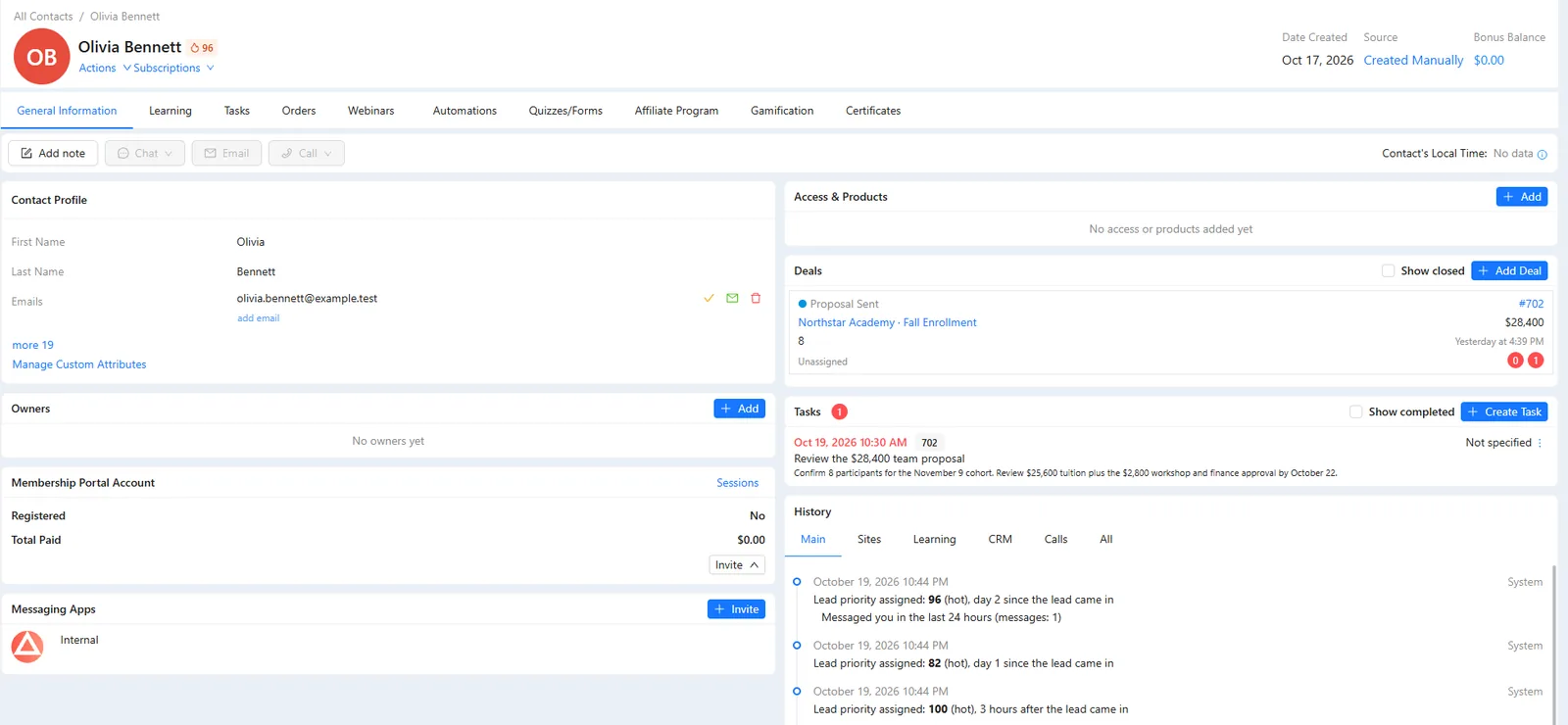
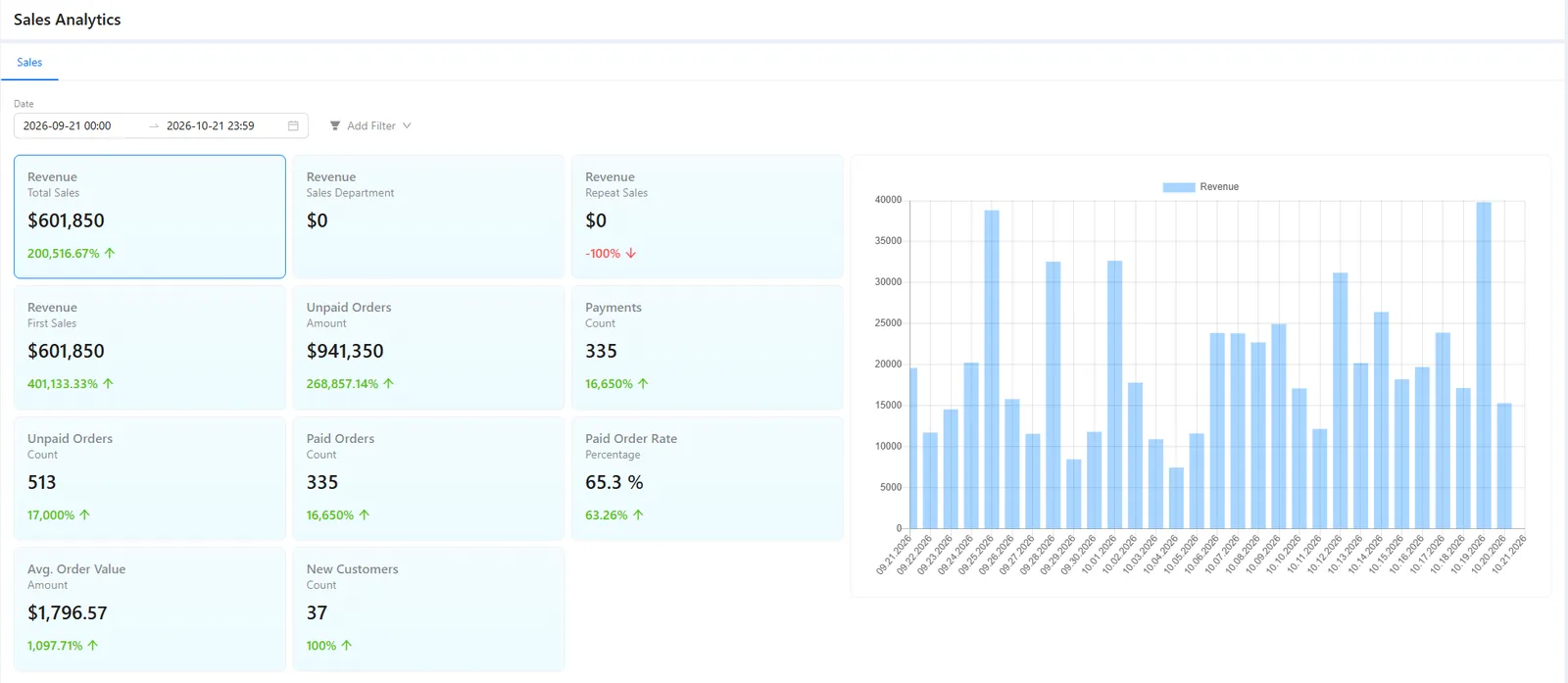
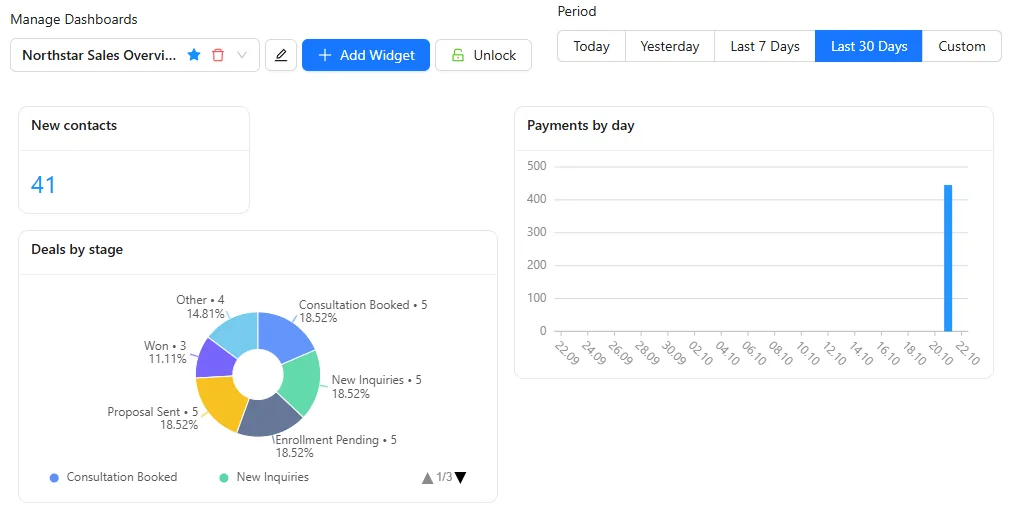
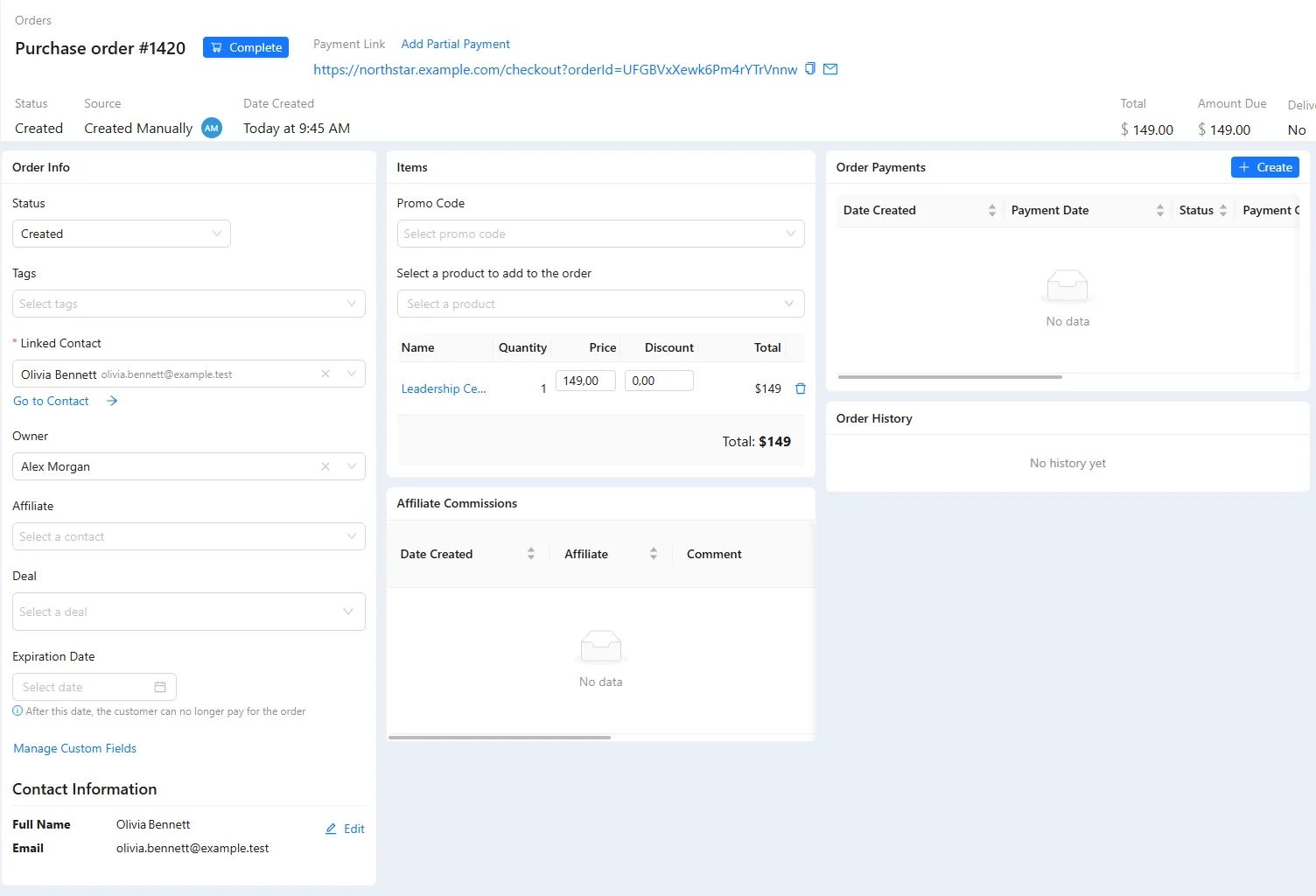
From the first visit to the last renewal.
- Full history Visits, forms, orders, lessons, webinars and calls on one timeline, newest first.
- Calls Call from the browser. The recording, transcript and summary land on the contact. AXL telephony →
- Segments Filter by orders, course progress, video watched, quiz answers and 61 conditions in all. Send to a segment →
- Checkout on any page A checkout block with promo codes, order bumps and one-click upsells. Checkout →
- Subscriptions Trials, payment retries and a grace period. A failed card can start an automation. Subscriptions →
- 20+ payment providers Plus cash and bank transfer. Each order shows the fee and your net income. All providers →
- Paid sessions Sell a session as a product. The booking link goes out once it is paid. Booking →
- Import and API Import TXT, CSV or XLSX. Webhooks and an API connect the rest. What moves over →
Take a first payment and see the deal appear.
Already have a list? Start at Contacts → Import.
- 01 Create the product Price, comparison price, order deadline. Products
- 02 Add the checkout Gateway button, promo code, order bump. Sites → your page
- 03 Set up the pipeline Only the stages you use. CRM → Pipelines
- 04 Make a test purchase The order appears with its UTM source. Orders
- 05 Open the contact Form, order and payment on one timeline. CRM → the contact
Set up our pipeline: New, Contacted, Proposal, Won, Lost. Then a scenario that opens a deal on every form submission, assigns it round-robin, and starts a 24-hour task that escalates. Show me the graph first.
- 1. Creates the pipeline: New, Contacted, Proposal, Won, Lost.
- 2. Opens a deal for every form submission and assigns it in turn.
- 3. Adds a 24-hour task that escalates if nobody acts.
- 4. Shows you the graph before anything runs.
Paste it into the AI Assistant inside AXL, or into Claude, ChatGPT or Cursor connected over MCP. What an agent can do →
AXL takes 0% of your sales.
You pay your payment provider's processing fee and nothing more. Some platforms add their own cut on top.
| Platform | Platform fee on sales |
|---|---|
| AXL | 0% on every plan and provider |
| Skool | 10% on Hobby, 2.9% on Pro |
| Circle | 2%, 1% or 0.5% by plan |
| Kajabi | 0% on Kajabi Payments, 2% to 0.5% with another provider |
From skool.com/pricing, circle.so/pricing and kajabi.com/pricing. Full comparisons: vs GoHighLevel, vs Kartra, all comparisons.
Questions people ask.
No. Paid plans start at $49 per month with included usage. Extra contacts cost $0.002 each, and AXL takes 0% of sales. The estimator →
Yes to both. Orders carry first- and last-touch UTM, so an A/B test in the website builder is judged on paid orders. Import takes TXT, CSV, XLSX or pasted text and validates before writing; the migration page says what moves cleanly.
Through webhooks and the API. An automation sends a webhook with your own method and headers, retries it across 24 hours, and can branch on the response. Inbound, a POST starts any active scenario and matches the contact from the payload. API keys are unlimited, with rights per key. The webhook reference →