

The business platform where your AI agent finishes the job.
Describe the job in Claude, ChatGPT or Cursor. AXL creates the page, lead form, product and follow-up in your account. You still decide when to publish or send.
Free plan, no card needed.
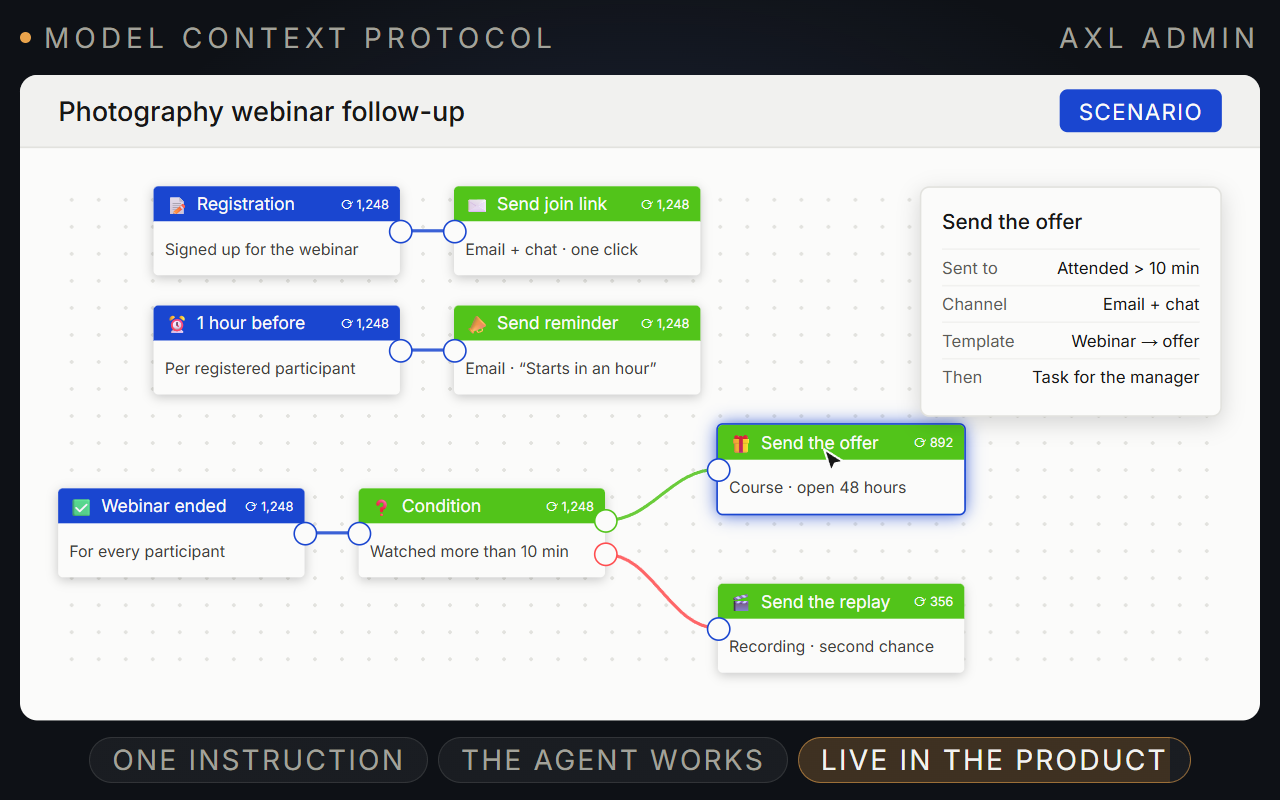
Describe the job. Get real pages, products and follow-ups back.
Work in Claude, ChatGPT or Cursor. AXL creates the objects in your account and returns a link to each one.
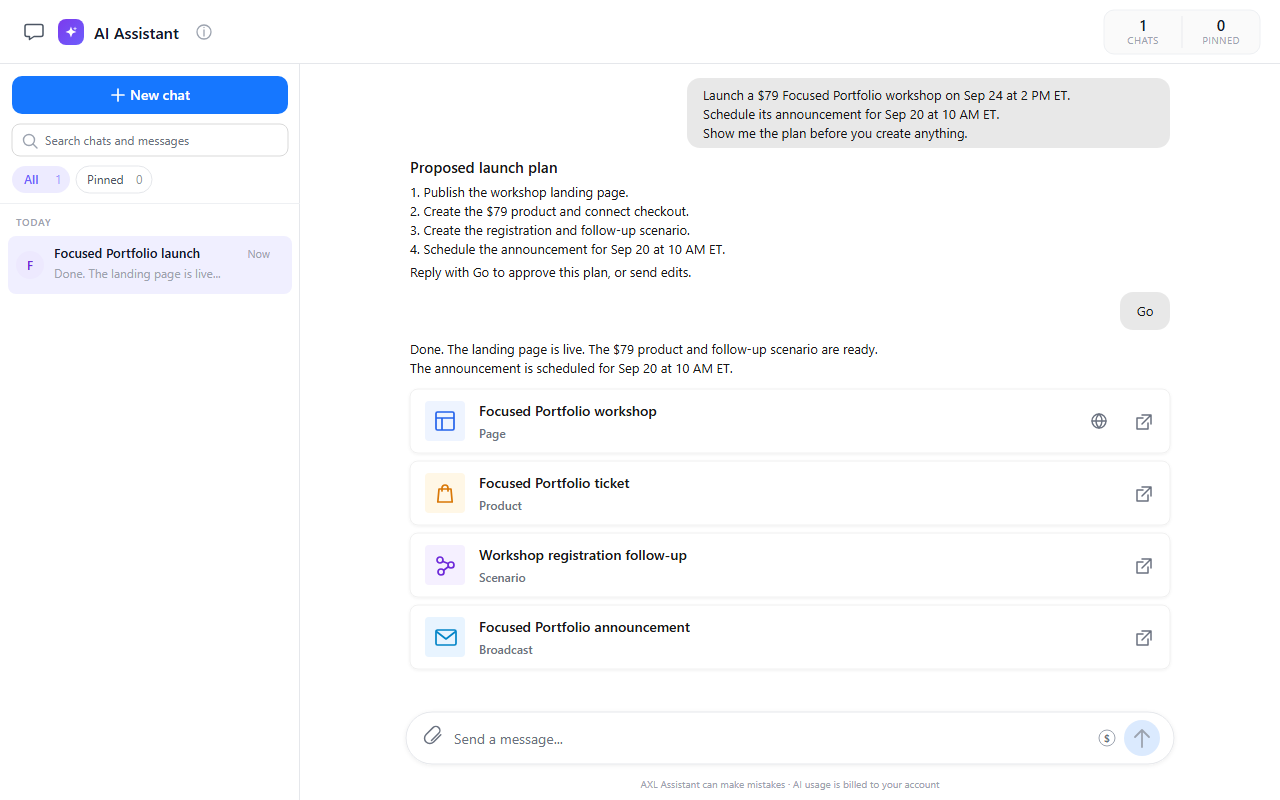
- Connect. One setup line and a browser sign-in.
- Build. Pages, products, courses, scenarios and broadcasts.
- Open. Every finished object comes back as a link.
- Decide. Publishing and sending stay your steps.
Good to know: About 1,100 operations across more than 60 modules. Every change lands in the history, and a page keeps its last 100 revisions.
What comes back finished.
- A live page With a lead form that writes into the CRM. Website builder →
- A product with checkout Priced, on the page, ready to sell. Checkout →
- A course With a graded test and a certificate. Courses →
- A follow-up The automation graph, switched off until you check it. Automations →
- A campaign Scheduled for later, not sent. Email →
- Migration chores The repetitive middle of a move. What imports →
Get a live lead-gen page out of one conversation.
Start read-only: have it count your contacts before it creates anything.
- 01 Connect your client One line, one browser sign-in, once. Guides → Settings → MCP
- 02 Orient it before you ask Your brand style returns as tokens, so the page looks like yours. Settings → Visual styles
- 03 Have it build the page The lead form writes into the CRM from the first submit. Sites
-
04
Read the preview on a phone
Unpublished pages render
noindex. Adjust in plain English. Preview link - 05 Say publish Its own step on purpose: the last look is yours. Page → Publish
- 06 Point your domain at it Yours, because an agent has no access to your registrar. SSL follows. Domains → DNS applied
Read the capability map and the landing-page recipes, then my default brand style. Create a site ‘Q4 Launch’ and a page at /webinar: hero, three benefit blocks, short FAQ, and a lead form for name and email. Do not publish. Send the preview link.
- 1. Reads your brand style and the landing-page recipes.
- 2. Creates the site ‘Q4 Launch’ with a /webinar page: hero, three benefits, FAQ and a lead form.
- 3. Publishes nothing and sends you the preview link.
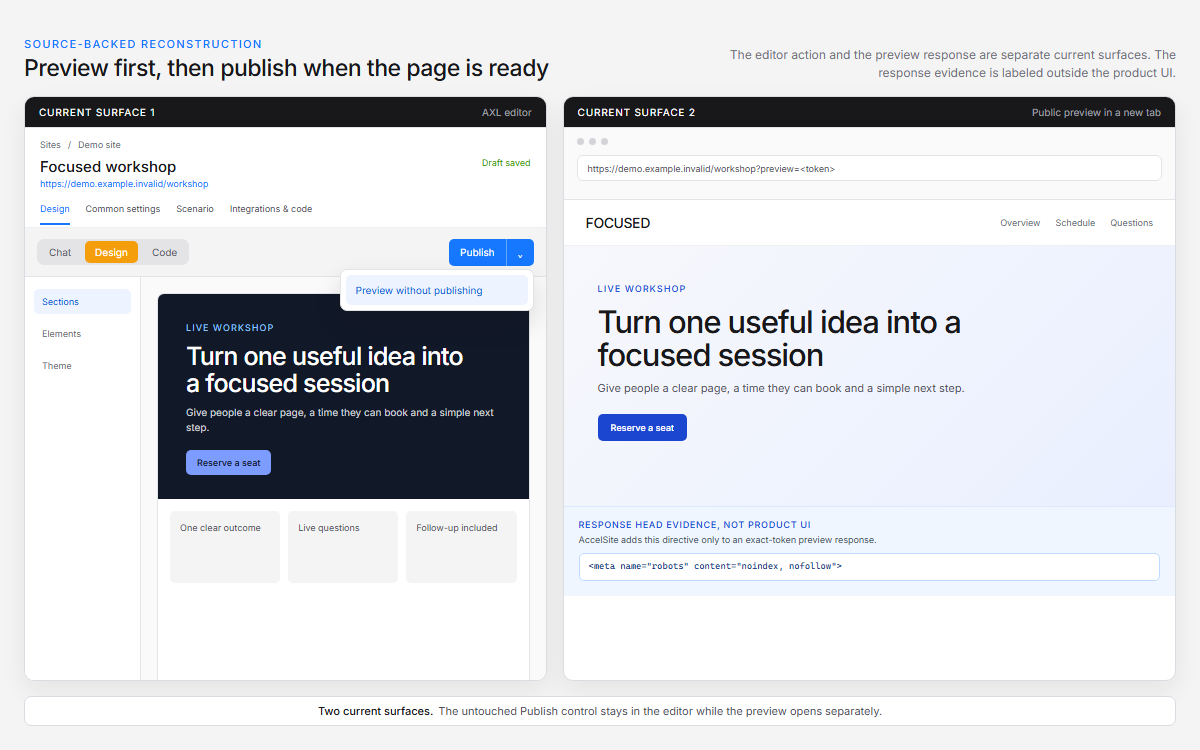
Preview the page before publishing, then connect the same workflow to your AI client. Connect your client →
Questions people ask.
Claude, ChatGPT, Cursor, Windsurf, VS Code and Cline. Setup is one line and a browser sign-in, no developer needed. Connection guides →
Yes. The AI Assistant inside AXL builds pages, emails, forms and quizzes. Connecting your own agent is optional.
21 sensitive operations are not available to AI at all, and bulk deletions need an explicit confirmation. The guardrails →
Your own agent’s model is billed by whoever you pay for Claude or ChatGPT. AXL plans start at $49 a month and include AI credits for the built-in assistant.
Give it the first job and read the result.
Free plan, no card needed. Paid plans from $49 a month.