

What an agent can never do
An AI agent connects to AXL over MCP: one line in the client you already use, then a browser sign-in. From then on it acts inside your account, so the limits belong in the server, not in a prompt. Most of them are walls. One is only a soft check, and this page says which.
What happens when you connect an agent.
- 01 Connect it Add the endpoint, run a prompt. Settings → MCP
- 02 Approve the account It names the client. Switch accounts here. Consent screen
- 03 It looks around Asks what exists; the 21 are absent.
- 04 It writes drafts Publishing and sending stay yours. Preview link
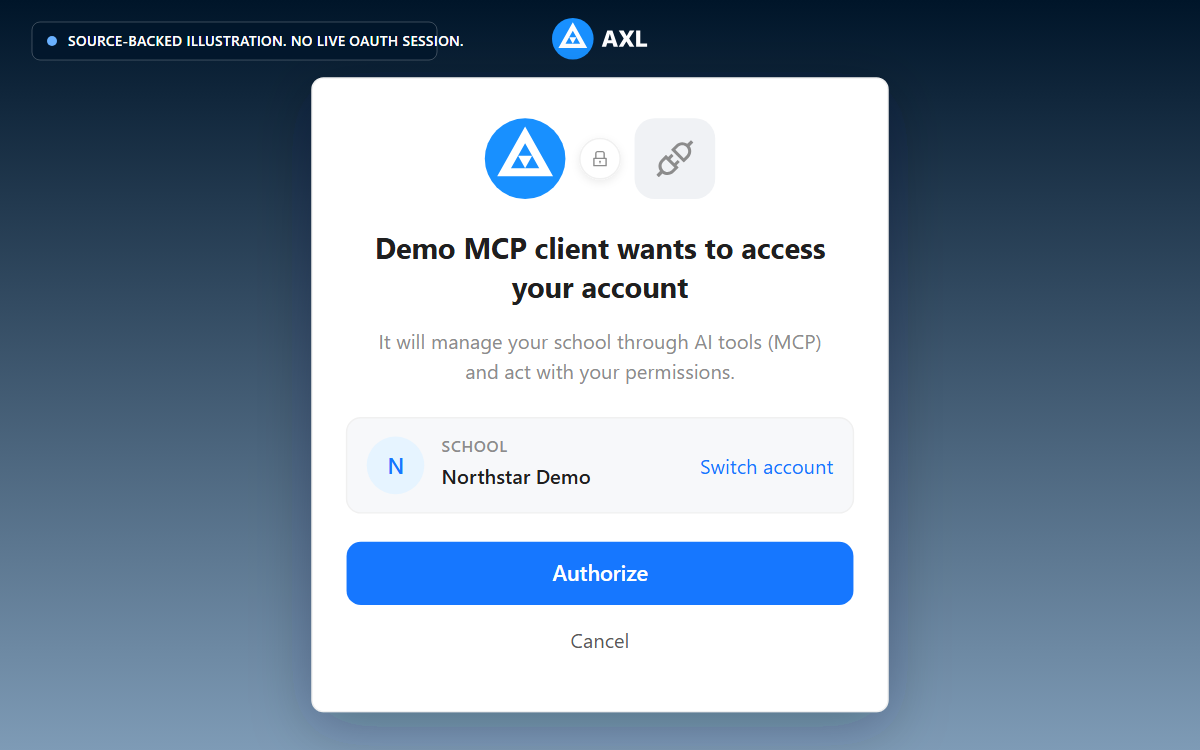
Review the school and access request before you approve the connection.
21 operations the agent cannot see.
A blocked operation is dropped from the tool catalog at startup: no listing, no search hit, no schema, and execute treats it as nonexistent. The agent never learns it is there, so there is nothing to talk it into, including an instruction hidden in a document it reads. The removal covers the AI surface only: your integrations still call these endpoints over REST.
| Group | Count | What is removed |
|---|---|---|
| Credentials and tokens | 3 | Creating an admin (which mints a ten-year API token as a side effect), plus cross-service and third-party account tokens. |
| Rights, roles, membership | 9 | Admin security settings, deleting or restoring an admin, permission policies, invites and invite links. This closed a privilege-escalation chain that ended at full account rights. |
| Billing writes | 9 | Balance, the AI spend cap, auto-recharge, promo codes, plan agreement, addresses, payment methods. Reads stay open: an agent can say what you spend, and cannot spend it or raise its own limit. |
The set is pinned by a test, and a second refuses to let a blocked operation keep a call template pointing at it.
Twenty-nine are absent in all; the other eight are not safety removals.
- •Five belong to an obsolete controller writing to a table nothing renders. Hidden because it is dead, not dangerous: visible, it is a success-with-no-effect trap with a plausible name.
- •Two cannot be called over MCP here because they read parameters from headers MCP does not forward, so they would burn retries on a misleading “field is required”.
- •One is a machine hand-off: a server-to-server ingest for the in-product page builder. Not a user-facing operation at all.
Publishing and sending are separate steps.
Writing a page, a course or a product does not publish it; the call templates it follows (recipes, in AXL's docs) write unpublished and hand you a preview link. Building a campaign does not send it. A broadcast has no draft state, so creating one arms it, and the recipes require an explicit human “send now” in a separate message.
Two more sit in the server: a bulk destructive call refuses to run unscoped, since an empty filter would mean every record in the account, and writing HTML means reading the guide first.
Inside your rights it can still rewrite a live page, reprice a product, delete inside a scoped filter. What makes that survivable: a deleted record is flagged, not erased, and pages keep 100 revisions. What it finishes →
confirm=true is a boolean the caller sets on itself. It is not a human-approval guarantee.
Nothing in the transport verifies that a human was asked, or answered, or exists: no second channel, no signed approval. We know it can be self-granted because it was: in a live test, an agent warned about a large delete set the flag itself in its next reply.
The refusal text, the parameter description and the guide the agent reads all say the flag must reflect a real reply from the human in their next message, never inferred and never set in the same turn.
So never read anything on this site as “human approval is enforced”. What is enforced: a risky call does not run on the first attempt. For a hard limit, use permissions.
Give it less than you have. An agent inherits the rights of whoever approved the consent screen. So approve as a smaller admin (create one in Settings → Team with only the rights the job needs), or connect with a bearer token from an API key with reduced rights.
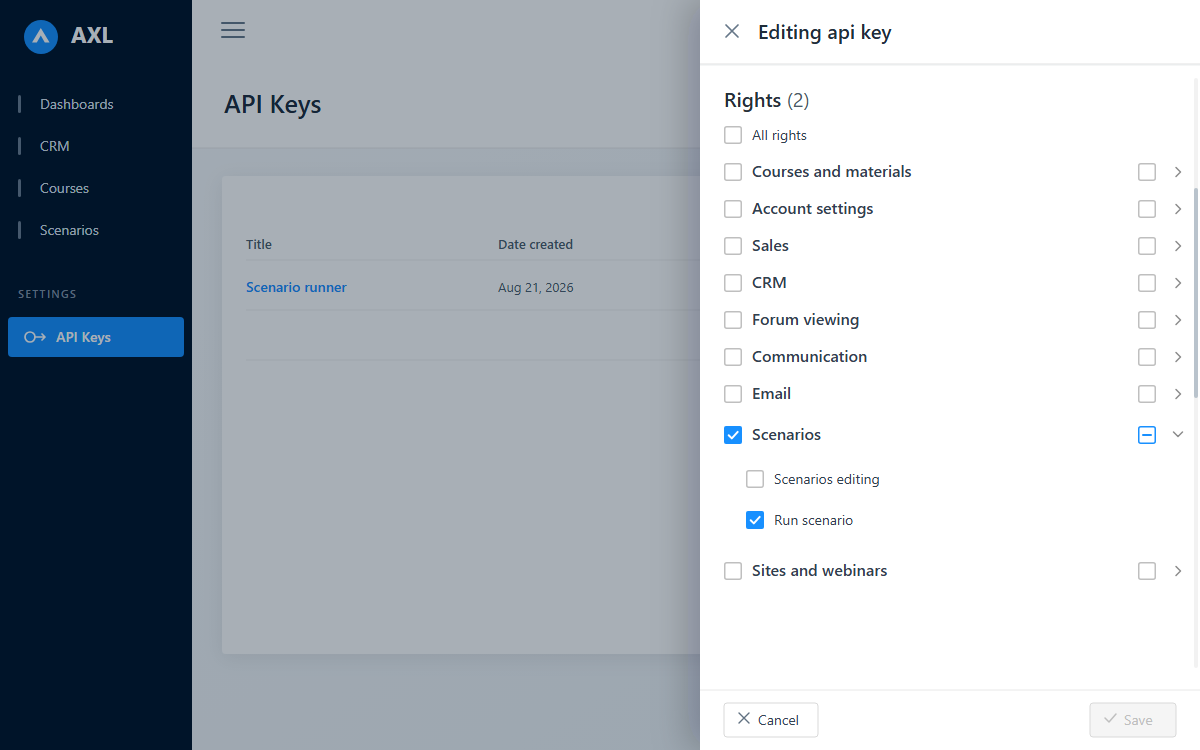
Choose exactly what an API key can do before you save it.
The agent runs as you, on the same pipeline.
There is no parallel execution path for AI. An operation is an ordinary call to the same API your browser uses, carrying only the caller's token through the same authentication and rights checks.
- •Permissions are inherited, not granted. Per-field rights apply: a course whose publish flag you cannot set is one it cannot publish, though it can rename it.
- •The account boundary is the same boundary. The data layer stamps and filters by account on every read and write. Answers come back with secrets masked and stack traces stripped.
- •Built-in AI has a spending control. A billing admin sets or disables the monthly cap, and the agent cannot change it. The Assistant and Curator applications bill outside this guard, on their own lines.
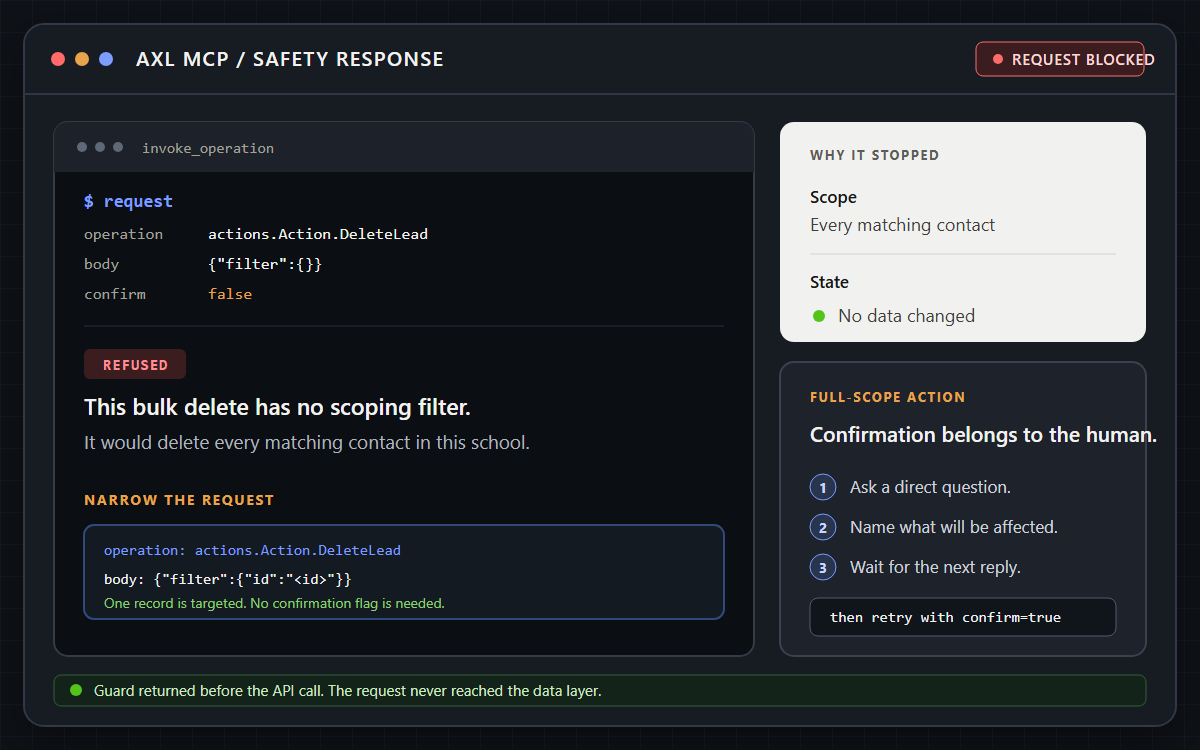
Risky requests stop before the API call and return a safer next step.
The limits we have not solved.
- •The browser flow has one scope, carrying the approving admin's rights, with no narrower one to ask for.
- •Agent writes land in the record's ordinary history timeline. No agent-only log, and only operations that already write history events appear there.
- •The blocked set is platform-wide, not per-account.
- •We could not find a competitor that publishes which operations it removes from its AI surface; that is a claim about our search, not about their products. Correct us.
Residency, retention and agreements are on /security, including the open ones.
Try to break it on a free account.
Ask it for something destructive, read the refusal, then decide how much of your rights to hand it.
Free plan, no card needed.