

Your booking page, on your own domain.
Booking pages for free or paid sessions: your hours, your buffers, your intake questions. Every booking lands on the contact record that already holds the order and the conversation.
Free plan, no card needed.
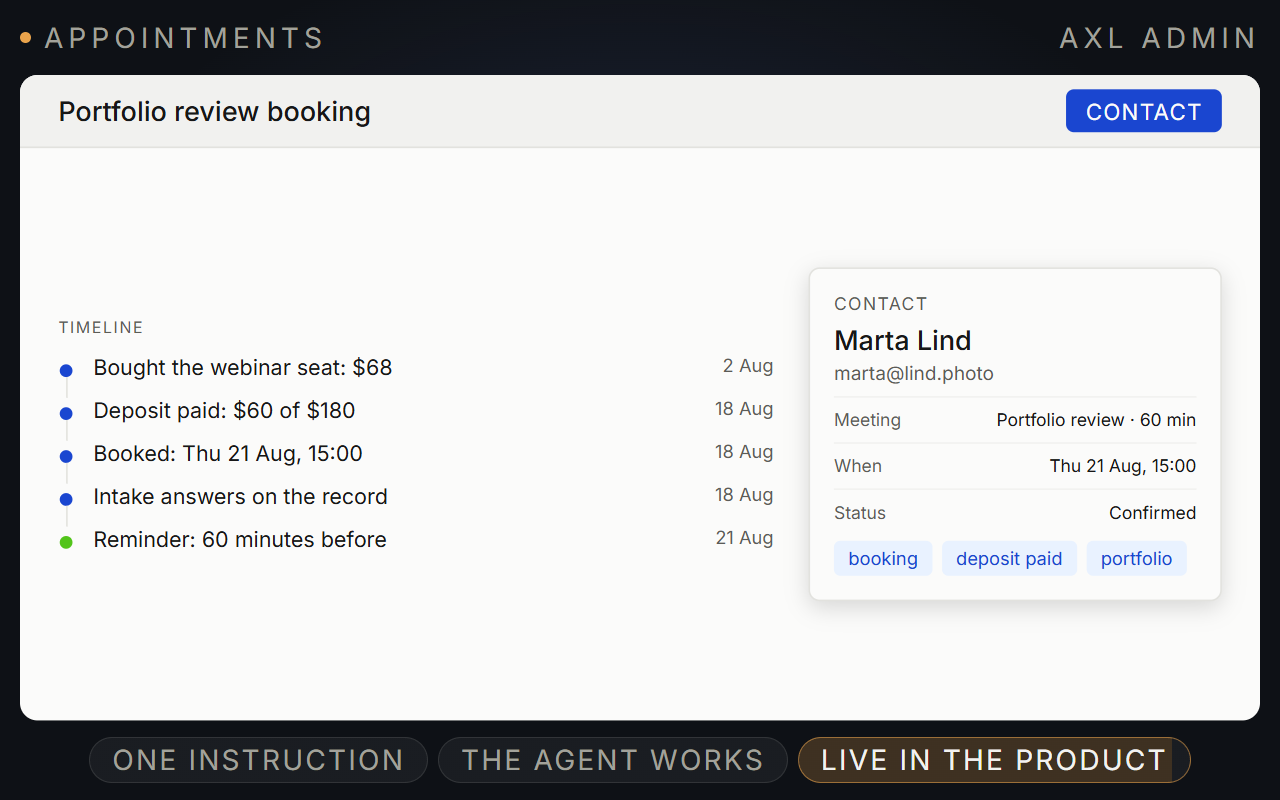
A booking page on your domain, with every booking on the contact.
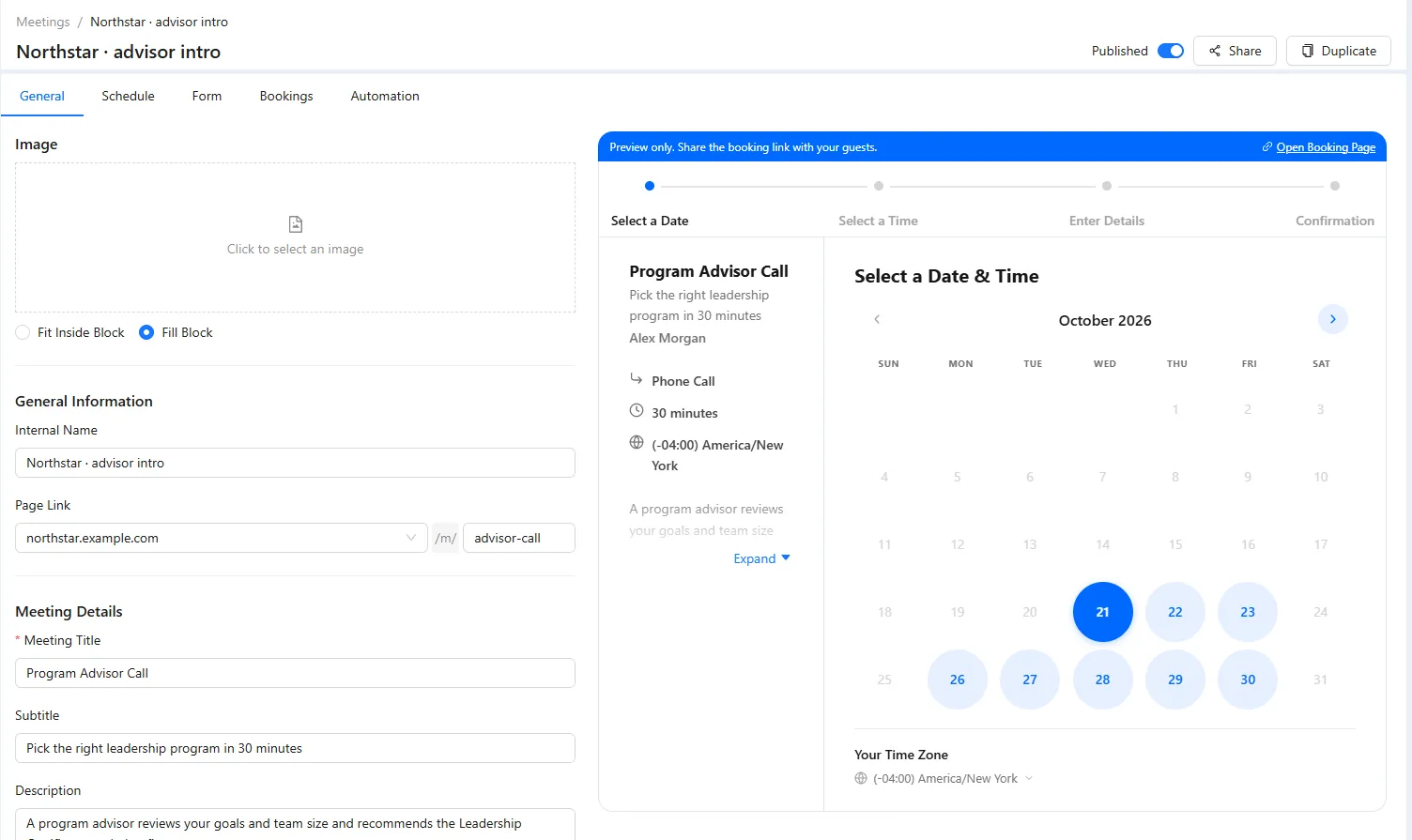
Set your hours and questions. A guest picks a slot in their own timezone, answers your form and gets the call link.
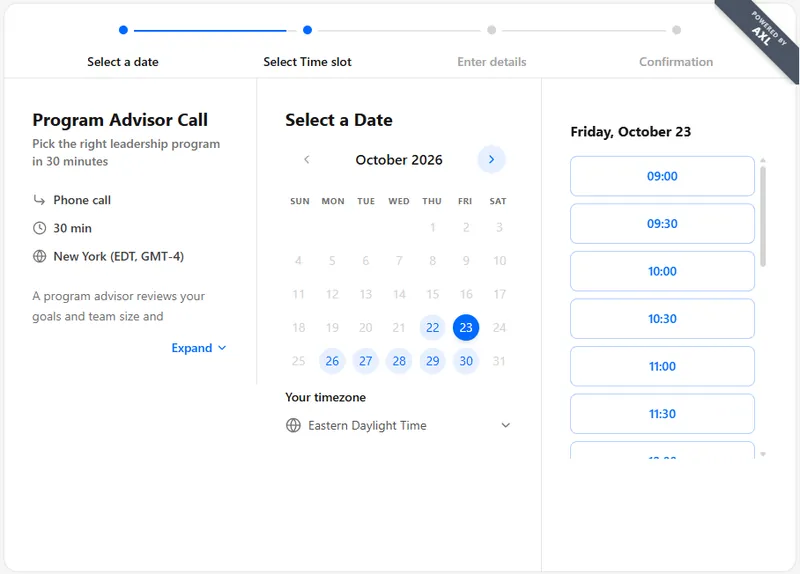
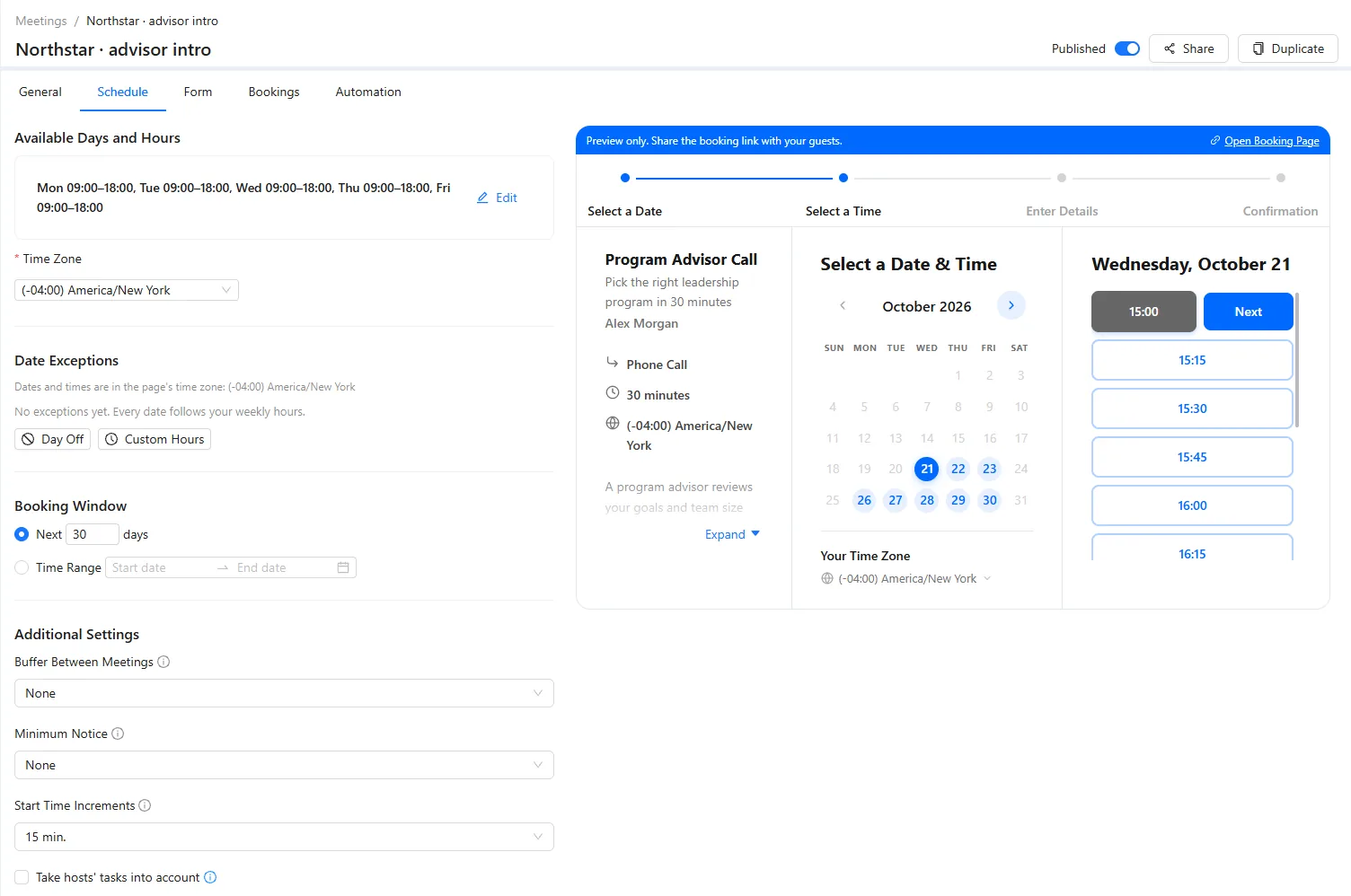
- Availability. Working hours, minimum notice, buffers and an end date.
- Formats. Zoom, Google Meet, phone or in person, one host or round robin.
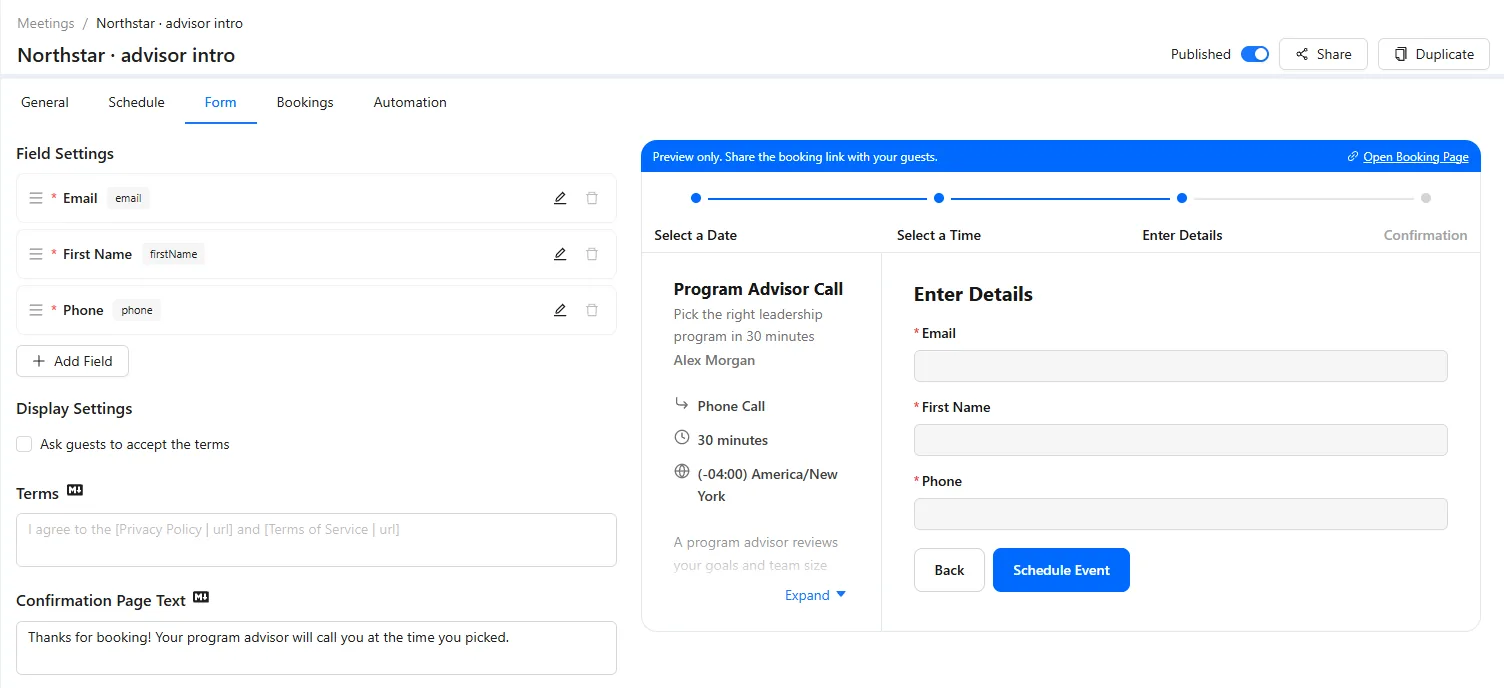
- Intake. Your own questions, with the answers on the contact.
- Paid sessions. Full price or a deposit before the link goes out.
Good to know: AXL is not the call software: video runs on Zoom or Google Meet.
Booking pages, availability, bookings and reminders.
Screens from a demo academy account. Open any of them to see it full size.
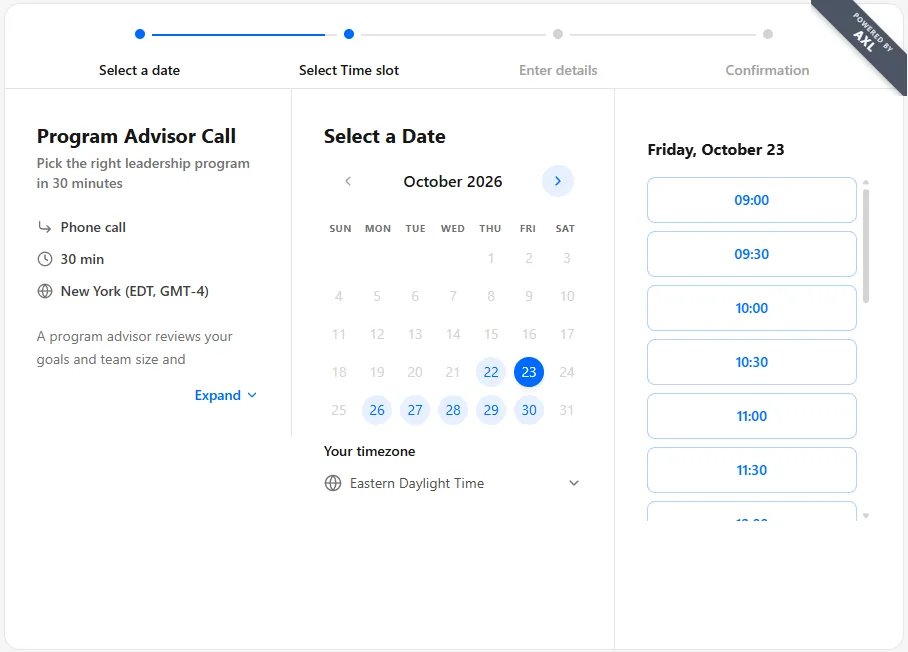
What happens after somebody books.
- On the contact Intake answers, orders, calls and notes on one timeline. The CRM →
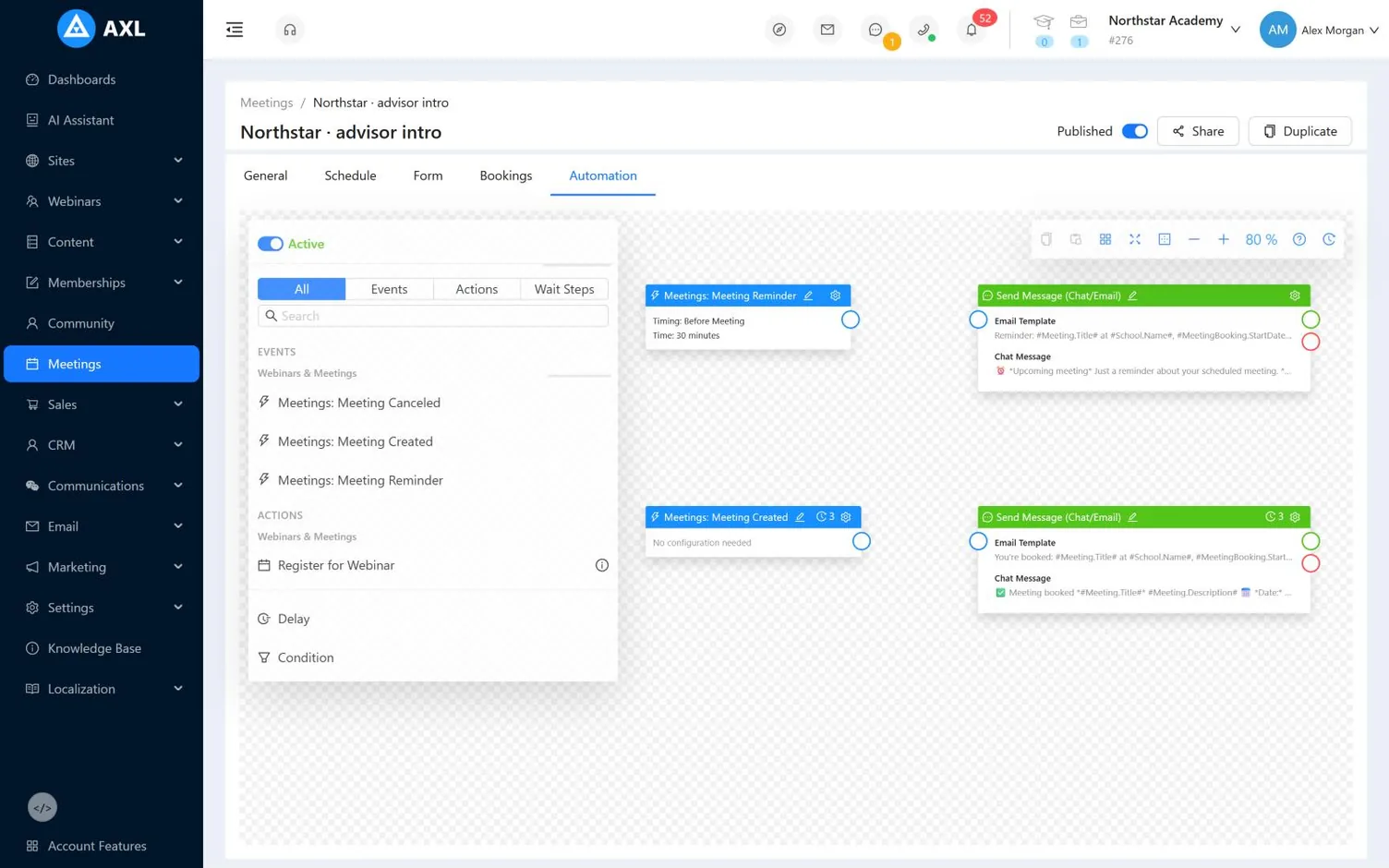
- Follow-up Confirmation, a reminder before the slot and a task if they cancel. Automations →
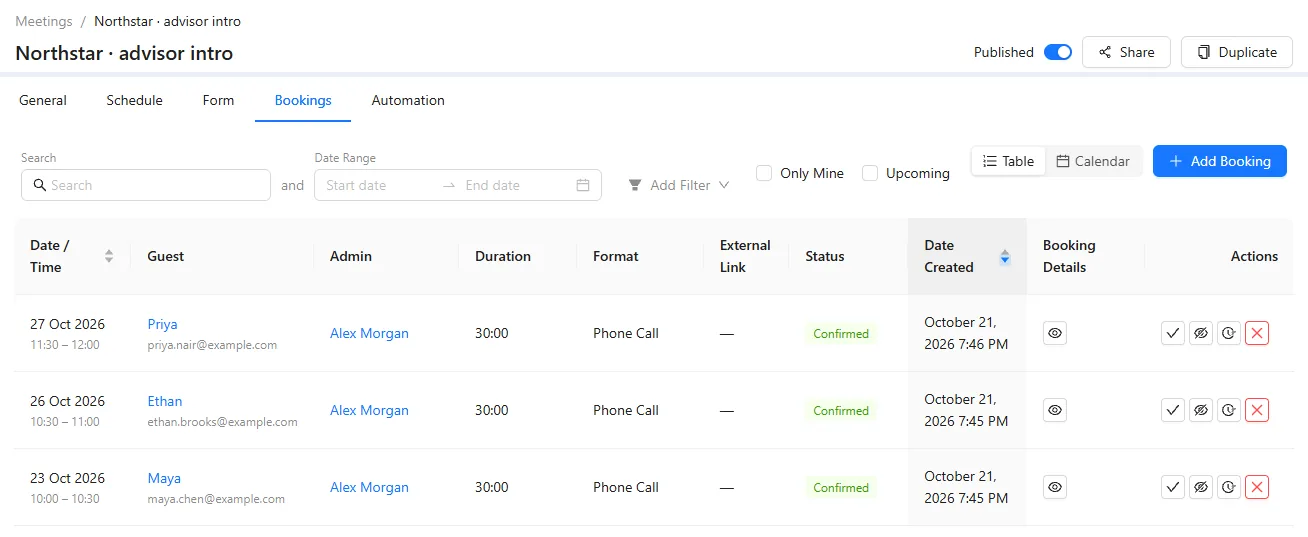
- Bookings list Date, guest, host, format, call link and answers, with filters and no-show marks.
- Bigger rooms A slot holds a few guests. For hundreds, run a webinar. Webinars →
Your first booking page in ten minutes.
- 01 Create the meeting Name, link, format, length. Meetings → New
- 02 Set your hours Days, time windows, buffer, notice. Meeting → Schedule
- 03 Add your questions Your fields and the confirmation text. Meeting → Form
- 04 Set the follow-up Confirmation, reminder, a task on cancel. Meeting → Scenario
Create a $250 “Strategy Session” with a checkout page and a booking page with 45-minute slots Tuesday to Thursday.
- 1. Creates a $250 “Strategy Session” with a checkout page.
- 2. Opens a booking page with 45-minute slots, Tuesday to Thursday.
Paste it into the AI Assistant inside AXL, or into Claude, ChatGPT or Cursor connected over MCP. The full consultant setup →
Booking comes with your AXL plan.
A separate scheduler charges per seat. On AXL the booking page sits next to the CRM, the checkout and the follow-up you already pay for.
| Tool | Price | What the price covers |
|---|---|---|
| AXL | Free; paid plans from $49/month | Booking, plus CRM, checkout, email, automations and sites |
| Calendly Standard | $12 per seat | Scheduling, unlimited event types |
| Calendly Teams | $20 per seat | Adds round robin for teams |
From calendly.com/pricing. AXL rates on axl.tech/pricing.
Questions people ask.
Yes, in two steps. They pay for the session as a product, and a scenario sends the booking link once the order is paid. Deposits work the same way.
Yes, plus phone and in-person meetings. Connect Zoom or Google Meet once, and every booking gets its own call link.
Yes. One page can have several hosts, assigned round robin, and each booking can create a task for its host.
Yes, with a direct link, an HTML embed, or the meeting element on an AXL page. The booking page is public as soon as you create it.
Send a reminder by email or chat before the slot. After it, mark the booking confirmed, no-show or cancelled and filter the list by status.
Put your booking page on your own domain.
Free plan, no card needed. Paid plans from $49 a month.