

Connect Claude to AXL
Connect AXL to Claude, sign in and choose your account. No API key to copy. Claude can then work with your CRM, sites, courses, automations and email.
1 · Add the server
Connect to Claude ↗ opens setup with AXL and its server address filled in. Click Add, then Connect. For Claude Code, use the command below.
claude mcp add axl --transport http https://app.axl.tech/mcp
For manual setup in Claude, open Customize → Connectors, click Add custom connector, paste https://app.axl.tech/mcp and click Add, then Connect. Team and Enterprise users may need their organization owner to add it first.
This connects AXL tools through MCP. The AXL skill is installed separately.
2 · Sign in
Your browser opens on an AXL consent screen. It names the client that asked and shows which account the agent will act as; if you administer more than one, switch there before approving. What the client receives is an ordinary admin access token scoped to that account, which is why the agent inherits your permissions rather than a separate set.
3 · Ask for something
“Show me my five most recent contacts, then tell me what you can build in this account.”
Claude's first call is an orientation map of the platform; it navigates to the right operation from there. Ask for something bigger once you have watched it do that. See the jobs an agent can finish.
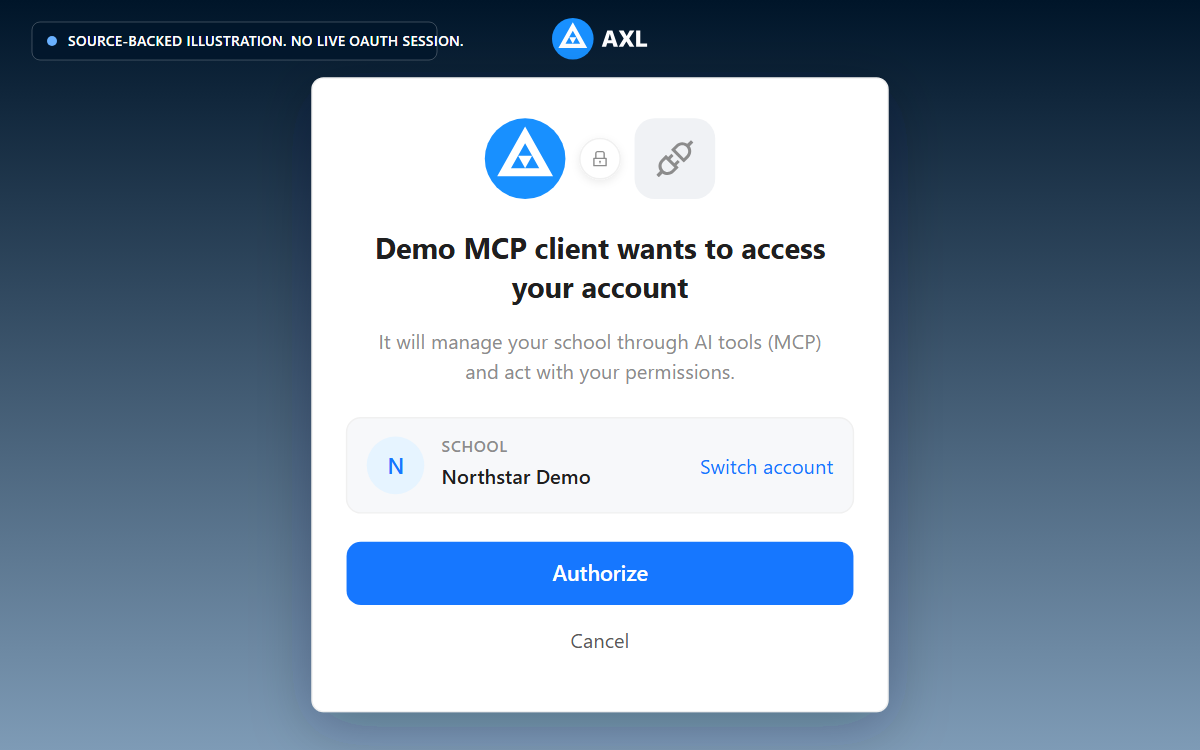
Review the school and access request before you approve the connection.
If it does not work
- •Added, but no tools appear. Tools arrive after sign-in. Run any prompt that needs the account and the browser flow starts.
- •The browser never opened. The client registers itself first, and that step fails quietly if the URL is not exactly the endpoint. Re-check it, then remove and re-add the server.
- •Approval failed with “no school”. The token is scoped to an account and you have not created one yet. Finish that, then connect.
Claude acts as you, with your permissions, in one account. It writes without publishing (publishing and sending are separate steps you ask for), and 21 sensitive operations are not on its surface at all. What an agent can never do →