

See how fast you answer every chat.
Response times, who answered, visitor ratings and sales after chats. Website chat, SMS and messengers on one page.
Free plan, no card needed.
One report for all your chat channels.
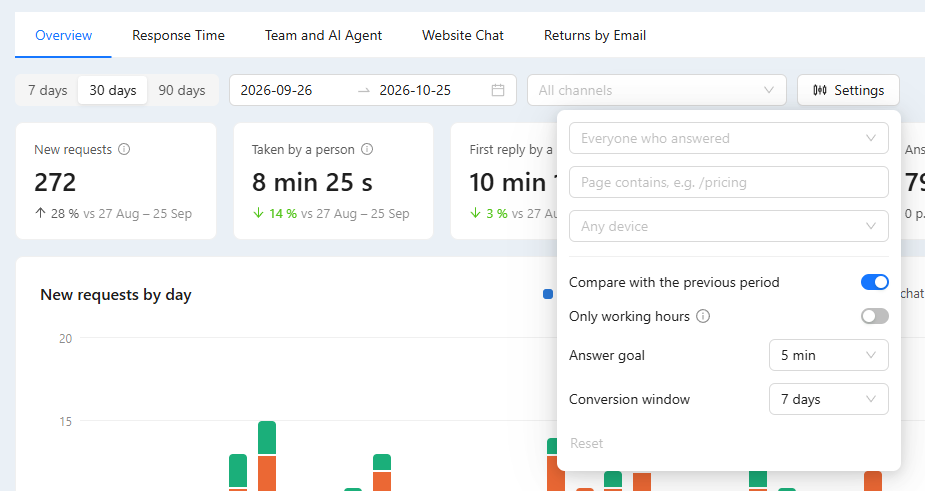
Website chat, SMS, WhatsApp, Telegram, Instagram, Facebook and in-app chat. Pick the days and channels, then click any number to open the conversations behind it.
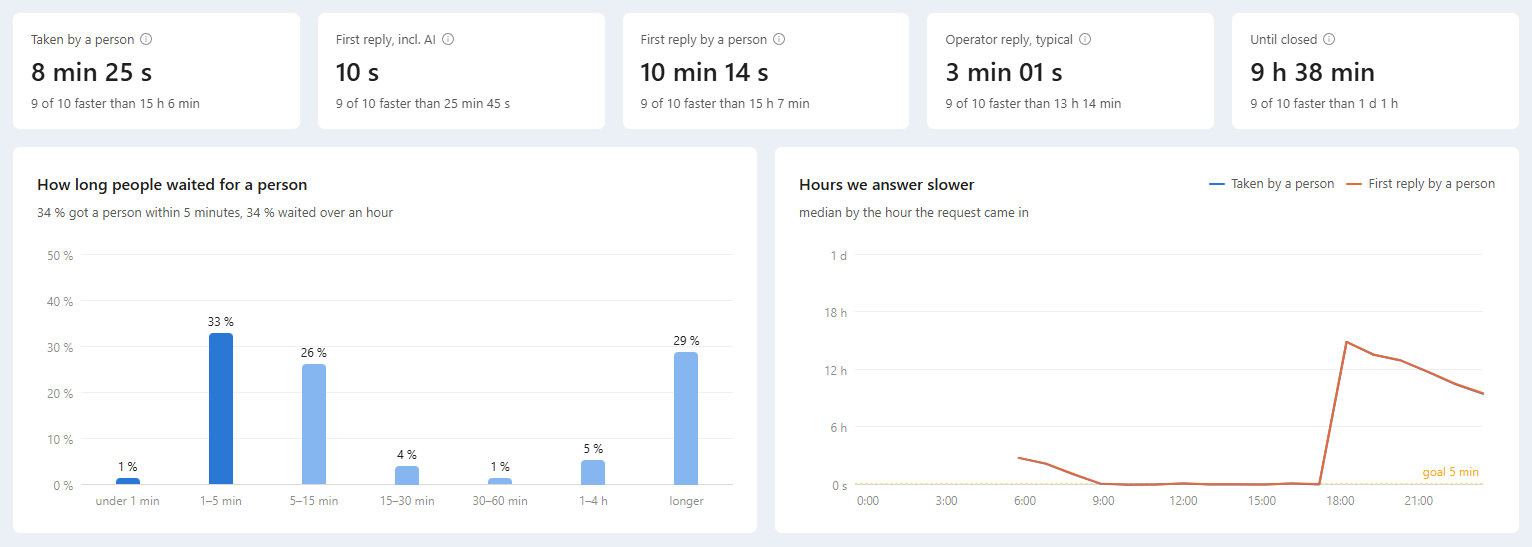
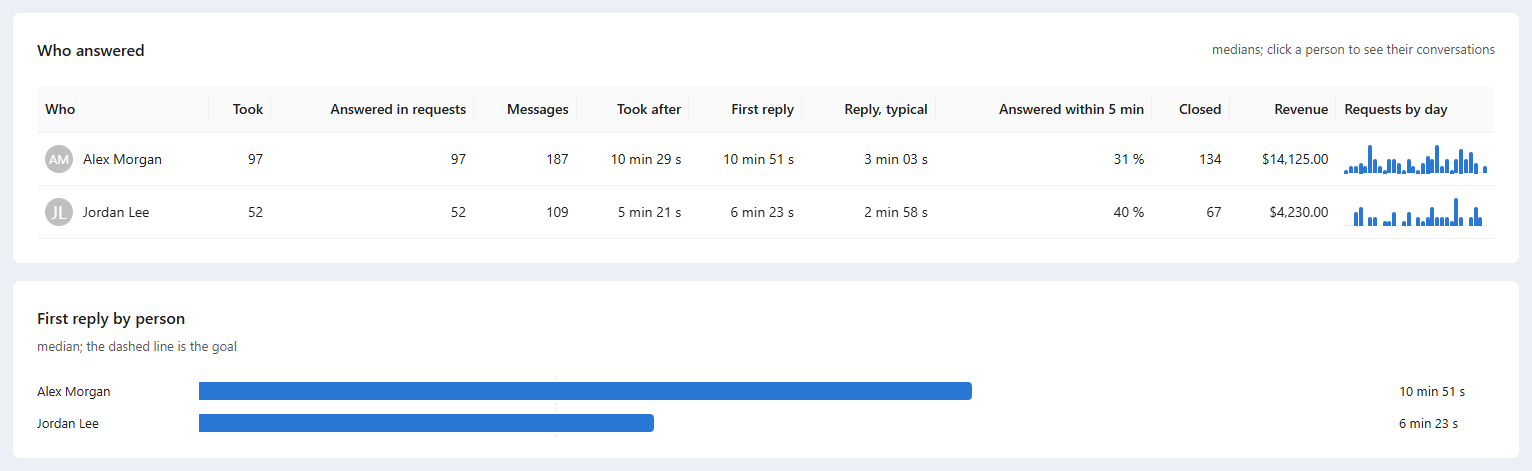
- Response time. Taken by a person, first reply and operator replies, as a median and “9 of 10 faster than”.
- Answer goal. The share answered within your goal, 5 minutes by default, and the hours you answer slower.
- Who answered. Only the AI agent, the AI then a person, only people, or bots. Each operator gets a row.
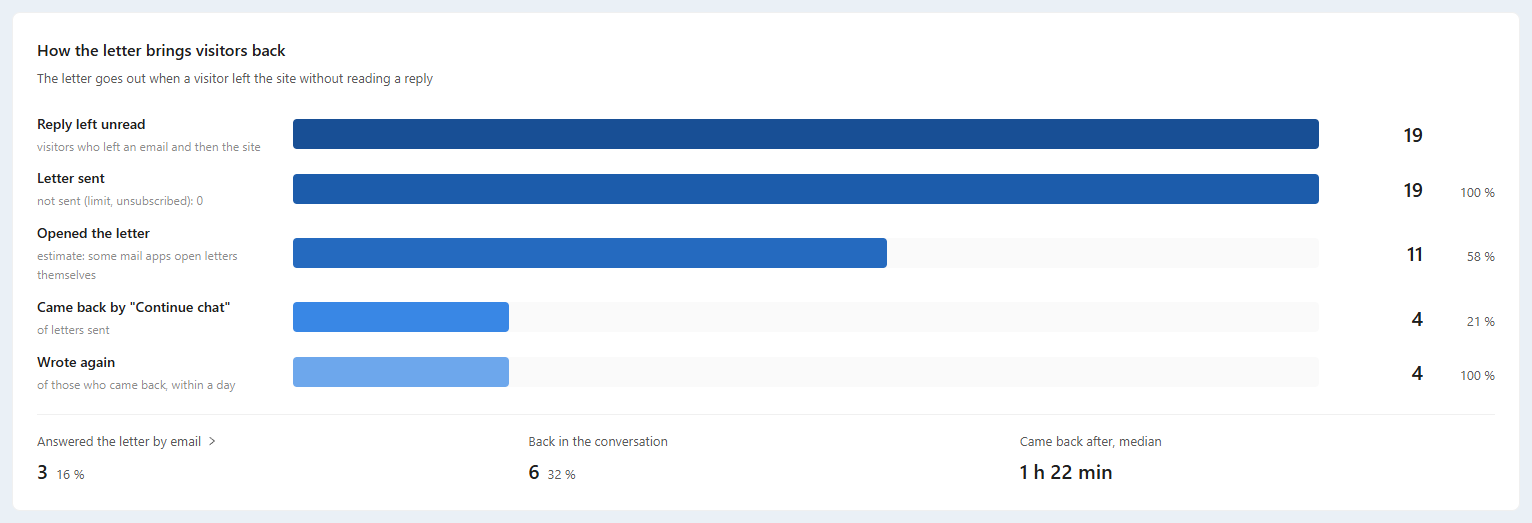
- Returns by email. A visitor who left before the reply gets it by email. You see who came back.
Visitors rate the conversation.
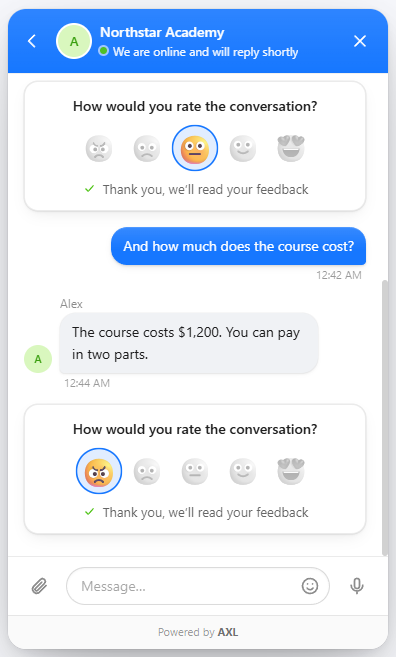
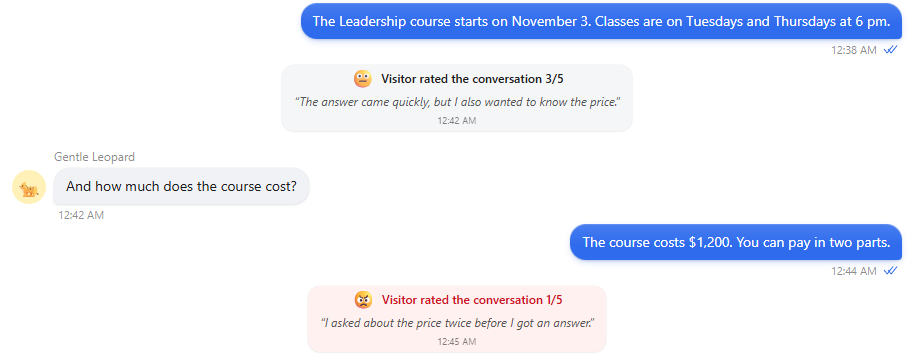
When an operator closes a website chat conversation, the visitor picks one of five faces and can add a comment. CSAT, the customer satisfaction score, is the share of ratings of 4 and 5.
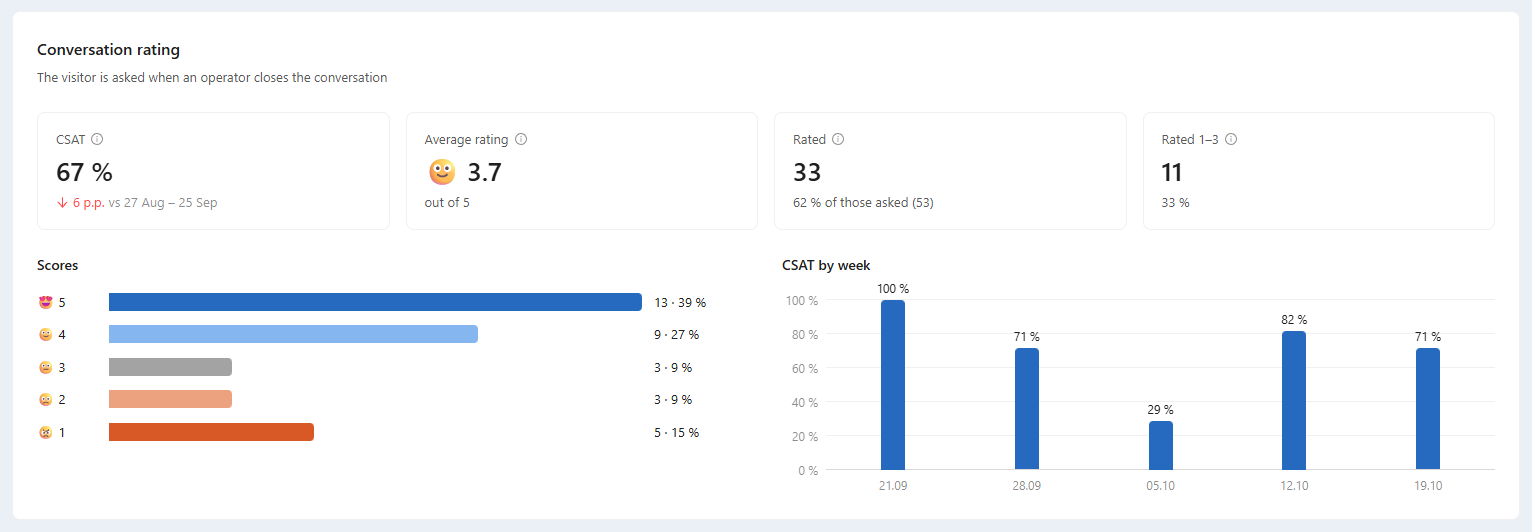
- Five faces. One tap in the chat widget, with an optional comment.
- In the inbox. The operator sees the score and the comment in the conversation.
- By operator. CSAT and the average rating for each person who replied.
- Latest ratings. The newest scores with their comments and a link to each conversation.
Good to know: Ratings are asked in website chat only, when an operator closes the conversation.
Ratings, team, AI agent and website chat.
Screens from a demo academy account. Open any of them to see it full size.

Sales, the AI agent and your site in one report.
- What chats led to Purchases, revenue, forms, bookings and deals won within 7 days of a request. The CRM →
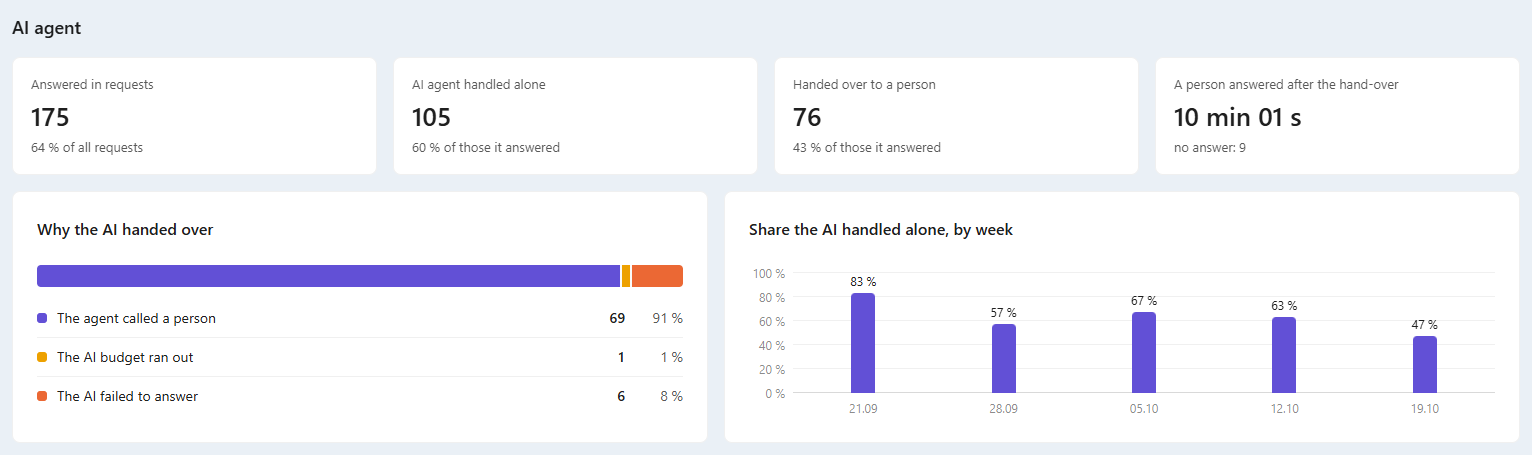
- AI agent What it handled alone and why it handed a chat to a person. AI chat agents →
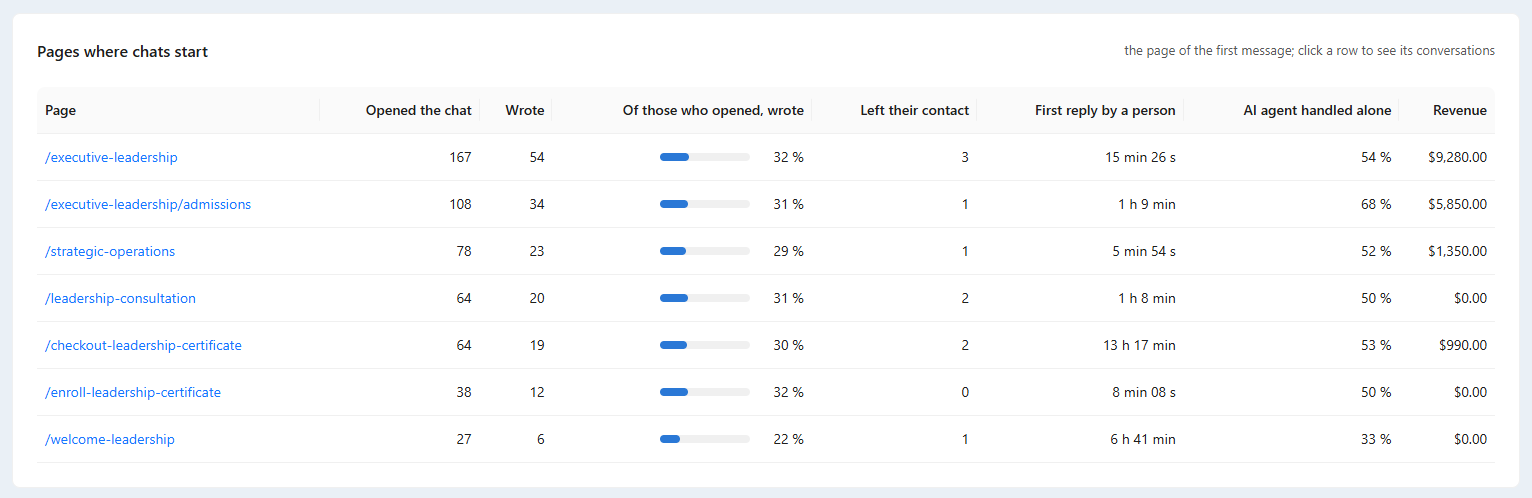
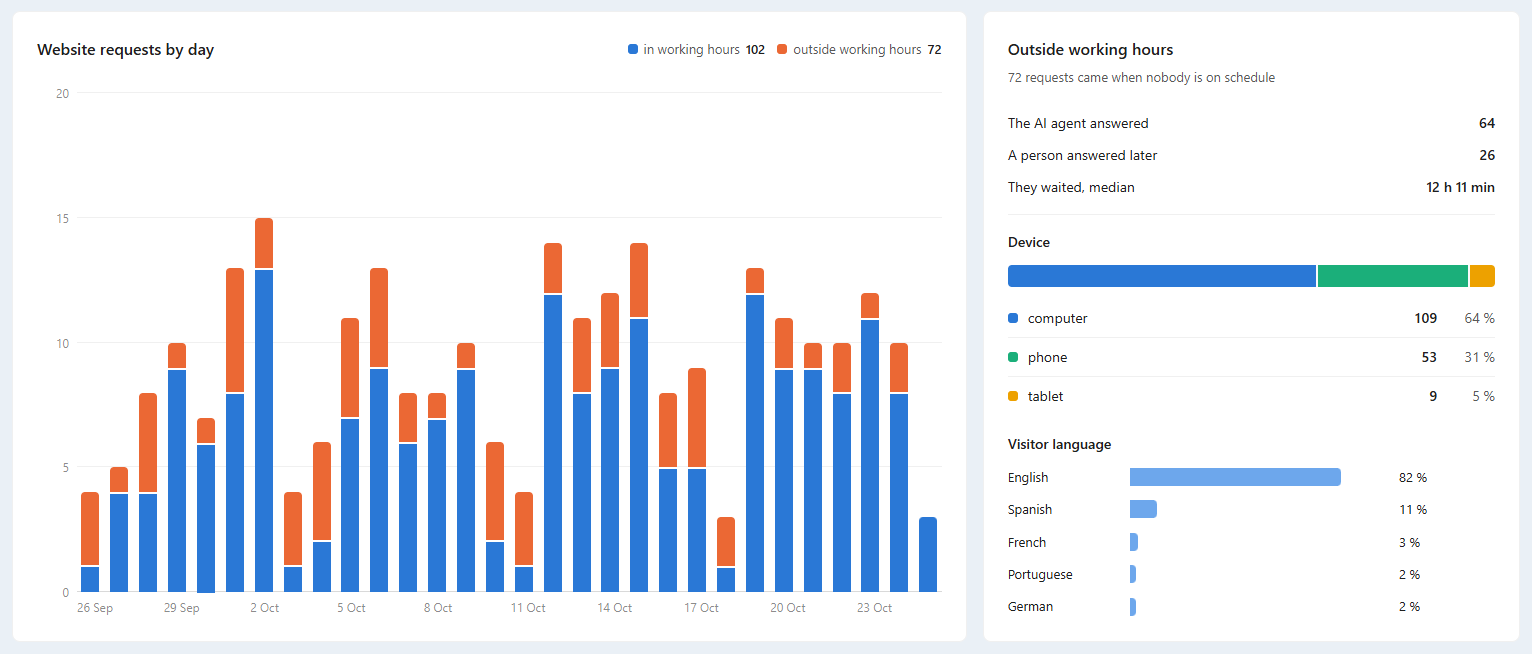
- Website chat Pages where chats start, devices, languages and requests after hours. Live chat →
- Ask your AI Ask your AI assistant how fast you answered this week. AI Assistant →
Open the report and set your goal.
- 01 Open Chat Analytics One page for every chat channel. Communications → Chat Analytics
- 02 Pick days and channels 7, 30 or 90 days or your own dates. Filters at the top
- 03 Set your answer goal 5 minutes by default, and how many days after a chat a result counts. Settings
How fast did we answer website chat in the last 7 days? Show the share answered within our goal and the hours we answer slower.
- 1. Reads Chat Analytics for website chat, last 7 days.
- 2. Gives the first reply and how long a person took to pick up.
- 3. Gives the share answered within your goal.
- 4. Names the hours you answer slower.
Paste it into the AI Assistant inside AXL, or into Claude, ChatGPT or Cursor connected over MCP. Connect over MCP →
Questions people ask.
Website chat, SMS, WhatsApp, Telegram, Instagram, Facebook and in-app chat. You can filter by any of them.
CSAT is the share of ratings of 4 and 5 among everyone who rated. The page also shows the average rating and how many visitors were asked.
A purchase, form, booking or won deal by the same contact within 7 days after a request. The latest request before it gets the credit. You can change the window in Settings.
Yes. Download CSV saves the report’s main tables.
Know how fast you answer and what chats bring.
Free plan, no card needed. Paid plans from $49 a month.