

Host videos with access rules, watermarking and viewing analytics.
Built-in hosting with its own player: anti-download, a watermark that keeps moving, embeds locked to the domains you list, and per-video analytics that separate opened from actually watched.
Free plan, no card needed.
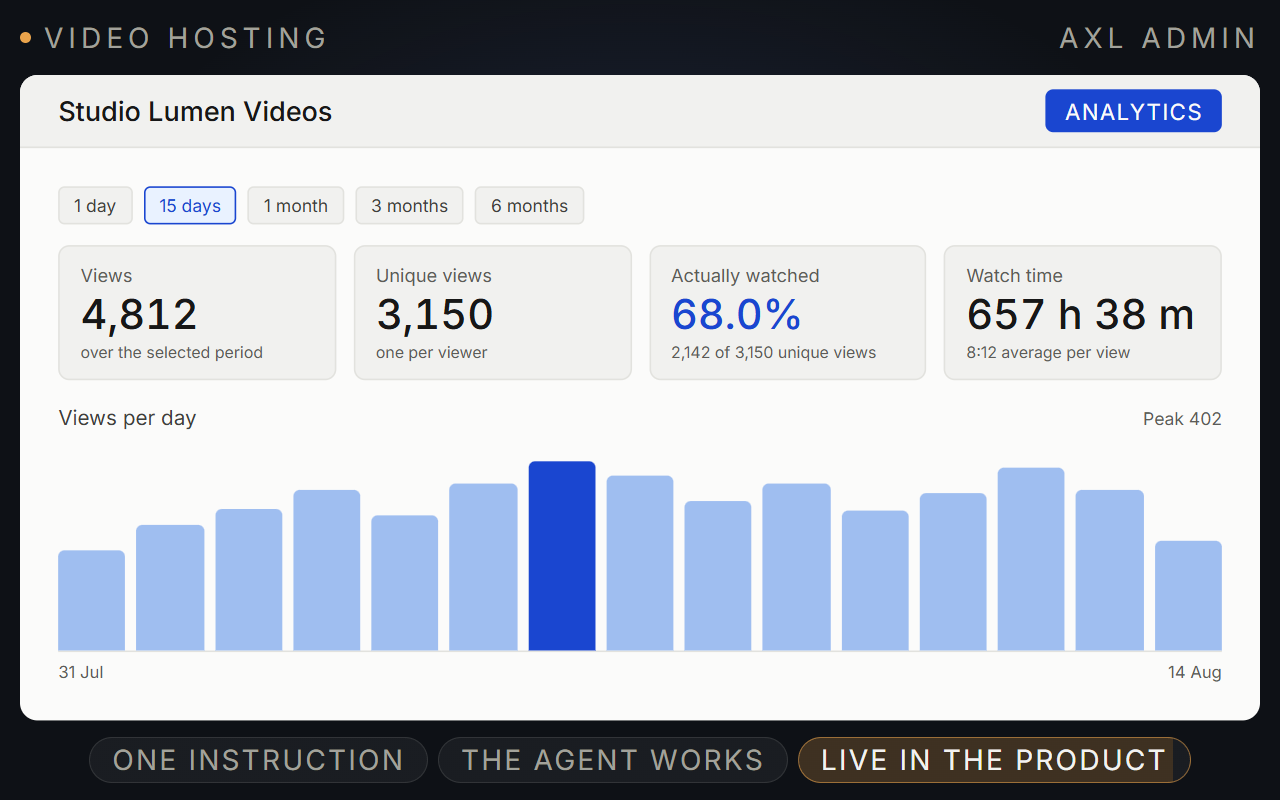
Upload once. Decide where it plays and see who watched.
Host lesson and sales videos with your own player, access rules and viewing data on the contact.
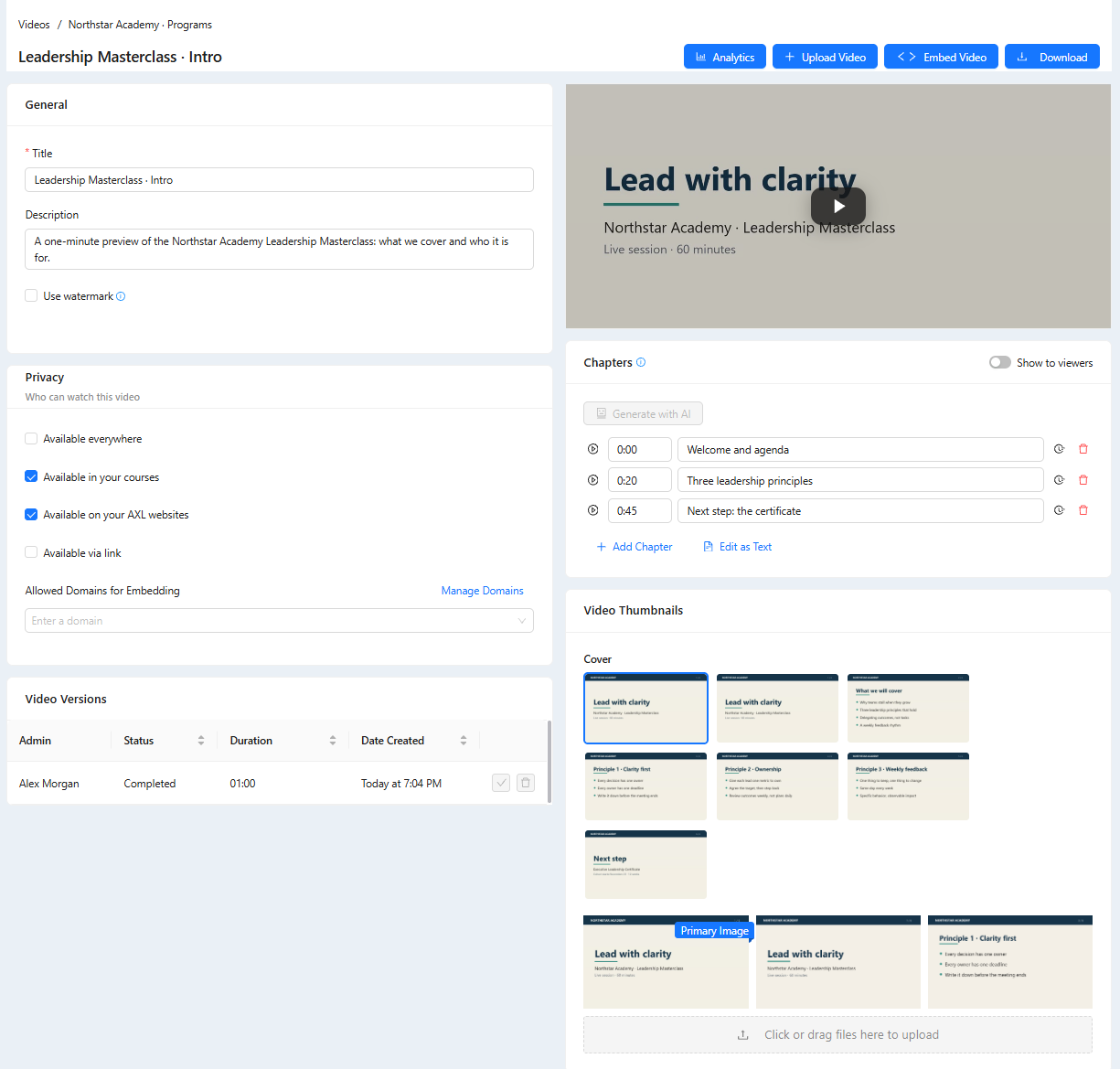
- One library. Upload from a computer or import from Drive, OneDrive, Dropbox or Zoom.
- Access rules. Courses, AXL sites, direct links or the domains you allow.
- Protection. Anti-download player and a moving watermark.
- Viewing data. Views, unique viewers, watch time and share watched.
Good to know: Recorded video only: live streams run in webinars. There is no DRM.
The video page, the library and the watch numbers.
Screens from a demo academy account. Open any of them to see it full size.
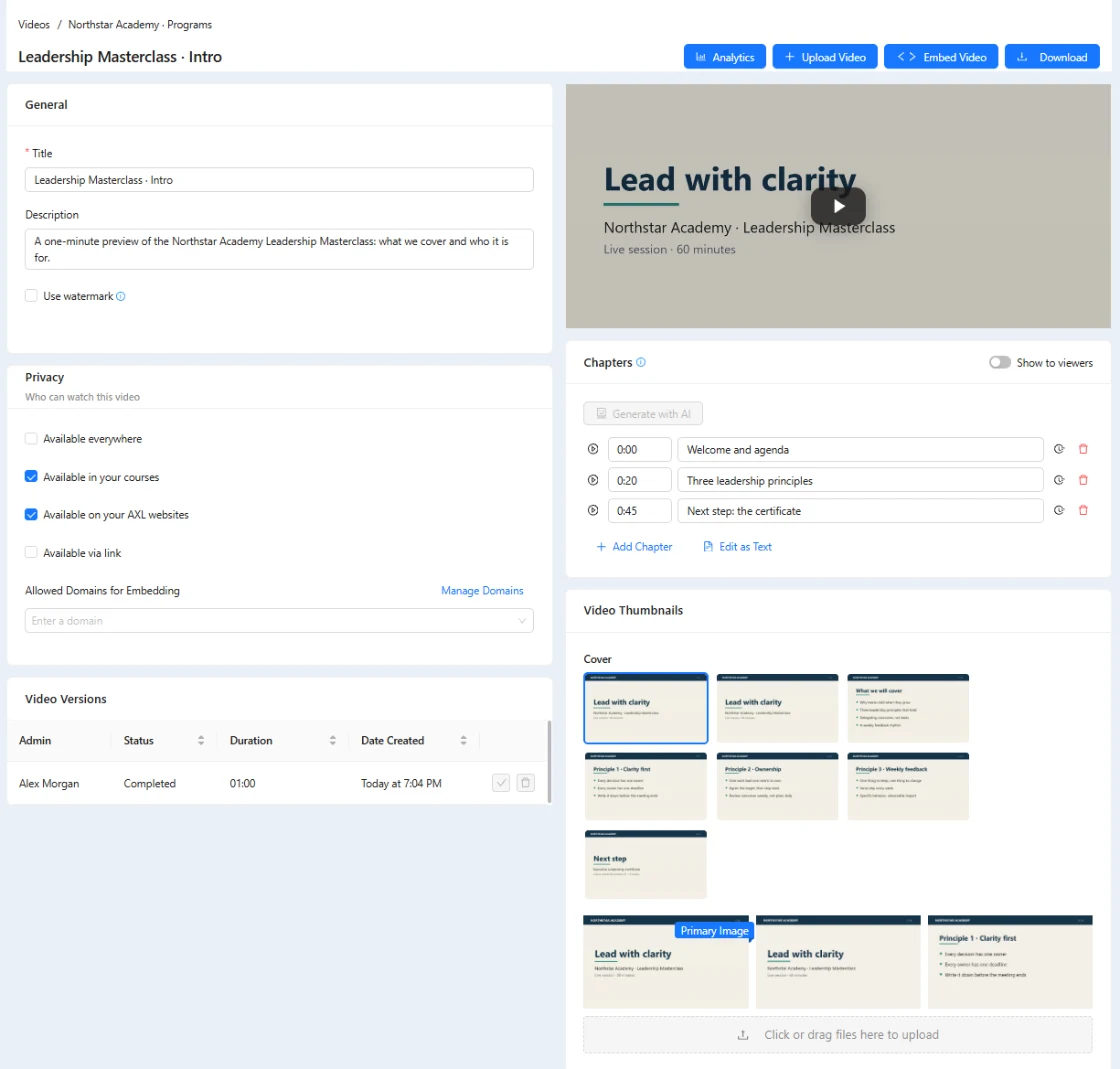
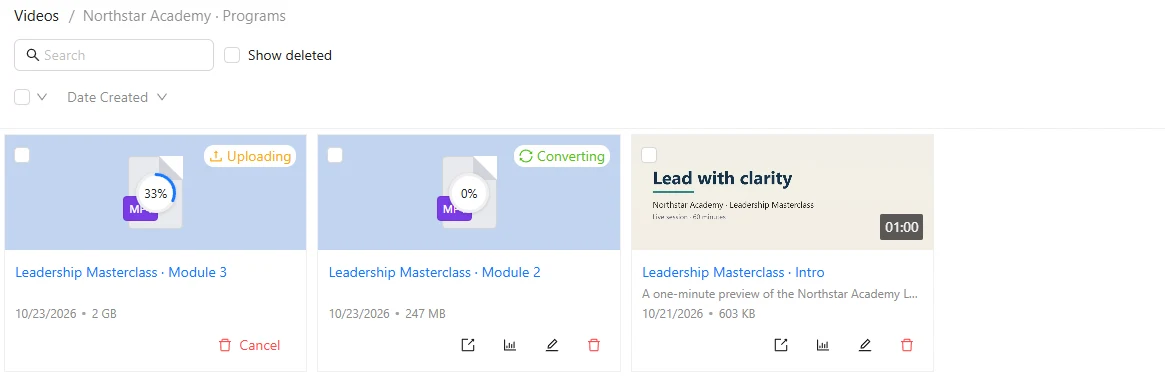
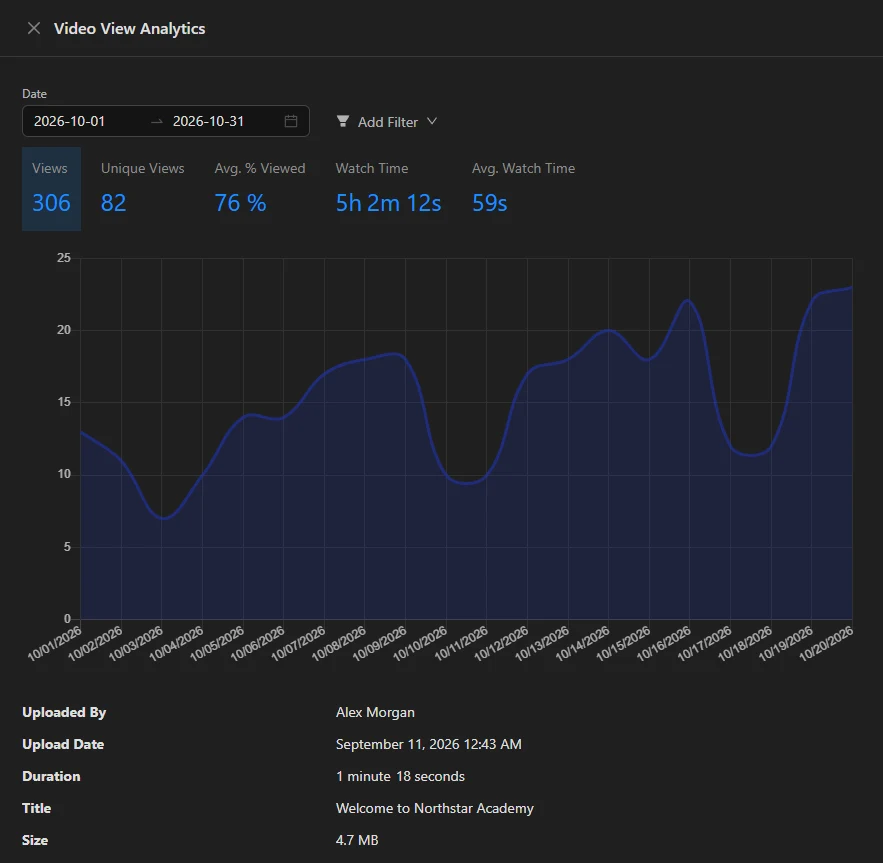
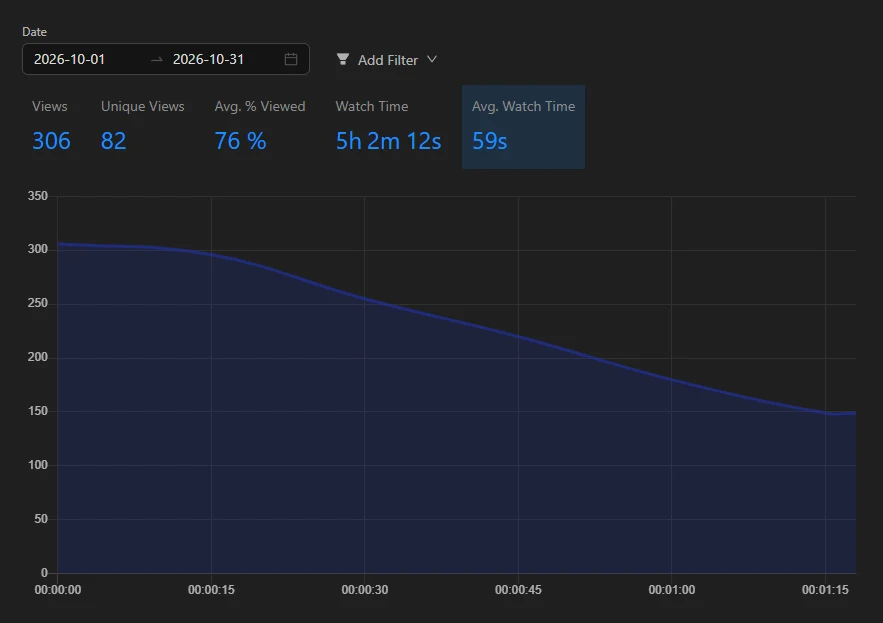
One video, used everywhere.
- In lessons Course steps embed the video, and progress sits next to it. Courses →
- In evergreen webinars Build an automated webinar around a recorded video. Webinars →
- In automations “Video watched” is a condition in segments and scenarios. Automations →
- On your pages Paste the embed code; the domain lock decides where it plays. Sites →
Upload it, then put it to work.
- 01 Upload It converts before it plays. Videos
- 02 Pick a cover A frame from the video or your own image. Video → Covers
- 03 Set the access rule Add your domains first. Video → Privacy
- 04 Copy the embed code Set size, controls and title. Video → Embed
- 05 Read the numbers Opened versus actually watched. Video → Analytics
What hosting costs here and on a video host.
AXL charges $0.03 per hour watched and $0.10 per GB above your plan. Video hosts charge a plan fee with storage and bandwidth caps.
| Library | AXL | Vimeo | Wistia | Mux |
|---|---|---|---|---|
| 50 hours of video, 300 hours watched a month | $61.50 | $20 (Starter, 1 user) | $99 (Business) | $0 |
| 200 hours of video, 1,000 hours watched a month | $117 | $20 (Starter, 1 user) | $99 + bandwidth over 1 TB | $16 |
| 2,000 hours of video, 10,000 hours watched a month | $801 | Enterprise quote | Enterprise quote | $840 |
| What the price covers | Video, plus courses, CRM, email, automations, sites and checkout | Player, privacy, analytics | Player, CTAs and forms, analytics | Video API and player; you build the pages |
AXL includes the $49 Starter plan with 50 GB and 100 hours watched. An hour of video takes about 2.3 GB once converted. Prices from vimeo.com, wistia.com and mux.com; AXL rates on axl.tech/pricing.
Questions people ask.
Not through the player. It resists copying, a watermark can move around the frame, and embeds can be locked to your domains. It is protection, not DRM: no web player stops a screen recording.
Every plan includes viewing hours: 100 on Starter. Extra viewing costs $0.03 per hour, and converted videos count toward your storage.
Yes. Upload a new version and make it current; every lesson and page that uses the video updates.
Keep playback inside your portal, sites or listed domains, and cap how many devices can be logged in at once. The watermark covers the rest.
Yes. Every stored version has a download link.
Upload it once. Keep control of it everywhere.
Free plan, no card needed. Paid plans from $49 a month.